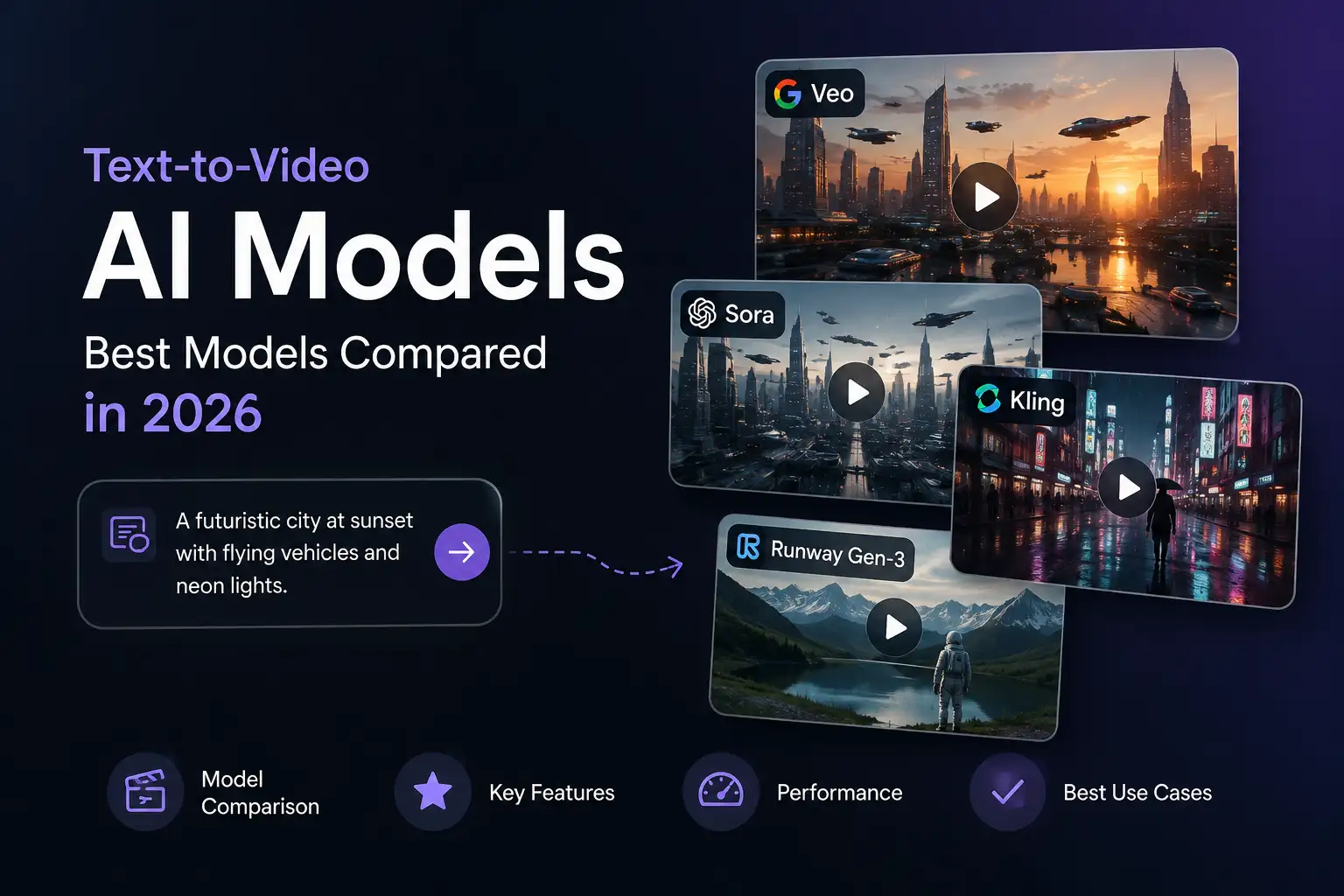
Best Text-to-Video AI Models: Top Models Compared in 2026
Text-to-video AI has moved from an experimental technology into a practical part of modern content creation. Today, AI models can turn natural-language descriptions into video, helping creators, marketers, businesses, and teams develop visual content without starting every project from traditional production workflows.
But there is an important distinction that is often missed.
An AI video model is not the same thing as an AI video generator.
The model provides the underlying generation capability. The generator or platform provides the interface and workflow that makes that capability useful.
Understanding that difference makes it easier to evaluate the growing number of text-to-video AI models available in 2026 and choose the right approach for a particular project.
This guide compares the leading text-to-video AI models, explains what separates them, and shows how to think about model selection in a practical video workflow.
What Are Text-to-Video AI Models?
Text-to-video AI models are generative AI systems that create video from natural-language instructions.
Instead of recording a scene manually, a user can describe what they want to see. The model interprets the prompt and generates a video based on the requested subject, environment, action, style, and other instructions.
A simple workflow looks like this:
Text prompt → AI model → Generated video
The underlying model is responsible for turning the description into visual content.
Different models can produce different results from similar prompts. They may vary in how they handle motion, visual consistency, prompt interpretation, realism, cinematic composition, or other aspects of video generation.
That is why simply knowing that a platform offers "text-to-video AI" does not tell you everything about the quality or characteristics of its output.
How Text-to-Video AI Differs From Traditional Video Creation
Traditional video production generally requires some combination of scripting, filming, equipment, actors or presenters, locations, editing, and post-production.
Text-to-video AI changes the starting point.
Instead of beginning with a physical production setup, the creator can begin with an idea and describe the desired scene in natural language.
This does not eliminate the need for creative direction. It changes where much of the production process begins.
Text-to-Video AI Models vs AI Video Generators
The terms "AI model" and "AI video generator" are often used interchangeably, but they describe different layers of the technology.
What Is an AI Video Model?
An AI video model is the underlying generative system that produces video.
Models such as Sora, Veo, and Kling are examples of systems used for text-to-video generation. The model determines much of what the generation system is capable of producing.
What Is an AI Video Generator?
An AI video generator is the user-facing application or platform built around video-generation capabilities.
A generator can provide:
- Prompting
- Model access
- Video generation
- Image-to-video workflows
- Editing
- Asset management
- Export
- Other production features
The generator is therefore the workflow layer around the underlying generation technology.
Why the Difference Matters
The distinction is important because the most advanced model is not necessarily the easiest way to produce a finished video.
A model may be capable of impressive generation while offering little in the way of editing, asset management, voice, sequencing, or publishing workflows.
A video platform can make those capabilities much easier to use.
In simple terms:
The model defines what can be generated. The tool determines how practical it is to turn that capability into finished content.
That distinction is particularly important for businesses and teams that need to produce content repeatedly rather than simply experiment with individual generations.
How Text-to-Video AI Models Work
Although the technology behind these systems is complex, the basic user workflow is straightforward.
1. The User Provides a Prompt
The process begins with a natural-language description.
A prompt can describe the subject, environment, movement, visual style, camera direction, atmosphere, or other characteristics of the desired video.
The clearer the creative direction, the easier it is to communicate the intended result.
2. The Model Interprets the Prompt
The AI model processes the prompt and determines what visual elements, actions, and relationships the instruction describes.
This is one reason prompt understanding matters when evaluating different models.
Two systems can receive similar instructions and still produce noticeably different results.
3. The Model Generates the Video
The model then generates the requested visual content.
The result can depend on the model's capabilities, the prompt, the complexity of the scene, and the type of output being requested.
4. The User Reviews and Refines the Result
AI video generation is usually iterative.
A first generation may not perfectly match the intended result. The creator may adjust the prompt, change the creative direction, or generate another version.
This is why speed, consistency, and workflow matter alongside raw visual quality.
Best Text-to-Video AI Models in 2026
The text-to-video model landscape has expanded considerably.
Earlier discussions often centered on a small number of prominent models. In 2026, the landscape includes established systems such as Sora, Veo, and Kling alongside newer and emerging models including MiniMax, Seedance, LTX, and open model ecosystems such as Wan. Current text-to-video SERPs also surface model leaderboards and comparison resources covering dozens of models.
Rather than treating one model as universally "the best," it is more useful to understand what each model is designed to do and which type of workflow it may suit.
Google Veo
Veo is one of the major video-generation models in the current ecosystem.
It is particularly relevant for users interested in high-quality visual generation and cinematic or structured video content.
For projects where visual presentation and storytelling are important, Veo can be an important model to consider.
Best suited to: cinematic concepts, branded visual content, storytelling, and visually polished projects.
Consideration: access and workflow depend on the platform through which the model is provided.
OpenAI Sora
Sora is another major text-to-video model and remains one of the most recognizable names in AI video generation.
OpenAI describes Sora as a text-to-video model, and current search results continue to surface it prominently for text-to-video model queries.
Sora is relevant for creators exploring realistic visual scenes, storytelling, and prompt-driven video generation.
Best suited to: visual storytelling, creative exploration, concept development, and realistic video concepts.
Consideration: the practical experience depends on how and where the model is accessed.
Kling
Kling has become another important model in the text-to-video landscape.
It is frequently surfaced alongside other leading models in current AI video comparisons and generator results.
Kling is particularly relevant for creators who want to experiment with AI-generated video and iterate quickly.
Best suited to: short-form content, creative experimentation, social content, and iterative generation.
Consideration: results can vary depending on the complexity of the requested scene and workflow.
MiniMax
MiniMax is part of the newer generation of models appearing prominently in current text-to-video comparisons.
Current model resources and comparison results include MiniMax among the models being evaluated for text-to-video generation.
Best suited to: creators and teams exploring newer text-to-video generation options.
Consideration: capabilities and availability can change quickly as the model ecosystem develops.
Seedance
Seedance is another emerging model that has become part of the current text-to-video conversation.
Current 2026 comparison results include Seedance among the models being evaluated, demonstrating how quickly the competitive landscape is expanding beyond the older group of well-known systems.
Best suited to: creators evaluating newer AI video-generation approaches.
Consideration: model capabilities and positioning can evolve rapidly.
LTX
LTX is another model appearing in current text-to-video comparisons and model resources.
It is particularly relevant for users interested in production-oriented AI video workflows and more control over the generation process.
Best suited to: production-oriented experimentation and teams evaluating different video-generation approaches.
Consideration: the best choice depends on the workflow, accessibility, and capabilities available through the implementation being used.
Wan and Other Open Models
The text-to-video ecosystem also includes open model options.
Current model resources list multiple Wan text-to-video models alongside other open and community-developed systems.
Open models can be relevant for users who want to explore different deployment and customization possibilities.
Best suited to: experimentation, technical users, research, and workflows where openness or flexibility matters.
Consideration: open models can require more technical setup and may not provide the same user experience as a fully managed video-generation platform.
Text-to-Video AI Model Comparison
There is no single model that is best for every project.
A practical comparison should focus on the outcome you need rather than simply ranking models by name.
| Model | Best For | Key Strength | Considerations |
|---|---|---|---|
| Veo | Cinematic and structured content | High-quality visual generation | Access depends on implementation |
| Sora | Visual storytelling and creative concepts | Strong text-to-video capabilities | Practical access varies |
| Kling | Fast iteration and short-form content | Practical experimentation | Complex scenes can require refinement |
| MiniMax | Exploring newer model options | Part of the expanding model landscape | Capabilities continue to evolve |
| Seedance | Emerging video-generation workflows | Newer model capabilities | Rapidly changing ecosystem |
| LTX | Production-oriented workflows | Relevant to controlled video creation | Workflow depends on implementation |
| Wan / open models | Experimentation and flexibility | Open model ecosystem | May require more technical setup |
The important point is that model comparisons should be treated as a snapshot.
Text-to-video AI is evolving quickly. New models appear, existing models change, and platforms continually update the models they make available.
What Makes a Good Text-to-Video AI Model?
A useful model comparison needs more than a list of names.
These are some of the most important criteria to consider.
Prompt Adherence
A good text-to-video model should be able to interpret the user's instructions and generate content that stays reasonably close to the requested concept.
Prompt adherence becomes particularly important when a scene contains multiple elements or detailed creative direction.
Visual Quality
Visual quality includes factors such as detail, composition, coherence, lighting, and overall presentation.
However, visual quality should always be judged against the intended use case.
A social media clip and a cinematic concept may have very different quality requirements.
Motion Quality
Video is different from a still image because movement is central to the result.
A useful model needs to generate movement that fits the requested scene and remains visually coherent.
Consistency
Consistency matters when the same subject, environment, or visual concept needs to remain coherent across generations or scenes.
For longer or more structured projects, consistency can be just as important as individual-frame quality.
Audio
Some modern video-generation systems incorporate audio-related capabilities.
Where available, audio can include elements such as dialogue, sound effects, or other synchronized components.
This can reduce the number of separate steps required to turn a generated visual into a usable piece of content.
Control
Different models and platforms provide different levels of control.
Depending on the workflow, creators may care about prompt control, references, camera direction, scene structure, or other ways of influencing the result.
Duration
The useful duration of generated content matters.
Short clips may work well for social posts or creative concepts, while longer productions may require multiple generated clips assembled into a broader sequence.
Resolution
Output resolution matters when the final content is intended for professional, commercial, or platform-specific use.
The right resolution depends on where and how the video will be published.
Workflow Compatibility
Perhaps the most overlooked factor is how well the model fits into the rest of the production workflow.
A powerful model can still be inconvenient if every other step has to happen in separate tools.
For regular content production, workflow compatibility can have a significant impact on overall efficiency.
How to Choose the Right Text-to-Video AI Model
The best model depends on what you are trying to accomplish.
For Cinematic Video
Prioritize:
- Visual quality
- Motion
- Composition
- Creative control
For cinematic work, the ability to produce visually coherent and compelling scenes can matter more than generation speed.
For Marketing Content
Prioritize:
- Speed
- Consistency
- Repeatability
- Workflow integration
Marketing teams often need multiple variations rather than one perfect video.
A model that fits efficiently into an iterative workflow can therefore be more valuable than one that produces impressive results but is difficult to use repeatedly.
For Social Media
Prioritize:
- Fast generation
- Short-form output
- Easy iteration
- Creative experimentation
Social content often requires a high volume of variations, making speed and workflow simplicity especially useful.
For Product Content
Prioritize:
- Visual consistency
- Product representation
- Creative control
- Repeatable workflows
Product content can require a consistent visual identity across multiple pieces of content.
For Business Content
Prioritize:
- Reliability
- Repeatability
- Ease of use
- Workflow simplicity
Businesses often need to produce content consistently rather than experiment with a model once.
For Experimentation
Prioritize:
- Accessibility
- Ease of iteration
- Creative flexibility
- Ability to test different approaches
If the goal is simply to explore what text-to-video AI can do, ease of experimentation may matter more than production features.
Text-to-Video AI Models vs Text-to-Video AI Tools
Once you understand the difference between models and tools, the practical relationship becomes clearer.
What the Model Provides
The model provides the underlying generation capability.
It interprets the prompt and produces the video.
What the Tool Provides
A tool or platform can wrap that capability in a complete workflow.
That workflow can include:
- Model access
- Prompting
- Video generation
- Image-to-video generation
- Editing
- Asset management
- Voice
- Export
- Other creative functions
The exact capabilities vary between platforms.
Why the Tool Layer Matters
For someone experimenting with AI video, accessing an individual model may be enough.
For someone producing content regularly, the surrounding workflow becomes much more important.
Instead of managing separate systems for different steps, an integrated platform can bring multiple capabilities together.
That is especially useful when a project moves from an idea to a script, then to visual generation, voice, editing, and final publishing.
The model is one part of that process.
The workflow is what turns the capability into something practical.
How Businesses Can Use Text-to-Video AI
Text-to-video AI is becoming relevant across a wide range of business workflows.
Marketing Campaigns
Teams can use generated video to explore campaign concepts, create variations, and develop visual assets for different audiences and channels.
Product Videos
Text-to-video generation can help teams develop product concepts, demonstrations, promotional visuals, and supporting content.
Social Media Content
Short-form video can be created and iterated more quickly, helping teams experiment with different creative directions.
Training Content
Businesses can use AI-generated video as part of educational and training workflows, particularly when visual explanations can make information easier to understand.
Explainer Videos
Text-to-video systems can help turn concepts, scripts, and ideas into visual sequences that support explanations.
Advertising
Marketing teams can explore different creative concepts and generate video variations for campaigns.
Internal Communications
AI-generated video can also support internal announcements, presentations, educational material, and other business communications.
The common theme is not simply generating video.
It is reducing the effort required to move from an idea to usable visual content.
Using Text-to-Video AI in a Broader AI Workflow
Text-to-video generation becomes even more useful when it is treated as part of a broader content workflow.
A modern AI content workflow can look like:
Idea → Script → Text-to-Video → Image-to-Video → Voice → Avatar → Social
Each stage solves a different part of the content-creation process.
Text-to-video can create the initial visual content.
Image-to-video can animate existing images or visual assets.
Voice tools can provide narration.
Avatar tools can turn scripts into presenter-led content.
Social workflows can then adapt the finished material for different channels.
This is why an integrated AI environment can be more useful than thinking about each AI capability as a completely separate tool.
The goal is not simply to access a powerful model.
The goal is to move from idea to finished content with less friction.
Klyra AI Video Generator
Klyra approaches AI video generation as part of a broader AI workspace rather than as an isolated model.
Its Video Studio includes text-to-video and image-to-video capabilities, with video generation powered by leading models including Sora, Veo, and Kling.
That distinction matters.
Instead of requiring users to think about individual models first, Klyra brings AI capabilities into one environment so the focus can remain on the content being created.
A broader workflow can move from text and ideas into video generation and then into other AI-powered content capabilities.
This fits Klyra's larger positioning as the AI Operating System, which brings leading AI models and business-ready AI applications into one unified platform.
The objective is simple:
Spend less time managing AI tools and more time creating useful content.
[Start Creating]Frequently Asked Questions
What are text-to-video AI models?
Text-to-video AI models are generative AI systems that create video from natural-language descriptions. They interpret a user's prompt and generate visual content based on the requested subject, action, environment, and other instructions.
What is the difference between a text-to-video model and an AI video generator?
A text-to-video model is the underlying technology that generates the video. An AI video generator is the user-facing tool or platform that makes that capability accessible through a workflow that may include prompting, generation, editing, asset management, and export.
What is the best text-to-video AI model in 2026?
There is no single best model for every use case. The right choice depends on what matters most for the project, such as visual quality, motion, prompt adherence, consistency, speed, control, accessibility, and workflow integration.
Which AI models can generate video from text?
The current landscape includes models such as Sora, Veo, Kling, MiniMax, Seedance, LTX, and various open models including systems from the Wan ecosystem. The model landscape continues to evolve rapidly.
Can text-to-video AI models create realistic videos?
Yes. Modern text-to-video systems can generate increasingly realistic visual content. However, results vary according to the model, prompt, scene complexity, and workflow. AI-generated video can still require iteration and refinement.
Can businesses use text-to-video AI?
Yes. Businesses can use text-to-video AI for marketing, product content, social media, training, explainers, advertising, and internal communications. The most useful approach is usually to integrate video generation into a broader content workflow rather than treating it as an isolated capability.
Are text-to-video AI models the same as AI video generators?
No. The model provides the underlying generation technology, while the AI video generator provides the interface and workflow around that technology.
How do I choose a text-to-video AI model?
Start with the outcome you need. Consider visual quality, prompt adherence, motion, consistency, audio, control, duration, resolution, accessibility, and how easily the model fits into your overall content workflow.
Final Thoughts
Text-to-video AI models have become an important part of modern content creation.
The model landscape now includes established systems such as Sora, Veo, and Kling alongside newer and emerging models. Current model resources and leaderboards demonstrate how quickly the category continues to expand.
But choosing a model is only one part of the equation.
A powerful model does not automatically provide a complete production workflow.
For creators, marketers, and businesses, the more useful question is often not simply:
Which model is the most advanced?
It is:
Which combination of AI capabilities and workflow can help us turn ideas into useful video content efficiently?
That is where the distinction between models and tools becomes important.
The model provides the generation capability.
The workflow makes that capability practical.
And as AI video continues to evolve, the ability to bring those capabilities together into a simple, connected workflow will become increasingly important.
One Platform. Every AI Capability. Infinite Possibilities.