Transcribe Speech.
Capture Every Word.
AI Speech to Text transforms conversations, meetings, interviews, lectures, podcasts, and recordings into highly accurate text using industry-leading speech recognition models from ElevenLabs and OpenAI. Transcribe uploaded audio with exceptional precision or capture conversations in real time, all from one intelligent workspace inside Klyra AI.
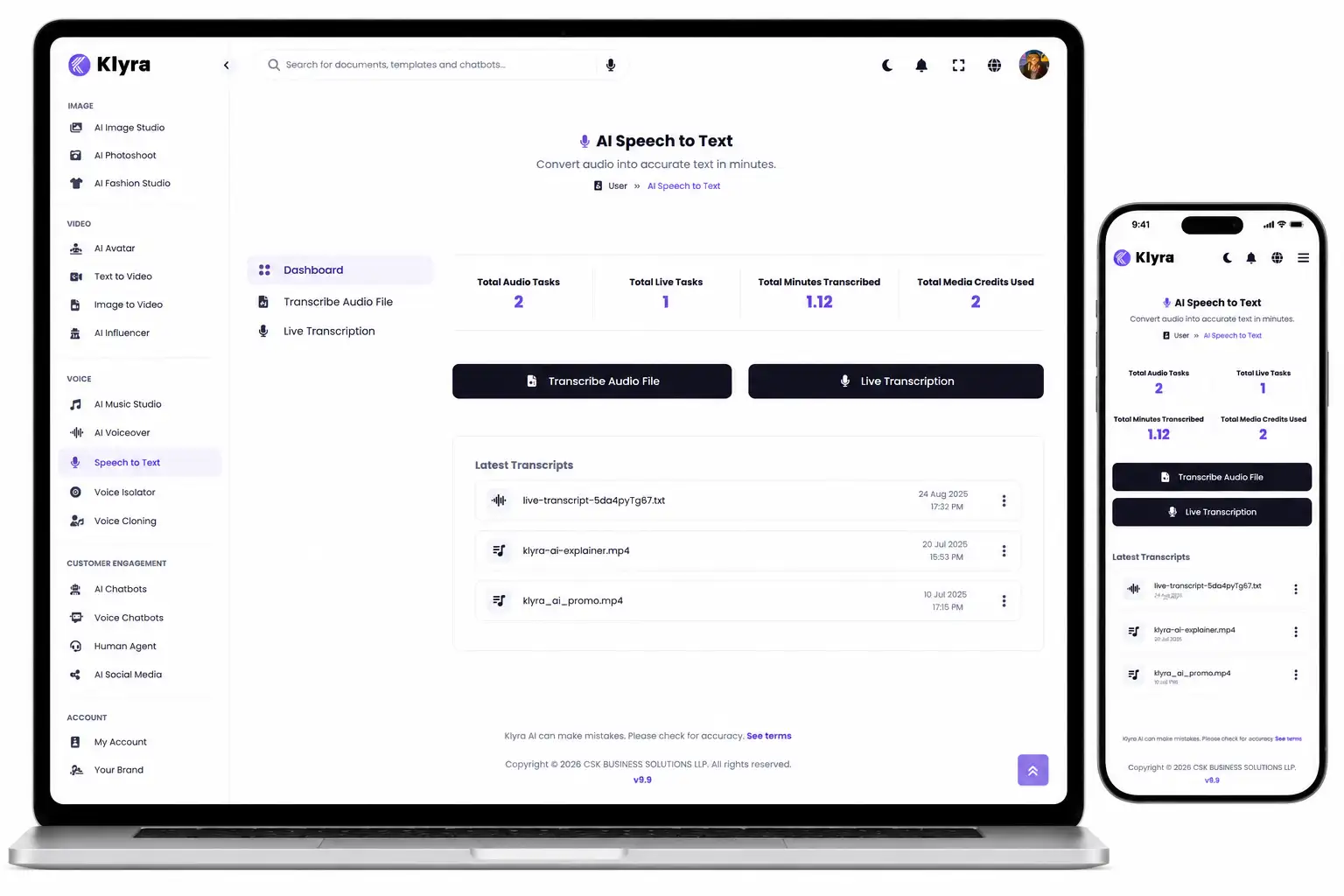
From spoken words.
To structured text.
Whether you're transcribing a recorded interview or capturing a live conversation, AI Speech to Text transforms speech into accurate, searchable text with remarkable speed. Every transcription becomes a reusable business asset inside Klyra AI.
Capture your audio.
Upload an existing audio recording or start live transcription. AI Speech to Text is designed for interviews, meetings, lectures, podcasts, conversations, and other spoken content.
AI understands every conversation.
Industry-leading speech recognition models accurately convert spoken language into text while identifying speakers, generating precise timestamps, and recognizing important audio events.
Work with confidence.
Instantly access clean, readable transcripts that help your team review conversations, document important information, and continue working inside one connected AI workspace.
Focus on the conversation.
Not on taking notes.
AI Speech to Text automatically captures spoken conversations with exceptional accuracy, allowing you to stay engaged while every important word is preserved for future reference.
Upload recordings.
Or capture conversations live.
Whether you're working with existing audio files or listening to conversations as they happen, AI Speech to Text provides dedicated transcription workflows built for speed, accuracy, and professional results.
More than transcription.
Understand every conversation.
AI Speech to Text captures more than spoken words. Advanced transcription intelligence helps organize conversations with precise timestamps, speaker recognition, and audio event detection, making transcripts easier to review, navigate, and understand.
Character-level timestamps.
Navigate transcripts with exceptional precision. Every spoken word is accurately aligned within the recording, making it easy to locate important moments and review conversations efficiently.
Identify every speaker.
Speaker diarization separates conversations between multiple participants, helping interviews, meetings, discussions, and podcasts remain organized and easy to follow.
Recognize audio events.
Audio event tagging helps identify meaningful sounds within recordings, providing additional context beyond spoken dialogue for more complete transcription results.
Accuracy you can trust.
Powered by world-class automatic speech recognition models from ElevenLabs and OpenAI, AI Speech to Text is designed to deliver highly reliable transcription results across conversations, interviews, lectures, meetings, podcasts, and multilingual audio.
Every transcript is built to help individuals and teams spend less time correcting text and more time acting on information.
Capture every detail.
Never miss the conversation.
From boardroom meetings to research interviews and educational lectures, AI Speech to Text delivers organized, readable transcripts that help your business preserve valuable knowledge with confidence.
From quick voice notes.
To hours of conversation.
Every conversation matters. Whether you're transcribing a short recording or a lengthy interview, AI Speech to Text is built to handle real-world audio workflows with speed, reliability, and exceptional transcription quality.
Interviews & Research
Preserve valuable conversations with highly accurate transcripts that make reviewing interviews, research sessions, and discussions significantly easier.
Podcasts & Lectures
Convert educational content, podcasts, presentations, and spoken recordings into readable text that can be referenced long after the conversation ends.
Record once.
Access forever.
Every transcript becomes a searchable business asset that helps preserve meetings, conversations, interviews, and knowledge, making important information easier to revisit whenever your team needs it.
Fast
Spend less time creating transcripts and more time using them.
Multilingual
Transcribe conversations across 99 supported languages with confidence.
Reliable
Preserve valuable conversations with professional-grade transcription accuracy.
One transcription tool.
Countless possibilities.
Every profession depends on conversations. AI Speech to Text helps individuals and teams capture spoken information accurately, making important discussions easier to review, organize, and reference whenever they're needed.
Business Meetings
Capture discussions, project updates, planning sessions, and important decisions without relying on manual note-taking during meetings.
Podcasts & Interviews
Turn long-form conversations into accurate transcripts that are easier to review, reference, and work with after recording.
Education & Learning
Convert lectures, presentations, workshops, and educational recordings into searchable text for future study and reference.
Multilingual Teams
Work confidently across global conversations with support for transcription in 99 languages using industry-leading speech recognition models.
Built for accuracy.
Ready for the world.
Reliable transcription starts with exceptional speech recognition. AI Speech to Text combines industry-leading automatic speech recognition models with multilingual capabilities to help you confidently capture conversations from around the globe.
Transcribe in 99 languages.
Support multilingual conversations with transcription across 99 languages, helping global teams, creators, educators, and businesses communicate without language barriers.
Designed for global collaboration.
Capture multilingual meetings, international interviews, educational content, and worldwide conversations with confidence from one intelligent transcription workspace.
Every conversation matters.
Capture it with confidence.
Conversations move quickly, but valuable information shouldn't disappear with them. AI Speech to Text helps individuals and organizations preserve spoken knowledge with exceptional accuracy, enabling faster collaboration and better decision-making.
Save valuable time.
Eliminate manual transcription and note-taking. Generate accurate transcripts quickly so your team can focus on understanding conversations instead of documenting them.
Preserve institutional knowledge.
Turn meetings, interviews, lectures, and discussions into searchable records that remain available long after the conversation has ended.
Collaborate globally.
Support multilingual conversations with transcription across 99 languages, helping teams communicate more effectively across regions and markets.
A smarter way to capture conversations.
AI Speech to Text is one capability.
Klyra AI is The AI Operating System.
Conversations are only the beginning. Once speech becomes text, your work can continue across the entire Klyra AI platform. AI Speech to Text transforms spoken information into connected knowledge that powers content creation, collaboration, productivity, and business workflows from one intelligent workspace.
Capture every conversation.
Record live conversations or transcribe uploaded audio with exceptional accuracy, creating reliable transcripts that become valuable business assets instead of temporary recordings.
Continue working seamlessly.
Use your transcripts throughout Klyra AI to create documents, marketing content, reports, presentations, knowledge resources, and other business materials without moving between disconnected tools.
Build smarter businesses.
Replace fragmented AI workflows with one connected operating system where conversations, knowledge, AI apps, and business processes work together in a single platform.
One transcription app.
One connected business platform.
AI Speech to Text is one of the many AI Apps inside Klyra AI. Every app works together as part of The AI Operating System, giving your business a unified environment where conversations become knowledge, knowledge becomes action, and AI helps every team accomplish more from one place.
Questions?
We've got answers.
Learn more about AI Speech to Text and how it helps you transform spoken conversations into organized, searchable knowledge inside Klyra AI.
What can I transcribe with AI Speech to Text?
You can transcribe uploaded audio recordings using Audio Transcribe or capture conversations in real time using Live Transcribe. The app is ideal for meetings, interviews, podcasts, lectures, discussions, presentations, and other spoken content.
Which AI models power transcription?
Audio Transcribe uses industry-leading automatic speech recognition models from ElevenLabs, while Live Transcribe leverages OpenAI's latest transcription models to deliver fast and highly accurate speech recognition.
Does AI Speech to Text support multiple languages?
Yes. Audio Transcribe supports transcription in 99 languages, helping individuals and organizations accurately capture multilingual conversations and recordings.
What advanced transcription features are included?
AI Speech to Text includes character-level timestamps, speaker diarization, and audio-event tagging, making transcripts easier to navigate, review, and understand.
Is AI Speech to Text a standalone application?
No. AI Speech to Text is one of the AI Apps inside Klyra AI. As part of The AI Operating System, your transcripts become connected with the rest of your AI-powered workflows, allowing your business knowledge to remain organized in one intelligent platform.