Turn ideas and images
into cinematic AI videos.
Create stunning videos from a simple text prompt or transform existing images into beautifully animated scenes. Powered by industry-leading AI video models including OpenAI Sora, Google Veo, Kling AI, Stable Diffusion, and more, AI Video Generator makes professional video creation effortless inside one intelligent workspace.
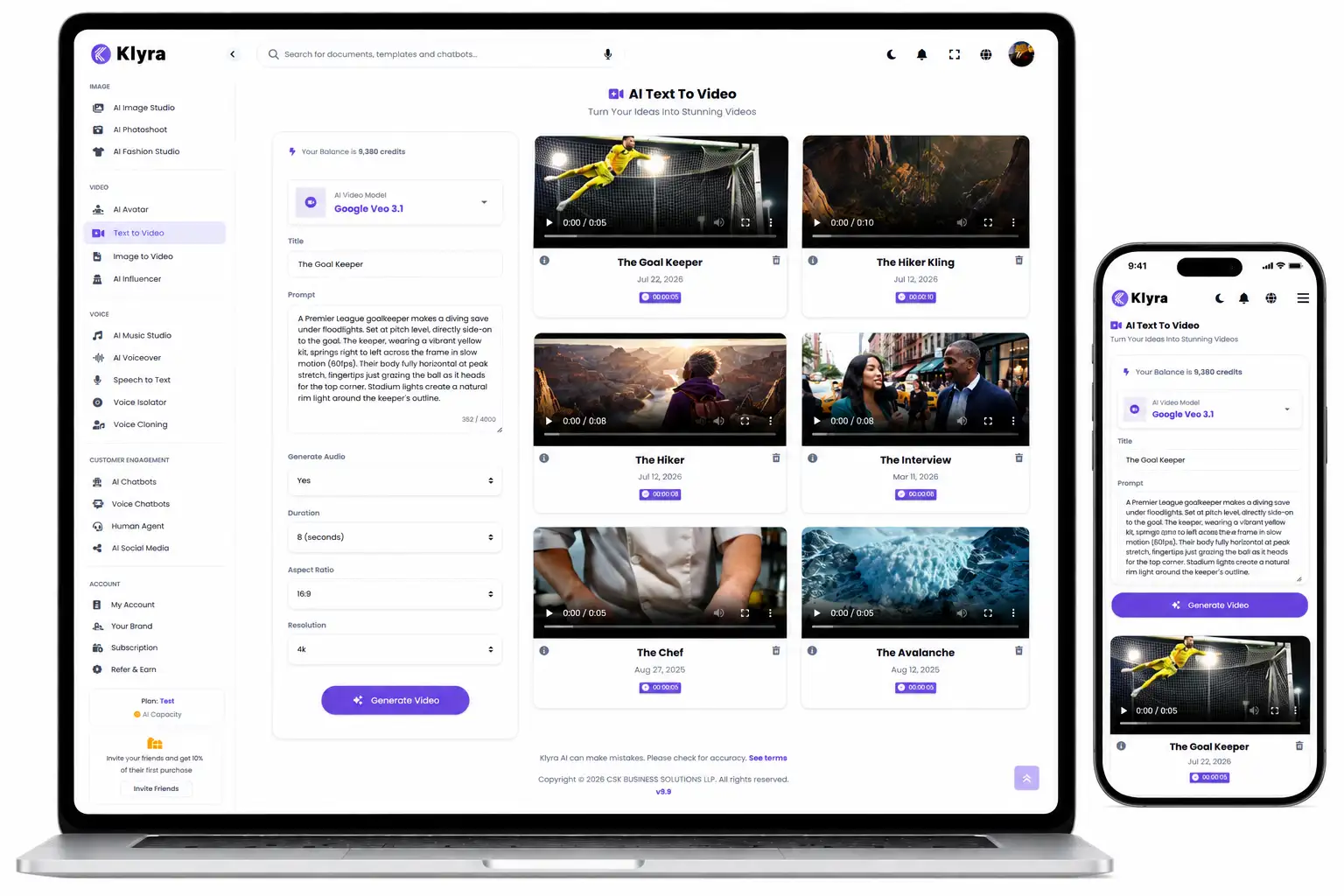
Start with a prompt.
Or start with an image.
Every great video begins with an idea. Whether you're describing a scene with text or breathing motion into an existing image, AI Video Generator gives you two intuitive ways to create professional-quality videos from one beautifully connected experience.
However inspiration begins,
video creation feels effortless.
Whether your project starts with a written idea or an existing image, AI Video Generator keeps the entire creative process simple, intuitive, and focused on helping you produce remarkable videos instead of managing complex AI workflows.
One workspace.
The world's leading AI video models.
Every creative idea is different. AI Video Generator brings together multiple state-of-the-art AI video models in one beautifully simple interface, allowing you to choose the model that best matches your creative vision without switching between different platforms.
OpenAI Sora
Generate cinematic AI videos directly from natural language prompts using one of the industry's most advanced text-to-video models.
Google Veo
Create high-quality AI videos from both text descriptions and images using Google's next-generation video generation technology.
Kling AI
Produce realistic AI-generated motion from prompts and images with powerful video generation capabilities designed for modern creators.
Stable Diffusion
Transform static images into engaging animated visuals while preserving the quality and character of the original artwork.
Professional video creation.
Without professional complexity.
Producing compelling videos traditionally requires creative teams, expensive software, and countless hours of editing. AI Video Generator helps you transform ideas into professional-quality videos with a faster, simpler, and more intuitive creative workflow.
Turn ideas into videos faster.
Move from concept to finished video in minutes instead of spending hours building timelines, creating animations, or coordinating complex production workflows.
Create without creative limits.
Start with a prompt or an existing image and explore multiple creative directions without recreating your project from the beginning.
Create more with one platform.
Access multiple leading AI video models from a single workspace instead of managing separate tools, subscriptions, and creative workflows.
A simpler way to produce remarkable videos.
One video generator.
Unlimited creative possibilities.
Every business tells stories differently. Whether you're promoting products, building a brand, educating customers, or creating social content, AI Video Generator helps transform ideas into engaging videos from one unified creative experience.
Marketing Campaigns
Create engaging promotional videos that help communicate ideas, introduce products, and capture attention across modern marketing channels.
Social Content
Transform ideas and visuals into eye-catching videos designed to increase engagement and keep your audience interested.
Creative Storytelling
Turn concepts, scenes, and imagination into cinematic AI videos that communicate stories with motion instead of static visuals.
Product Showcases
Bring product imagery to life with dynamic motion, helping customers experience products in a more engaging and memorable way.
Educational Content
Present ideas visually with AI-generated videos that make explanations more engaging and easier to understand.
Business Communication
Communicate announcements, ideas, and business messages with professional AI-generated videos that are fast to produce and easy to share.
Three simple steps.
One remarkable result.
AI Video Generator removes unnecessary complexity from video production. Whether you begin with text or an image, every project follows a simple workflow designed to help you focus on creativity instead of technology.
Start with an idea.
Describe your vision with a text prompt or upload an existing image that you want to transform into an engaging AI-generated video.
Choose your AI model.
Select from supported AI video models inside one unified workspace and let the platform generate cinematic motion from your creative input.
Share your story.
Use your finished AI-generated video wherever your audience is, from marketing campaigns and product launches to social content and business communication.
Creativity should feel natural.
Not technical.
AI Video Generator hides the complexity of modern AI video generation behind a clean, intuitive experience, allowing anyone to create professional-quality videos without learning complicated production tools.
Your focus stays on storytelling while Klyra AI handles the technology behind the scenes.
Less time learning software.
More time creating.
Instead of navigating complicated video editing workflows, simply describe your vision or upload an image and let AI Video Generator transform your ideas into professional videos from one beautifully connected workspace.
Built for modern creators.
Designed for modern businesses.
AI Video Generator isn't just about creating videos. It's about helping businesses, marketers, creators, and teams communicate ideas faster through cinematic visual storytelling, all from one beautifully connected creative workspace.
Accelerate content production.
Create professional AI videos in a fraction of the traditional production time, allowing your team to publish more content without increasing creative complexity.
One place for every project.
Switch effortlessly between Text to Video and Image to Video workflows while accessing multiple AI models from one consistent experience.
Focus on ideas, not software.
Describe what you want to create or upload an image. Klyra AI takes care of the complexity so your team can focus on storytelling and creativity.
Describe
Start with a simple text prompt.
Animate
Transform still images into engaging motion.
Create
Produce cinematic AI videos from one workspace.
AI Video Generator is one capability.
Klyra AI is The AI Operating System.
Creating a video is only one step in your workflow. AI Video Generator is fully integrated into Klyra AI, allowing your videos to become part of the same intelligent workspace where you create content, design visuals, collaborate with your team, build knowledge, and grow your business.
Create engaging videos.
Generate AI-powered videos from text prompts or existing images using industry-leading video models, all from one streamlined creative experience.
Continue your workflow.
Use your videos alongside Klyra AI's other creative and business apps to produce marketing content, presentations, product launches, documentation, and customer communications without switching platforms.
Grow from one platform.
Replace disconnected AI tools with one intelligent operating system where creativity, productivity, collaboration, and knowledge work together in one connected environment.
One video app.
One connected business.
AI Video Generator is one of the many AI Apps inside Klyra AI. Every app works together as part of The AI Operating System, giving your business a unified workspace where ideas become content, content becomes campaigns, and campaigns become measurable business outcomes.
Questions?
We've got answers.
Learn more about AI Video Generator and how it helps you transform ideas and images into cinematic AI videos inside Klyra AI.
How can I create videos?
AI Video Generator supports two creative workflows. You can generate videos from natural language text prompts or transform existing images into engaging AI-generated videos, all from one unified workspace.
Which AI video models are supported?
AI Video Generator brings together leading AI video models, including OpenAI Sora, Google Veo, Kling AI, and Stable Diffusion, allowing you to create videos without managing multiple AI platforms.
What kinds of videos can I create?
Create marketing videos, social media content, product showcases, educational visuals, business communications, creative storytelling, and many other types of AI-generated videos from a single creative experience.
Is AI Video Generator a standalone application?
No. AI Video Generator is one of the AI Apps inside Klyra AI: The AI Operating System. It works alongside your other AI-powered workflows, allowing your videos, creative assets, and business content to remain connected in one intelligent platform.