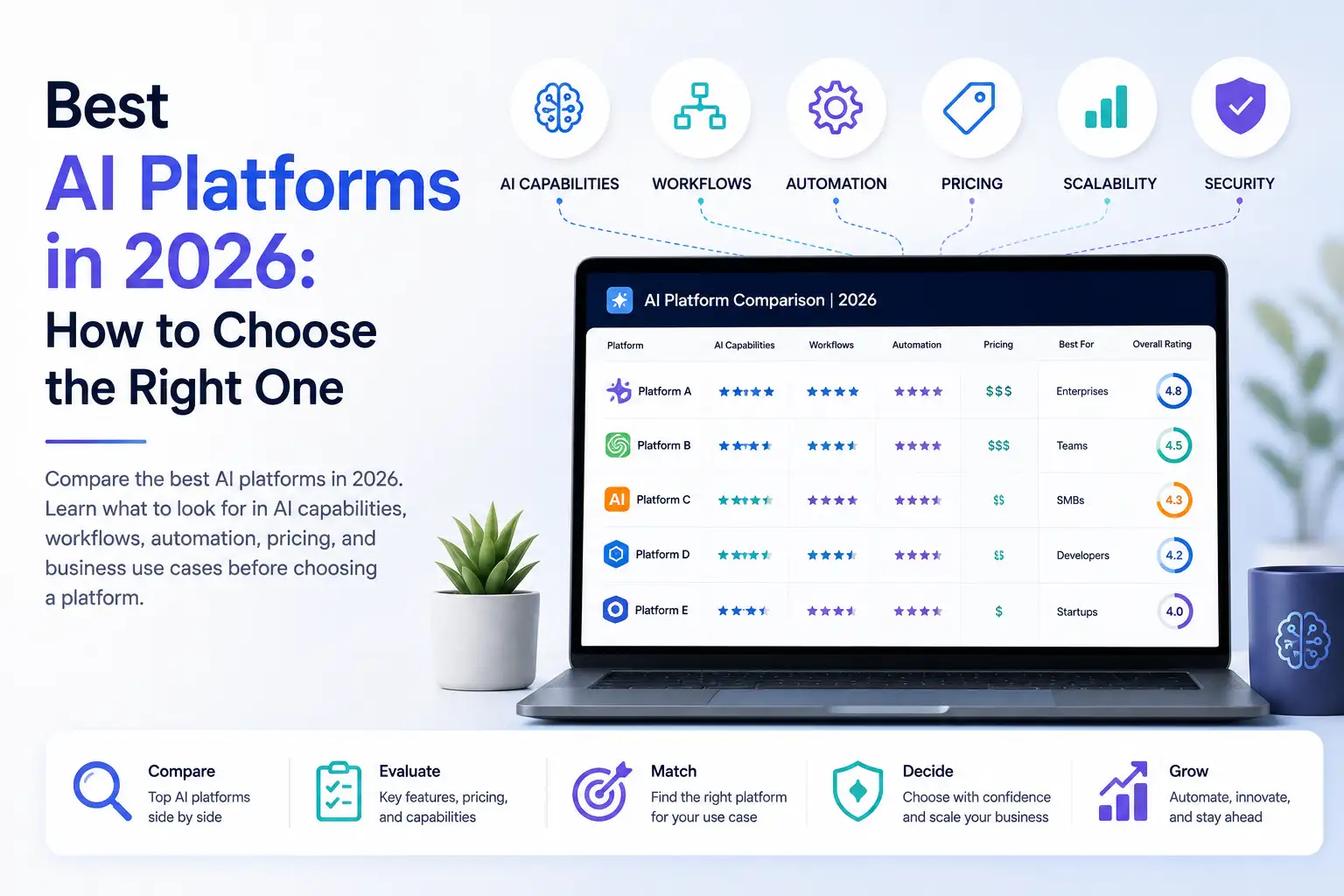
Best AI Platforms in 2026: How to Choose the Right One
There are more AI platforms available today than ever. Some are built around AI models, some focus on development, others specialize in content creation, automation, customer service, or productivity.
That makes choosing an AI platform harder, not easier.
The best AI platform is not necessarily the one with the longest feature list or the most advanced technology. It is the one that fits the way you actually work, supports the capabilities you need, simplifies your workflows, and can grow with you.
For businesses, creators, and teams, that often means looking beyond individual AI tools and evaluating the entire platform experience.
In this guide, we'll explain what makes an AI platform worth choosing, the different types of AI platforms available, what to compare, and how to choose the right one for your needs.
What Makes an AI Platform One of the Best?
There is no single feature that makes an AI platform the best. A strong platform should combine useful AI capabilities with a practical, simple experience.
Here are the most important factors to consider.
1. A broad range of AI capabilities
A useful AI platform should support the types of work you actually need to accomplish.
Depending on your goals, that might include:
- AI chat
- Writing and content creation
- Image generation and editing
- Video generation
- Voice and speech
- Presentations
- Automation
- Customer engagement
- AI-powered business workflows
The advantage of a broader platform is that you can handle more of your work in one environment instead of constantly moving between specialized tools.
Klyra, for example, brings AI chat, content creation, image and video generation, voice capabilities, automation, and customer engagement into its broader AI Operating System.
The important question is not simply how many features a platform has.
Ask:
Can it handle the work I actually need to do?
2. Access to capable AI models
The underlying AI models matter, but they should not be the only thing you evaluate.
Different models can be better suited to different types of work. A platform that can work with multiple leading models can provide more flexibility as AI technology evolves.
However, users should not have to become AI infrastructure experts just to get useful results.
Klyra's product philosophy is to hide unnecessary technical complexity and focus the experience on outcomes. Its documented approach allows paid customers access to supported AI models, while more capable models can consume more AI Capacity rather than being locked behind different feature tiers.
For most users, the better question is:
Does the platform give me access to the right intelligence for the task without making me manage unnecessary technical details?
3. One unified workspace
A platform becomes much more useful when its capabilities work together in one environment.
Instead of having:
- One account for writing
- Another for images
- Another for video
- Another for automation
- Another for chat
- Another for customer engagement
a unified AI workspace can bring those activities together.
This can reduce context switching and make it easier to move from one stage of a workflow to another.
Klyra describes its AI Workspace as the environment where its AI capabilities and applications come together, supporting a broader vision of one place for AI-powered work.
4. Real workflows, not isolated features
There is an important difference between an AI capability and an AI workflow.
For example:
AI writing is a capability.
But a workflow could look like:
Research → Write → Create visuals → Build a presentation → Repurpose content
The more work a platform can support across that process, the more valuable it can become.
This is one reason to evaluate an AI platform based on workflows rather than simply counting features.
Ask:
Can this platform help me move from an idea to a finished outcome?
5. Automation
AI becomes particularly valuable when it can reduce repetitive work.
When evaluating an AI platform, look for ways it can:
- Reduce manual tasks
- Automate repetitive workflows
- Suggest actions
- Streamline processes
- Help complete multi-step work
Klyra's product principles explicitly prioritize automation, reducing manual work, and allowing the system to make intelligent decisions where appropriate.
The goal of automation is not to add more technology.
It is to give people more time to focus on work that actually requires their attention.
6. Collaboration and team support
An AI platform for an individual does not necessarily need the same capabilities as one used by a growing company.
Teams may need:
- Multiple team members
- Shared workspaces
- Business workflows
- Customer engagement tools
- Capacity that scales with usage
- Administrative controls
- Collaboration features
Klyra's documented target customers include small businesses, agencies, startups, content teams, sales professionals, growing companies, marketing teams, customer support teams, and businesses running AI daily.
When evaluating a platform for a team, consider not only what one person can do, but how the platform supports the entire organization.
7. Ease of use
More features do not automatically mean a better AI platform.
In fact, too many choices can make AI harder to use.
A good platform should reduce unnecessary decisions and hide technical complexity until it is needed.
Klyra's product principles explicitly emphasize reducing cognitive load, minimizing unnecessary decisions, and putting outcomes before features and technology.
A simple test is:
Can a first-time user understand what to do next?
If the answer is no, the platform may be powerful but still difficult to adopt.
8. Scalability
Your AI needs may change as your work or business grows.
An individual creator might start with occasional AI writing and image generation. A growing business might eventually need content production, customer-facing chatbots, automation, analytics, multiple team members, and higher AI usage.
A scalable AI platform should be able to accommodate that growth.
Klyra's pricing philosophy is designed around AI Capacity, team members, and business scale rather than withholding core AI capabilities from higher-level plans.
When comparing platforms, ask:
- Can usage increase without changing the entire workflow?
- Can more team members be added?
- Can the platform support more business processes?
- Does the pricing model make sense as usage grows?
9. Pricing and overall value
Price should not be evaluated in isolation.
A $20 AI subscription may seem inexpensive, but if you need six different subscriptions to cover your workflow, the total cost can become significant.
Compare:
- Number of subscriptions
- AI usage
- Team members
- AI capacity
- Required applications
- Automation capabilities
- Business workflows
- Switching costs
The real question is:
What does it cost to accomplish the work I need to accomplish?
A unified AI platform can sometimes provide better value when it replaces several disconnected tools.
10. Business outcomes
The most important criterion is what the platform helps you achieve.
Instead of starting with:
Which AI model does it use?
Start with:
What can I accomplish with it?
For Klyra, those outcomes are organized around four areas:
Create. Automate. Communicate. Grow.
Its positioning is built around helping businesses, creators, and teams perform AI-powered work from one platform.
That is ultimately how an AI platform should be evaluated.
Different Types of AI Platforms
The term AI platform can mean different things.
Understanding the differences is important because the best platform for a developer building an AI application may be very different from the best platform for a business using AI every day.
AI model platforms
These platforms focus primarily on providing access to AI models and related capabilities.
They can be useful when developers or advanced users need direct access to models for specific applications.
AI development platforms
These are designed for developers building AI-powered applications, agents, or workflows.
They may emphasize APIs, development tools, integrations, testing, deployment, and other technical capabilities.
AI infrastructure platforms
These platforms focus on the infrastructure needed to build and operate AI systems.
They are generally more technical and may be aimed at development teams or organizations managing AI infrastructure.
AI application platforms
These focus on helping people use AI to perform specific types of work.
Examples can include writing, marketing, design, customer service, research, productivity, and other business applications.
AI workspaces
An AI workspace brings multiple AI capabilities into a shared environment where users can manage and perform AI-powered work.
Learn more: What Is an AI Workspace?
AI Operating Systems
An AI Operating System takes the unified concept further by bringing AI models, AI applications, workflows, and the working environment together.
Klyra positions itself in this category, describing its platform as an AI Operating System that brings leading AI models and business-ready AI applications together in one unified workspace.
Learn more: What Is an AI Operating System?
The important point is that these categories are not interchangeable.
Before choosing an AI platform, determine what type of platform actually matches your needs.
Best AI Platforms for Different Needs
The best AI platform depends on what you want to accomplish.
Instead of asking which platform is universally number one, start by identifying your use case.
Best AI platform for general AI work
If you need AI for a wide range of everyday tasks, look for:
- Multiple AI capabilities
- Strong AI chat
- Content creation
- Image and media generation
- Model flexibility
- A unified workspace
- Ease of use
A general-purpose platform becomes more useful when it can support several types of work without requiring you to maintain a separate tool for every task.
Best AI platform for businesses
Businesses should look beyond basic AI chat.
A business-oriented AI platform should ideally support:
- Content creation
- Automation
- Customer engagement
- AI chatbots
- Team collaboration
- Business workflows
- Scalability
- Analytics or operational visibility
Klyra's business positioning combines AI applications with business-oriented capabilities such as external chatbots, human agent hand-off, voice chatbots, and analytics.
Best AI platform for creators
Creators often need more than text generation.
A useful creator-focused platform may combine:
- Writing
- Images
- Video
- Voice
- Presentations
- Music
- Content repurposing
Klyra's AI Apps include tools for AI video, avatars, influencer content, image generation, photoshoots, presentations, music, speech-to-text, voice, and blogging.
For creators, the key advantage of a broader platform is the ability to move from one creative stage to another without constantly changing environments.
Best AI platform for teams
Teams should prioritize:
- Shared work
- Collaboration
- Team capacity
- Business workflows
- Consistent processes
- Scalability
- Ease of administration
A platform that works well for one person may not necessarily work well for ten people.
Evaluate how the platform fits into the team's existing processes, not just how impressive the individual AI features are.
Best AI platform for automation
If automation is your main goal, look for platforms that can:
- Connect multiple steps
- Reduce repetitive work
- Automate routine processes
- Support business workflows
- Minimize manual intervention
However, highly specialized automation platforms may still be appropriate when your requirements are narrowly focused.
The right choice depends on whether you want automation as one capability or an entire environment for AI-powered work.
Best AI platform for developers
Developers may have very different requirements.
They may prioritize:
- APIs
- Model access
- SDKs
- Infrastructure
- Deployment
- Development environments
- Technical controls
A developer building an AI application should not necessarily choose the same platform as a marketing team using AI for content and customer engagement.
This is why there is no universal "best AI platform."
There is only the best fit for a particular job.
AI Platform Comparison: What Should You Compare?
Once you know what type of platform you need, compare platforms using the same criteria.
| Evaluation factor | What to ask |
|---|---|
| AI capabilities | What types of work can the platform handle? |
| AI models | How much flexibility do you have? |
| Workspace | Are capabilities available in one environment? |
| Automation | Can it reduce repetitive work? |
| Workflows | Can multiple tasks be connected? |
| Collaboration | Can teams work together effectively? |
| Ease of use | How much technical knowledge is required? |
| Scalability | Can the platform grow with your needs? |
| Pricing | What is the total cost of the solution? |
| Business value | Does it help produce meaningful outcomes? |
This approach is more useful than simply comparing feature counts.
A platform with 100 features is not automatically better than one with 50.
If you only need 20 of those features, the extra 80 may simply create more complexity.
AI Platform vs Multiple AI Tools
Many businesses and creators have built their AI stack one tool at a time.
One tool for writing.
Another for images.
Another for video.
Another for presentations.
Another for automation.
Another for customer support.
This approach can work, but it can also create fragmentation.
Using multiple AI tools
The advantages can include:
- Specialized capabilities
- Access to niche workflows
- Flexibility to choose individual products
But the tradeoffs can include:
- Multiple subscriptions
- Multiple interfaces
- Separate accounts
- Context switching
- Disconnected workflows
- More tools to manage
Using one unified AI platform
A unified platform can bring together:
- Multiple AI capabilities
- One workspace
- Connected workflows
- Centralized usage
- A more consistent experience
Klyra's positioning is built around this model. Its goal is to bring leading AI models and business-ready AI applications together so businesses, creators, and teams can create, automate, communicate, and grow from one platform.
That does not mean one platform is always better.
Specialized tools can still make sense when a particular workflow requires them.
The better question is:
Would bringing more of my AI work into one environment make my work simpler?
If the answer is yes, a unified AI platform may be worth considering.
How to Choose the Best AI Platform
Choosing an AI platform becomes easier when you start with your work rather than the technology.
Step 1: Define what you want AI to accomplish
Start with outcomes.
Do you want to:
- Create content?
- Generate images?
- Produce videos?
- Automate repetitive work?
- Support customers?
- Build presentations?
- Improve team productivity?
- Manage multiple AI workflows?
Write down the outcomes before comparing platforms.
Step 2: Identify the AI capabilities you actually need
Once you know the outcomes, identify the capabilities required.
For example:
Content team
Writing + research + images + presentations
Marketing team
Content + images + video + automation + customer engagement
Customer support team
AI chat + knowledge + chatbots + human hand-off
Creator
Writing + images + video + voice + music
This prevents you from paying for capabilities that you will never use.
Step 3: Map those capabilities to workflows
Don't evaluate every feature independently.
Look at how the capabilities work together.
For example:
Idea → Research → Content → Image → Video → Distribution
A platform that supports the entire workflow may be more valuable than several disconnected tools, even if each individual tool has more specialized functionality.
Step 4: Compare total cost
Add up the actual cost of your current AI stack.
Consider:
- Monthly subscriptions
- Usage limits
- Team members
- Additional capacity
- Premium features
- Separate services
- Time spent managing tools
Then compare that against the total cost of a unified platform.
Step 5: Evaluate simplicity
Ask:
Will this platform make AI easier to use?
Look for:
- Clear navigation
- Simple workflows
- Automatic model selection where appropriate
- Minimal unnecessary configuration
- Consistent terminology
- A unified workspace
Klyra's product principles specifically call for technical complexity to be hidden from the default experience and for outcomes to come before technical details.
Step 6: Check scalability
Think beyond today.
If your AI usage increases, will the platform still make sense?
Consider:
- AI Capacity
- Team members
- Business workflows
- Customer engagement
- Automation
- Usage growth
Klyra's documented pricing model is designed to scale around AI Capacity, team members, and business requirements while keeping the core AI Operating System and supported AI models available to paid customers.
Step 7: Evaluate the platform, not just the features
Finally, consider the complete experience.
The best platform should bring together:
Capabilities + workflows + simplicity + scalability + value
That combination matters more than any individual feature.
Is One AI Platform Better Than Multiple AI Tools?
Not necessarily.
The right choice depends on your needs. A unified AI platform can make more sense when you use several AI capabilities regularly because it can reduce context switching, separate subscriptions, and fragmented workflows. Specialized tools may still be appropriate when you need a highly specific capability.
A simple way to decide is to ask:
Use multiple tools when:
- You have highly specialized requirements.
- A particular tool is significantly better for a critical workflow.
- You do not mind managing several subscriptions and interfaces.
Consider one platform when:
- You use many different AI capabilities.
- Your workflows cross multiple AI applications.
- You want to reduce tool switching.
- You want centralized AI usage.
- You want a simpler experience for your team.
The decision should be based on your actual workflow, not on the number of AI tools you can collect.
What Is the Best AI Platform for Business?
The best AI platform for business is one that supports the organization's actual workflows rather than simply offering access to AI.
Important capabilities to evaluate include:
- Multiple AI capabilities
- Business workflows
- Automation
- Team collaboration
- Customer engagement
- Scalability
- Ease of use
- Overall value
Klyra is designed around this broader business use case. Its documented target customers include small businesses, agencies, startups, content teams, sales professionals, growing companies, marketing teams, customer support teams, and other businesses running AI regularly.
Learn more: AI Platform for Business
Where Klyra AI Fits
Klyra takes a unified approach to AI-powered work.
Instead of positioning itself as another individual AI tool, Klyra is designed as an AI Operating System that brings leading AI models and business-ready AI applications together in one workspace.
One AI Operating System
The goal is to provide one environment for AI-powered work rather than requiring users to assemble and manage a collection of disconnected AI subscriptions.
One AI Workspace
The AI Workspace brings the experience together so users can access AI capabilities from a common environment.
This is intended to reduce complexity and make AI easier to use.
Multiple AI capabilities
Klyra's AI Apps cover a broad range of work.
Create
Create content, presentations, images, video, music, voice and other media.
For example, Klyra's AI Presentation application can generate complete slide decks from topics or briefs, including content, layouts, visuals and export to PPTX.
Automate
Use AI-powered workflows to reduce repetitive work and streamline processes.
Communicate
Klyra includes AI chat and customer engagement capabilities, including external chatbots and voice chatbots. Its chatbot capabilities also support human-agent hand-off when an AI interaction needs human assistance.
Grow
Use AI applications and workflows to support broader business goals.
The underlying philosophy is consistent across the platform:
Outcomes first. Features second. Technology last.
If you are looking for a platform that brings multiple AI capabilities into one environment, Klyra is built around that model.
Frequently Asked Questions
What is the best AI platform in 2026?
There is no single best AI platform for everyone. The right choice depends on your goals, required AI capabilities, workflows, team size, budget, and desired level of simplicity. Start by identifying what you need AI to accomplish, then compare platforms against those requirements.
What is the difference between an AI platform and an AI tool?
An AI tool generally focuses on a specific task or capability, while an AI platform can bring multiple AI capabilities, workflows, models, or applications together. The distinction varies between products, so it is important to evaluate what each platform actually provides.
Which AI platform is best for business?
A strong business AI platform should support more than individual AI tasks. Look for AI capabilities, automation, workflows, collaboration, customer engagement, scalability, and ease of use. The best option depends on the specific needs of the business.
What should I look for in an AI platform?
Consider AI capabilities, model flexibility, workspace experience, automation, workflows, collaboration, ease of use, scalability, pricing, and business outcomes. The most important criteria depend on how you plan to use AI.
Are AI platforms better than using multiple AI tools?
Not always. Multiple specialized tools can be useful for highly specific requirements. A unified AI platform can be a better fit when you regularly use several AI capabilities and want to reduce context switching, subscriptions, and fragmented workflows.
What are the different types of AI platforms?
AI platforms can include AI model platforms, AI development platforms, AI infrastructure platforms, AI application platforms, AI workspaces, and AI Operating Systems. These categories serve different audiences and use cases.
How much does an AI platform cost?
AI platform pricing varies widely depending on the provider, usage model, capabilities, team size, and AI capacity. When comparing prices, consider the total cost of the AI tools and services required to accomplish your workflow rather than looking only at one subscription price.
Can one AI platform replace multiple AI tools?
Sometimes. If a platform provides the AI capabilities you regularly use, consolidating them can reduce tool switching and simplify your workflow. However, specialized tools may still be useful when you have requirements that a unified platform does not cover.
Conclusion
The best AI platform is not necessarily the platform with the most features, the largest model selection, or the longest list of integrations.
It is the platform that best fits the way you work.
Before choosing one, consider:
- What you want AI to accomplish
- Which AI capabilities you actually need
- How those capabilities fit into your workflows
- How much the complete AI stack costs
- How easy the platform is to use
- Whether it can scale with your needs
- Whether it produces meaningful business outcomes
For businesses, creators, and teams using AI across multiple areas of work, a unified platform can provide an alternative to managing an increasingly fragmented collection of AI tools.
Klyra approaches this problem through an AI Operating System that brings AI models, business-ready AI applications, and an AI Workspace together in one platform.
The goal is simple:
Create. Automate. Communicate. Grow.