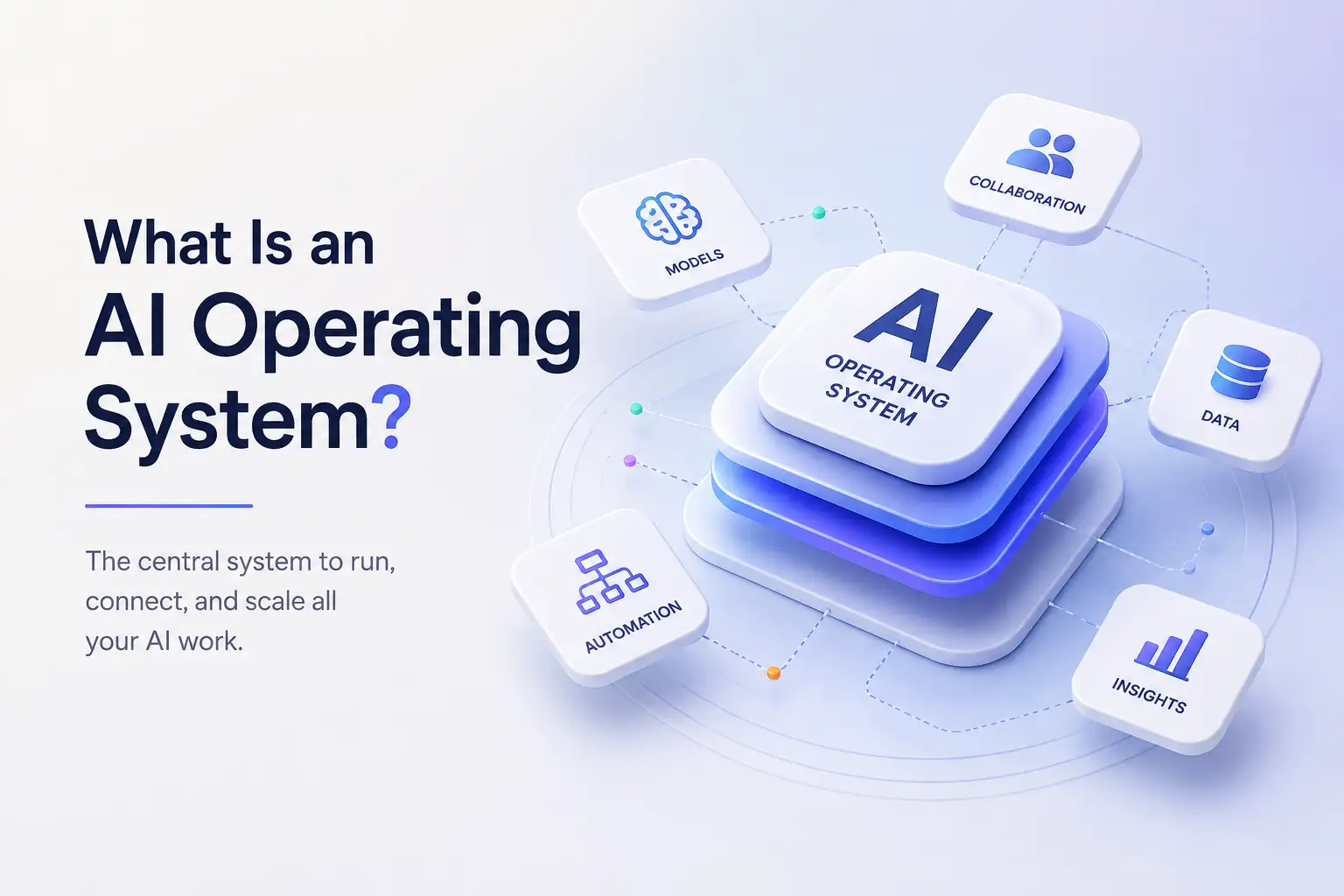
What Is an AI Operating System?
Artificial intelligence is becoming part of almost every kind of modern work. People use AI to write, research, create images and videos, analyze information, communicate with customers, automate repetitive tasks, and support business decisions.
But as AI becomes more useful, another problem is emerging: fragmentation.
One service handles writing. Another handles images. Another handles video. Another handles voice. Another manages chatbots. Another handles automation. Before long, using AI can mean managing a growing collection of subscriptions, interfaces, workflows, and accounts.
An AI Operating System takes a different approach.
Instead of treating AI as a collection of separate products, an AI Operating System brings AI capabilities, applications, and workflows together in one unified environment.
This guide explains what an AI Operating System is, how it differs from AI tools and AI platforms, what it can do, what it should include, who can benefit from one, and how to choose an AI Operating System for your work or business.
What Is an AI Operating System?
An AI Operating System is a unified environment that brings together AI capabilities, applications, and workflows so people can use AI across different types of work from one place.
Instead of managing separate AI products for different tasks, an AI Operating System provides a connected environment for AI-powered work.
The idea is similar to the role a traditional operating system plays for computing. Rather than interacting with every underlying component separately, users work through a common environment.
An AI Operating System applies that principle to AI-powered work.
Instead of opening separate products whenever you want to write something, create an image, generate a video, communicate with customers, or automate a workflow, the goal is to make those capabilities available through one connected experience.
AI Operating System at a glance
| Question | Answer |
|---|---|
| What is it? | A unified environment for AI-powered work |
| What does it bring together? | AI capabilities, applications, and workflows |
| Why use one? | To reduce fragmented tools and workflows |
| Who can use one? | Individuals, creators, professionals, teams, and businesses |
| What should it prioritize? | Simplicity, useful applications, automation, and scalability |
The three layers of an AI Operating System
An AI Operating System can be thought of as three connected layers.
AI capabilities are the underlying abilities that make different types of work possible, such as generating text, creating images, producing video, processing voice, or analyzing information.
AI Apps are purpose-built experiences that turn those capabilities into useful outcomes. Rather than asking users to work directly with technical AI systems, applications help them accomplish specific jobs.The AI Workspace is the environment where those capabilities and applications come together.
The result is not simply a collection of AI features. It is a unified environment for getting AI-powered work done.
What makes it an "operating system"?
The important part of the term is not simply "AI."
It is operating system.
An AI Operating System is intended to provide a common environment through which different AI capabilities and applications can be accessed, organized, and applied to real work.
That means the experience should feel connected.
A user should not feel like they are constantly switching between unrelated products. The underlying technology can be complex, but the experience should remain simple.
The objective is to help people focus on what they are trying to accomplish rather than on managing the technology behind it.
Why Do We Need AI Operating Systems?
AI has made it possible to accomplish more work with software than ever before. But using more AI can also create more complexity.
Too many AI tools
A person might use one AI service for writing, another for images, another for video, another for voice, and another for customer support.
Each product may be useful on its own.
The problem appears when you need to use all of them together.
You have to remember which product does what, where your work lives, which account to use, and how to move information between systems.
Multiple subscriptions
AI adoption can also create subscription sprawl.
Instead of one platform supporting a broad range of work, users may end up paying separately for several AI services.
That can make AI harder to manage as usage grows.
Disconnected workflows
The bigger problem is often not the number of tools. It is the lack of connection between them.
A workflow might begin with research in one application, move into writing in another, use an image generator somewhere else, and finish with customer communication through another system.
Every transition adds friction.
Increasing AI complexity
AI itself is also becoming more complex.
New models, applications, providers, and capabilities appear continuously. Users should benefit from that progress without having to become experts in how every underlying system works.
A well-designed AI Operating System hides much of that complexity and lets people focus on outcomes.
That is the fundamental idea behind Klyra AI's product philosophy: make AI more unified, intuitive, and valuable rather than creating another collection of disconnected AI tools.
Bring your AI work together
Use one intelligent workspace for AI-powered work instead of managing disconnected tools and workflows.
Build Your AI WorkspaceAI Operating System vs AI Tools
The main difference is scope: an AI tool usually focuses on a specific task, while an AI Operating System brings multiple AI capabilities and applications together in one environment.
An AI tool usually solves a specific problem.
It might help you write an article, create an image, generate a video, summarize information, or answer questions.
An AI Operating System takes a broader approach by bringing multiple AI capabilities and applications together into one environment.
| AI Tools | AI Operating System |
|---|---|
| Often solve individual tasks | Supports broader AI-powered work |
| Separate products | Unified environment |
| Potentially separate interfaces | Shared workspace |
| Potentially separate subscriptions | One platform |
| Users manage the collection | The system connects the experience |
This does not mean that every specialized AI tool becomes unnecessary.
Some tasks may always benefit from highly specialized products.
The difference is that an AI Operating System aims to reduce unnecessary fragmentation by bringing commonly needed AI capabilities into one connected environment.
The value is not simply having more features.
The value is making AI easier to use across the work you already do.
AI Operating System vs AI Platform
An AI platform is a broad term for technology that provides AI capabilities, infrastructure, models, or applications. An AI Operating System focuses on bringing AI-powered work together through a unified user environment.
The term AI platform can mean many different things.
An AI platform might provide AI infrastructure, development capabilities, access to models, enterprise services, or applications built around artificial intelligence.
Because of that, "AI platform" is a broad category.
An AI Operating System is more focused on the experience of using AI across different types of work.
A simple way to think about the distinction is:
An AI platform can provide the technology and capabilities needed to build or use AI applications.
An AI Operating System brings AI-powered work together into a unified environment for the user.
There can be overlap between the two concepts.
An AI Operating System can itself be built as an AI platform, but its value is not defined only by the underlying technology. It is defined by how effectively that technology is organized into a simple, connected experience.
For users, the important question is not necessarily which AI technology sits underneath the platform.
It is:
Can I use AI to accomplish more of my work without managing unnecessary complexity?
AI Operating System vs AI Workspace
An AI Workspace is the environment where users interact with AI-powered work, while an AI Operating System is the broader system that connects the workspace, applications, capabilities, and workflows.
An AI Workspace is the environment where users interact with AI-powered work.
An AI Operating System is the broader system that brings the workspace, AI applications, capabilities, and workflows together.
One way to visualize the relationship is:
AI Operating System
↓
AI Workspace
↓
AI Apps and AI capabilities
↓
AI-powered work
The workspace is therefore an important part of an AI Operating System, but the two terms do not necessarily mean exactly the same thing.
For example, an AI Workspace might give you a central place to chat with AI, manage content, or access applications.
An AI Operating System goes further by establishing a connected system around those experiences.
This distinction is useful because the goal is not simply to create another dashboard.
The goal is to create an environment where AI-powered work feels unified.
What Can an AI Operating System Do?
An AI Operating System can support four broad areas of work: creating, automating, communicating, and growing.
For Klyra AI, those outcomes are organized around four simple ideas:
Create. Automate. Communicate. Grow.
Create
AI can support many forms of creative and content work.
That can include writing, research, images, presentations, video, voice, and other forms of digital content.
Instead of using a different service for every format, an AI Operating System can bring those capabilities together into one environment.
The benefit is not simply having more generators.
It is having a more connected way to create.
Automate
AI can also reduce repetitive work.
Automation can help with recurring processes, information handling, customer workflows, and other tasks that would otherwise require repeated manual effort.
An effective AI Operating System should make automation easier rather than requiring users to become workflow engineers.
The system should help reduce manual work wherever practical.
Communicate
AI is increasingly useful for communication.
That can include AI chat, voice experiences, customer conversations, chatbots, knowledge bases, and other communication workflows.
Bringing these capabilities into a unified platform can help businesses manage more of their customer and internal communication through one environment.
Grow
AI can support broader business growth by helping with marketing, content, customer engagement, sales support, productivity, and other business activities.
The important distinction is that AI should not be treated as an end in itself.
The goal is to help people and businesses accomplish meaningful outcomes more effectively.
What Should an AI Operating System Include?
Not every product that uses the words "AI platform" or "AI Operating System" will provide the same experience.
When evaluating one, look beyond the feature count.
A unified workspace
The different parts of the platform should feel connected.
If every AI capability behaves like a completely separate product, the platform has simply recreated the problem of tool fragmentation.
Multiple AI capabilities
An AI Operating System should support different types of AI-powered work.
Depending on the platform, that can include text, images, video, voice, automation, customer engagement, productivity, and other capabilities.
AI applications
Raw AI capability is not always enough.
People need useful applications that turn technology into outcomes.
A good AI Operating System should make it easier to accomplish specific jobs without requiring users to understand the underlying technology.
Automation
Automation should be part of the experience where it provides genuine value.
The objective is to reduce repetitive work and allow the system to handle more of the process intelligently.
Model flexibility
AI models are evolving quickly.
An AI Operating System should be able to benefit from leading AI models without forcing users to constantly manage which model powers every task.
The technology should support the experience, not dominate it.
Simplicity
More AI capabilities should not automatically mean more complexity.
A good platform should reduce unnecessary choices, configuration, and technical language.
The best experience is often the one that makes a complicated system feel simple.
Scalability
The needs of an individual are different from those of a growing team.
An AI Operating System should be able to support different levels of usage and business scale without requiring customers to move to an entirely different product.
AI Capacity
AI usage naturally grows as people use more of it.
A scalable platform should therefore provide a clear way to increase capacity as needs grow.
For Klyra AI, this is expressed through AI Capacity rather than exposing users to raw internal credit systems.
The principle is simple: customers should not pay to unlock AI capabilities. They should be able to increase capacity as their usage and business grow.
Who Can Benefit From an AI Operating System?
An AI Operating System is not limited to large enterprises.
It can be useful anywhere people regularly use multiple AI capabilities.
Freelancers and professionals
Freelancers and professionals may use AI for research, writing, presentations, images, communication, and other daily work.
A unified platform can reduce the number of separate services they need to manage.
Creators
Creators often work across multiple formats.
Writing, images, video, voice, presentations, and social content can all involve different AI capabilities.
A unified environment can make those workflows easier to manage.
Small businesses
Small businesses can use AI across marketing, content creation, customer communication, productivity, and operations.
An AI Operating System can provide a broader AI environment without requiring a separate service for every business function.
Agencies
Agencies often manage multiple workflows and clients.
A unified AI environment can make it easier to bring different AI-powered capabilities into those workflows.
Teams and growing businesses
As AI adoption expands across a company, the number of services can grow quickly.
A shared AI environment can help teams establish a more consistent way of working with AI while scaling usage over time.
How to Choose an AI Operating System
Choosing an AI Operating System should not begin with a checklist of the most impressive-sounding features.
Start with the work you want to accomplish.
1. Look for a genuinely unified experience
Does the platform feel like one product?
Or does it simply place several unrelated services behind the same login?
The difference matters.
2. Look at outcomes, not model names
The most important question is not which model powers a particular task.
It is whether the platform helps you accomplish that task well.
The underlying models are infrastructure. The customer experience should remain focused on outcomes.
3. Evaluate the AI applications
Look at what you can actually accomplish.
Can the platform support the kinds of work you perform regularly?
A long list of AI capabilities is less useful if they do not solve real problems.
4. Check automation capabilities
Consider which repetitive processes could be reduced or automated.
Good automation should save time rather than create another layer of complexity.
5. Consider scalability
Ask what happens when your usage increases.
Can the platform support more work, more people, and broader business requirements?
6. Understand the capacity model
Different AI tasks can consume different amounts of computing resources.
Understand how the platform handles increasing usage and whether you can scale capacity without losing access to the capabilities you need.
7. Check whether complexity is hidden
A platform should make AI easier to use.
If you have to constantly choose models, configure technical settings, and understand infrastructure decisions just to complete a simple task, the system may be exposing too much complexity.
8. Consider future flexibility
AI will continue to change.
New models, applications, and workflows will emerge.
A good AI Operating System should be able to evolve with that environment rather than becoming dependent on a single technology provider.
AI Operating System vs Multiple AI Subscriptions
One of the strongest reasons to consider an AI Operating System is the growing number of AI subscriptions people can accumulate.
Consider a typical workflow.
You might have one service for AI chat, another for images, another for video, another for voice, another for content, another for customer communication, and another for automation.
Each service may provide value.
But managing them separately creates friction.
| Multiple AI subscriptions | One unified AI platform |
|---|---|
| Multiple accounts | One environment |
| Multiple interfaces | One workspace |
| Multiple billing relationships | One platform |
| Disconnected workflows | Connected AI-powered work |
| More systems to manage | Simpler experience |
A unified platform does not automatically make sense for every person or every specialized workflow.
The real question is whether consolidating the AI capabilities you regularly use would make your work simpler.
For businesses, creators, professionals, and teams that rely on AI across multiple areas, that can be a meaningful advantage.
How Klyra AI Approaches the AI Operating System
Klyra AI is built around the idea that AI-powered work should happen in one intelligent environment.
Klyra AI is The AI Operating System, bringing together the world's leading AI models and business-ready AI applications in one unified platform. Instead of managing multiple AI subscriptions, users access AI-powered work through one intelligent workspace.
The objective is not to create another standalone AI writer, chatbot, or image generator.
It is to provide a broader environment where people can use AI across different types of work.
One platform
Klyra brings multiple AI capabilities and applications together in one platform.
The idea is to reduce the need to manage a collection of disconnected AI services.
One intelligent workspace
The AI Workspace is the central environment for working with Klyra.
Instead of treating every capability as a separate product, the experience is designed around one connected system.
Every AI capability
Klyra's product architecture spans multiple areas, including:
- AI chat
- Content creation
- Images
- Video
- Voice
- Customer engagement
- Productivity
- Automation
The purpose is not simply to provide a large feature catalog.
It is to give users access to different forms of AI-powered work from one platform.
Create, automate, communicate, and grow
Klyra organizes its value around four core outcomes:
Create content and experiences.
Automate repetitive work and workflows.
Communicate with customers and teams.
Grow businesses through AI-powered work.
These outcomes are more important than the underlying technologies used to deliver them.
Built for businesses, creators, and teams
Klyra is designed for a broad range of AI users, including freelancers, creators, professionals, small businesses, agencies, startups, content teams, marketing teams, customer support teams, and growing companies.
The common requirement is simple:
They want to use AI as part of real work without unnecessary complexity.
Powered by leading AI models
The AI landscape changes quickly.
Klyra's approach is to integrate leading AI providers rather than position itself as a competitor to every underlying model provider.
That allows the platform to focus on the user experience and business outcome while the underlying AI ecosystem continues to evolve.
One platform for AI-powered work
Create, automate, communicate, and grow from one intelligent workspace.
Build Your AI Workspace
What Makes Klyra AI Different?
Klyra's approach to the AI Operating System is built around five principles.
One Platform
Bring the AI capabilities people need into one place.
Every AI Capability
Support different forms of AI-powered work, including text, images, video, voice, automation, customer engagement, productivity, and more.
Intelligent Simplicity
Make powerful AI easier to use without unnecessary technical complexity.
Built for Business
Focus on helping creators, professionals, businesses, and teams achieve meaningful outcomes.
Future Ready
Continue evolving as AI models, applications, and workflows change.
The underlying principle is straightforward:
AI should empower people, not overwhelm them.
Frequently Asked Questions
What is an AI Operating System?
An AI Operating System is a unified environment that brings together AI capabilities, applications, and workflows so people can use AI across different types of work from one place. The goal is to make AI-powered work more connected and easier to manage.
What is an AI OS?
AI OS is a shortened term for AI Operating System. It generally refers to a software environment designed to organize and provide access to AI capabilities and applications through a unified experience.
How is an AI Operating System different from an AI tool?
An AI tool typically focuses on a particular task or capability. An AI Operating System brings multiple AI capabilities and applications together into one connected environment, allowing users to work across different tasks without managing every capability as a separate product.
Is an AI Operating System the same as an AI platform?
Not necessarily. AI platform is a broad term that can describe infrastructure, model access, development environments, enterprise AI systems, or application platforms. An AI Operating System focuses more specifically on creating a unified environment for AI-powered work.
Is an AI Operating System the same as an AI workspace?
They are closely related but not identical. An AI Workspace is the environment where users interact with AI-powered work. An AI Operating System is the broader system that connects the workspace, applications, capabilities, and workflows.
What can you do with an AI Operating System?
Depending on the platform, you can use an AI Operating System for activities such as writing, research, content creation, images, video, voice, automation, customer communication, productivity, and other AI-powered workflows.
Who can use an AI Operating System?
AI Operating Systems can be useful for freelancers, creators, professionals, small businesses, agencies, startups, teams, and growing companies that use AI across multiple areas of their work.
Can an AI Operating System replace multiple AI tools?
It can reduce the need for multiple AI subscriptions when the platform provides the capabilities you regularly use. It does not necessarily eliminate every specialized tool. The value comes from reducing unnecessary fragmentation and bringing commonly needed AI capabilities into one environment.
Is Klyra AI an AI Operating System?
Yes. Klyra AI is positioned as The AI Operating System, bringing leading AI models and business-ready AI applications together in one intelligent workspace. Its goal is to help businesses, creators, professionals, and teams create, automate, communicate, and grow from one platform.
Ready to Bring Your AI Work Into One Place?
AI is becoming part of more workflows, teams, and business processes every day.
The challenge is no longer simply finding an AI tool.
It is creating a simpler way to work with AI across everything you do.
An AI Operating System takes that approach by bringing AI capabilities, applications, and workflows together in one connected environment.
Klyra AI is built around that vision.
One platform. Every AI capability.
Build Your AI Workspace