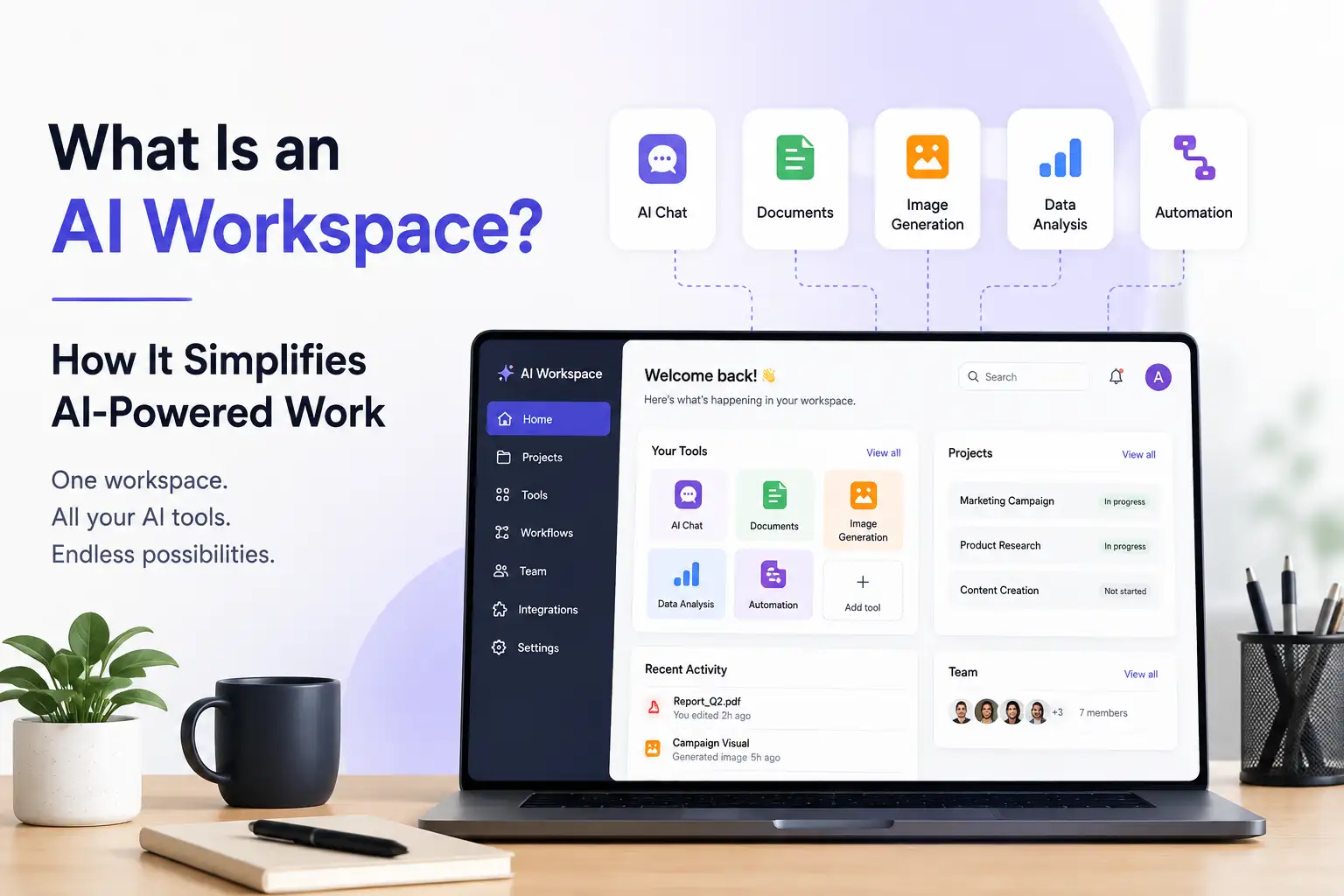
What Is an AI Workspace? How It Simplifies AI-Powered Work
Artificial intelligence is becoming part of everyday work. People use AI to write content, research ideas, create images and videos, build presentations, automate repetitive tasks, and communicate with customers.
But as AI use grows, so does a common problem: too many separate tools.
One application handles writing. Another generates images. Another creates videos. Another handles chatbots. Another helps with social media. Before long, AI-powered work becomes a collection of disconnected subscriptions, interfaces, and workflows.
An AI workspace brings these activities into a more unified environment.
Instead of treating AI as a collection of separate applications, an AI workspace gives you a central place to access AI capabilities, organize work, and move between related tasks.
But what exactly is an AI workspace, how is it different from an AI tool or assistant, and what should you look for when choosing one?
Let's take a closer look.
What Is an AI Workspace?
An AI workspace is a unified digital environment where people can use AI capabilities, organize AI-powered work, and manage related tasks from one place.
Traditional software often separates work into individual applications. An AI workspace brings multiple AI-powered capabilities into a common environment so users can move between different types of work without constantly switching platforms.
For example, a single workflow might involve:
- Researching a topic
- Writing content
- Creating images
- Producing a presentation
- Creating a video
- Sharing the content
- Communicating with customers
With separate AI tools, each activity may happen in a different application.
With an AI workspace, these activities can be brought into one broader environment.
The goal is not simply to put more AI tools on one screen. The goal is to make AI-powered work simpler, more organized, and easier to manage.
How Does an AI Workspace Work?
An AI workspace typically starts with the work you want to accomplish rather than the technology behind it.
The process can look something like this.
1. Start with a task
First, identify what you need to accomplish.
You might want to:
- Write an article
- Research a topic
- Create an image
- Build a presentation
- Generate a video
- Produce voice content
- Automate a repetitive process
- Communicate with customers
2. Choose the right AI capability
Different tasks require different AI capabilities.
Writing requires different functionality from image generation. Creating a presentation is different from building a chatbot. An AI workspace can bring these capabilities together within the same overall environment.
3. Create and refine the output
You then use AI to produce, edit, improve, or transform the work.
The important part is that the workspace remains the common environment around these activities.
4. Continue the workflow
Many real-world projects involve more than one AI task.
For example:
Research → Write → Create visuals → Build presentation → Publish
An AI workspace can make this type of workflow easier to manage than constantly moving between unrelated applications.
5. Manage AI-powered work from one place
As AI becomes part of regular business and creative workflows, having a central environment can make it easier to understand where work happens and which AI capabilities are being used.
That is the broader idea behind an AI workspace: bringing AI-powered work together instead of scattering it across disconnected tools.
What Can You Do With an AI Workspace?
An AI workspace can support many different types of work. The exact capabilities vary by platform, but the broader use cases can be organized around four outcomes:
Create. Automate. Communicate. Grow.
Create
AI can support creative and content workflows such as:
- Writing
- Blogging
- SEO content
- Presentations
- Images
- Photos
- Video
- Avatars
- Music
- Voice content
Klyra, for example, brings content, image, video, avatar, and voice applications into its AI Apps ecosystem. Its available applications include AI Writer, AI Blogger, AI SEO, AI Presentation, AI Image Studio, AI Video Generator, AI Avatars, AI Music Studio, and AI Voiceover.
The important distinction is that these capabilities are presented as part of a broader AI Operating System rather than as disconnected products.
Automate
AI can also help reduce repetitive work.
Depending on the platform, this can include:
- Repetitive business workflows
- Content processes
- Customer interactions
- Routine tasks
- Workflow assistance
Automation becomes more useful when it is connected to the rest of the work environment rather than existing as an isolated function.
Communicate
AI workspaces can also support communication through capabilities such as:
- AI chat
- AI assistants
- AI chatbots
- Voice chatbots
- Customer communication
Klyra's AI Apps include AI Chatbots and AI Voice Chatbots as part of its customer engagement capabilities.
Grow
For businesses, AI can support activities that contribute to growth, including:
- Marketing
- Content operations
- Customer engagement
- Social media
- Sales support
- Business workflows
The objective is not simply to use more AI. It is to make AI useful across more of the work a business already needs to do.
AI Workspace vs AI Tools
An AI tool generally focuses on a particular job.
An AI writer helps with writing. An image generator creates images. A chatbot handles conversations. A presentation tool helps create presentations.
An AI workspace takes a broader approach by bringing multiple AI-powered capabilities into one environment.
| AI Tools | AI Workspace |
|---|---|
| Individual applications | Unified environment |
| Often focused on specific tasks | Supports multiple types of work |
| Separate interfaces | Central workspace |
| Potentially separate subscriptions | Can consolidate multiple AI capabilities |
| Work can become fragmented | Work can be organized in one environment |
| Users switch between tools | Users can move between AI-powered tasks |
An AI workspace does not necessarily eliminate every other application a person uses. The value is that it can consolidate important AI capabilities and reduce unnecessary switching between tools.
This distinction matters because the goal should not be to collect more AI software. It should be to make AI-powered work easier.
AI Workspace vs AI Assistant
An AI assistant and an AI workspace are related, but they are not the same thing.
An AI assistant is primarily a capability for interacting with AI to answer questions, generate information, complete tasks, or help with specific activities.
An AI workspace is the broader environment in which AI-powered work can happen.
A simple way to think about it is:
AI assistant = a capability
AI workspace = an environment
An AI assistant can therefore be part of an AI workspace without being the entire workspace.
For example, you might use an AI assistant to research an idea and then use other AI capabilities in the same workspace to turn that idea into an article, presentation, image, or video.
AI Workspace vs AI Operating System
The terms AI workspace and AI Operating System are closely related, but they describe different levels of the experience.
An AI workspace is primarily the environment where AI-powered work happens.
An AI Operating System is the broader system that brings together the workspace, AI applications, AI models, workflows, and other capabilities needed to support that work.
A useful way to think about the distinction is:
| AI Workspace | AI Operating System |
|---|---|
| The environment for AI-powered work | The broader AI system |
| Focuses on the user's working environment | Connects the wider AI ecosystem |
| Organizes AI-powered activities | Brings together AI capabilities and workflows |
| One component of the overall system | The broader category |
Klyra AI positions its AI Workspace as part of a broader AI Operating System. Its product architecture brings together the AI Workspace, AI Apps, AI Models, and AI Capacity in one platform.
If you want to understand the broader category, read our guide to AI Operating Systems.
What Should an AI Workspace Include?
Not every product described as an AI workspace will offer the same capabilities.
When evaluating one, look beyond the label and consider what it actually helps you accomplish.
Multiple AI Capabilities
A useful AI workspace should support the types of AI-powered work you actually need.
Depending on your goals, that might include:
- Writing
- Research
- Images
- Video
- Presentations
- Voice
- Chat
- Customer engagement
- Automation
The breadth of capabilities matters because the value of a workspace comes partly from reducing fragmentation.
A Unified Workspace
The experience should feel like one environment rather than a collection of unrelated applications.
Users should be able to understand where their AI-powered work happens and move between relevant capabilities without unnecessary complexity.
AI Applications for Specific Jobs
A workspace should provide useful applications for actual tasks, rather than relying only on one general-purpose chatbot.
Different jobs often require different experiences.
Writing an article, creating an image, producing a presentation, and building a chatbot are not the same task.
Access to Different AI Models
Different AI models can have different strengths.
An AI workspace can make model choice part of the broader platform experience rather than forcing users to manage separate services for every model.
Klyra's strategy is to integrate leading AI providers rather than compete with them as a single-model platform. Its documented model ecosystem includes providers such as OpenAI, Anthropic, Google Gemini, xAI, Kling, Veo, Sora, HeyGen, and ElevenLabs across different capabilities.
Workflow Support
AI becomes more useful when individual tasks can form part of a larger workflow.
For example:
Research → Write → Create → Publish
A workspace should help users think about the complete workflow rather than treating every AI interaction as an isolated task.
Automation
Automation can help reduce repetitive work and connect AI capabilities to recurring processes.
The important question is not simply whether a platform has automation, but whether that automation contributes to useful workflows.
Business and Team Support
An AI workspace can be useful for individuals, but business use often introduces additional requirements.
Teams may need:
- Shared workflows
- Multiple users
- Consistent access
- Business-oriented applications
- Scalable AI usage
- Customer engagement capabilities
Simplicity
AI technology can become complicated very quickly.
A good workspace should make the underlying technology easier to use rather than forcing users to understand models, technical infrastructure, or internal systems before they can accomplish a task.
Klyra's product philosophy follows this principle by putting outcomes first and keeping technical complexity secondary.
What Are the Benefits of Using an AI Workspace?
The value of an AI workspace is ultimately about improving how people work with AI.
Reduce Tool Switching
When different AI activities require different applications, switching between them can make workflows harder to manage.
A unified workspace can reduce unnecessary movement between AI services.
Simplify AI Workflows
A project often involves multiple AI-powered tasks.
A workspace can provide a common environment for those activities, making the overall workflow easier to understand.
Keep AI-Powered Work Organized
As AI becomes part of everyday work, organization becomes increasingly important.
A central workspace can provide a clearer place to manage AI-powered activities.
Make AI Easier to Adopt
People should not have to become experts in AI technology just to use it effectively.
A well-designed workspace can present AI through familiar tasks and outcomes rather than technical complexity.
Support Broader AI Adoption
A unified environment can make it easier for individuals and teams to incorporate AI into more parts of their work.
Scale AI-Powered Work
The goal of an AI workspace is not just to experiment with AI.
It can become an environment where AI is incorporated into regular content, marketing, communication, customer engagement, and business workflows.
Who Can Benefit From an AI Workspace?
AI workspaces can be useful across different types of users.
Creators
Creators can use AI for writing, images, video, presentations, voice, and other content workflows.
Freelancers
Freelancers often work across multiple disciplines and clients. A unified AI environment can bring different AI-powered tasks into one place.
Small Businesses
Small businesses can use AI across marketing, content, customer engagement, and everyday business workflows.
Agencies
Agencies may need AI capabilities across multiple clients and projects. A unified environment can make it easier to manage different types of AI-powered work.
Startups
Startups often operate with small teams covering many functions. An AI workspace can provide capabilities across content, marketing, communication, and operations.
Marketing Teams
Marketing teams can use AI for content creation, SEO, social media, images, presentations, and other creative workflows.
Customer Support Teams
AI workspaces can also support customer engagement through chatbots, voice chatbots, and related communication capabilities.
Klyra's documented target customers include freelancers, creators, small businesses, marketing agencies, ecommerce stores, consultants, startups, content teams, sales professionals, agencies, growing companies, marketing teams, and customer support teams.
How to Choose an AI Workspace
Choosing an AI workspace should start with your actual work rather than the number of AI features a platform advertises.
Ask these questions before choosing one.
1. What work do I want AI to help with?
Start with the outcomes you want.
Do you primarily need writing? Content creation? Images? Video? Customer engagement? Automation? Or several of these?
2. How many AI applications do I currently use?
If you already subscribe to several AI services, consider how much overlap exists between them.
A unified platform may be valuable if you want to consolidate multiple AI capabilities.
3. Does the workspace support my actual workflows?
Look beyond individual features.
Consider how the platform supports the complete process from beginning to end.
4. Can I access the AI capabilities I need?
Make a list of the AI capabilities that matter to your work and check whether they are actually available.
5. Can it scale with my team?
If you work with others, consider team members, shared workflows, capacity, and other business requirements.
6. Does it simplify or add complexity?
More features do not automatically mean a better workspace.
The best experience is one that helps you accomplish more without making the technology harder to understand.
7. How does pricing work?
Look beyond the headline subscription price.
Understand how AI usage, capacity, team members, and other scaling factors affect the overall cost.
8. Can I use different AI models?
If model flexibility matters to your work, check whether the platform supports multiple AI providers or models.
9. Does it support automation?
Consider whether automation can help with the recurring tasks you actually perform.
10. Can my AI-powered work stay organized in one place?
This is ultimately the central question.
If the platform adds another layer of fragmentation, it may not solve the problem an AI workspace is supposed to solve.
Klyra AI Workspace
Klyra AI approaches the AI workspace as part of a broader AI Operating System.
Instead of positioning Klyra as another individual AI writer, image generator, chatbot, or video application, the platform brings together business-ready AI applications and leading AI models in one unified environment.
The idea is simple:
One platform for AI-powered work.
Klyra's AI Apps span several areas, including:
- Content
- Images
- Video
- Voice
- Customer engagement
The platform includes applications such as AI Writer, AI Blogger, AI SEO, AI Presentation, AI Image Studio, AI Video Generator, AI Avatars, AI Voiceover, AI Chatbots, and AI Voice Chatbots.
Rather than requiring customers to think about individual tools, Klyra's product philosophy is built around the broader AI Operating System.
That means the workspace is not just a place to open AI applications.
It is intended to be the environment where AI-powered work happens.
Klyra also brings leading AI providers into the platform, allowing users to access different AI capabilities without treating every underlying model as a separate product.
For paid customers, Klyra's product strategy provides access to the complete AI Operating System and supported AI Apps and AI Models. Plans are differentiated primarily by factors such as AI Capacity and team members rather than locking individual AI capabilities behind separate feature tiers.
Frequently Asked Questions
What is an AI workspace?
An AI workspace is a unified digital environment where people can access AI capabilities, organize AI-powered work, and manage related tasks from one place. Instead of relying on separate AI applications for every task, users can work within a broader environment designed around AI-powered workflows.
How does an AI workspace work?
An AI workspace brings different AI capabilities into one environment. Users can select the capability they need for a task, create or refine an output, and move between related activities within the same broader workspace.
What is the difference between an AI workspace and an AI tool?
An AI tool generally focuses on a specific task, such as writing, image generation, or chat. An AI workspace provides a broader environment that can bring multiple AI capabilities together and help users manage different types of AI-powered work.
What is the difference between an AI workspace and an AI assistant?
An AI assistant is a capability that helps users interact with AI and complete tasks. An AI workspace is the broader environment where AI-powered work takes place. An assistant can therefore be one component of an AI workspace.
Is an AI workspace useful for businesses?
Yes. Businesses can use AI workspaces across content, marketing, communication, customer engagement, automation, and other workflows. The value depends on whether the workspace supports the specific activities and team requirements of the business.
Can an AI workspace replace multiple AI tools?
An AI workspace can consolidate multiple AI capabilities and reduce the need to switch between separate AI services. Whether it can replace every external tool depends on the user's specific workflows and requirements.
What should I look for in an AI workspace?
Look for the AI capabilities you actually need, a unified workspace, useful AI applications, model flexibility, workflow support, automation, team support, scalability, clear pricing, and an interface that makes AI easier to use rather than more complicated.
Is an AI workspace the same as an AI Operating System?
No. An AI workspace is primarily the environment where AI-powered work happens. An AI Operating System is the broader system that can bring together the workspace, AI applications, AI models, workflows, and other capabilities into one unified platform.
Ready to Bring Your AI Work Into One Workspace?
AI is becoming part of more types of work every day.
The challenge is no longer simply finding an AI tool.
It is finding a better way to work with AI.
An AI workspace can bring different capabilities together, reduce unnecessary tool switching, and provide a central environment for AI-powered work.
Klyra AI takes that idea further by combining the AI Workspace with AI Apps, leading AI models, and business-ready capabilities as part of one AI Operating System.
Build Your AI Workspace