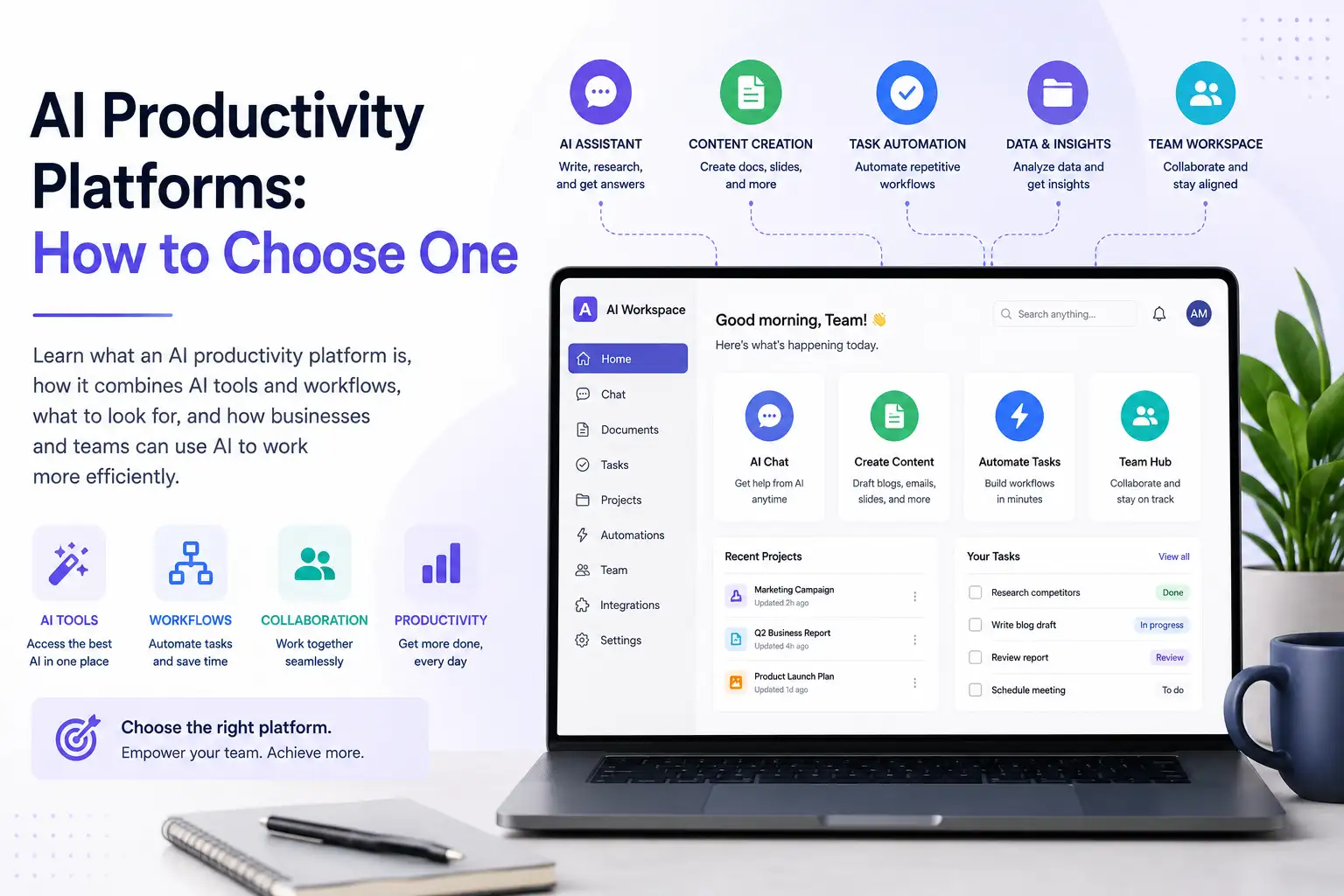
AI Productivity Platforms: How to Work Smarter With AI
AI can make individual tasks faster. But as businesses and professionals adopt more AI tools, another problem can appear: too many tools, too many subscriptions, too many interfaces, and too much switching between platforms.
An AI productivity platform brings AI capabilities and AI-powered work into a more unified environment. Instead of using one application for writing, another for images, another for video, and another for customer communication, a platform can bring more of those activities together.
The goal is not simply to generate content faster. It is to make the entire process of getting work done with AI simpler, more connected, and easier to manage.
For businesses, creators, professionals, and teams, that can mean spending less time managing AI tools and more time using AI to create, automate, communicate, and grow. Klyra AI's product strategy is built around this broader idea of one AI Operating System rather than a collection of disconnected AI tools.
What Is an AI Productivity Platform?
An AI productivity platform is a platform that brings AI capabilities, applications, and workflows together to help people complete work more efficiently.
Instead of relying on separate AI applications for individual tasks, users can access multiple AI-powered capabilities from one environment.
These capabilities may include:
- AI assistance and chat
- Writing and content creation
- Research
- Presentations
- Image generation
- Video creation
- Voice generation and transcription
- Automation
- Customer communication
- Business workflows
The important distinction is that an AI productivity platform is more than a collection of AI features.
The value comes from bringing those capabilities into a connected experience where users can move from one part of their work to another without constantly changing tools.
What makes an AI productivity platform different?
An individual AI tool usually solves a specific problem.
You might use one application to write an article, another to generate an image, and another to create a video.
An AI productivity platform takes a broader approach. It is designed around the work users want to accomplish rather than around a single AI capability.
That means the platform becomes the environment in which AI-powered work happens.
This distinction is central to Klyra AI's product philosophy. Klyra is designed as an AI Operating System, not an AI chatbot, AI image generator, AI writer, or AI tool directory.
Why AI Productivity Is Moving Beyond Individual AI Tools
The first wave of AI adoption often happens one task at a time.
Someone discovers an AI writing tool. Then an image generator. Then a video tool. Then a chatbot. Then an automation platform.
Each tool can be useful on its own.
The problem begins when the AI stack becomes difficult to manage.
The problem with tool-by-tool AI adoption
A typical AI workflow might look something like this:
AI writing tool → image generator → video tool → presentation tool → social media tool
Every application may have its own:
- Account
- Subscription
- Interface
- Workflow
- Settings
- AI experience
The user becomes responsible for connecting everything.
This can make AI feel more complicated rather than simpler.
Klyra's brand philosophy is built around addressing this problem by bringing leading AI models and business-ready AI applications into one intelligent workspace rather than requiring users to manage multiple AI subscriptions.
Context switching creates friction
Productivity is not only about how quickly an AI model generates an answer.
It is also about everything that happens around that answer.
If you have to repeatedly switch applications, copy information between tools, find files in different places, or recreate context, some of the time saved by AI can be lost to managing the workflow.
A more unified environment can reduce that friction.
Disconnected AI workflows
Consider a simple content workflow:
Research → Write → Create visuals → Produce video → Create presentation → Publish
When every step happens in a different application, the workflow becomes a collection of individual tasks.
When those capabilities exist within one broader AI environment, the experience can become more connected.
The objective is not necessarily to eliminate every specialized application. It is to reduce unnecessary complexity where multiple AI capabilities are part of the same workflow.
The opportunity for a unified AI environment
This is where AI productivity platforms become useful.
Instead of asking:
Which AI tool should I use for this task?
the user can begin asking:
What am I trying to accomplish, and how can AI help me complete the workflow?
That is a much more useful way to think about AI productivity.
AI Productivity Platform vs AI Tools
The terms can sound similar, but they describe different approaches.
| Individual AI tools | AI productivity platform |
|---|---|
| Usually focused on specific tasks | Supports broader types of work |
| Separate applications | Unified environment |
| Multiple interfaces | More consistent experience |
| Often separate subscriptions | Can consolidate capabilities |
| Users connect tools themselves | Platform brings capabilities together |
| Task-focused | Workflow and outcome-focused |
An individual AI tool can be the right choice when you have a very specific need.
For example, if you only need a specialized application for one particular task, there may be no reason to replace it.
When individual AI tools still make sense
Individual tools can work well when:
- You only need one AI capability
- Your workflow is highly specialized
- You rarely use AI
- A particular application provides functionality you cannot find elsewhere
The question is not whether individual AI tools are useful.
They are.
The question is whether managing many of them has become more complicated than the value they provide.
When an AI productivity platform makes more sense
A unified platform becomes more attractive when you regularly use several types of AI.
For example, a business might need AI for:
- Content
- Images
- Video
- Customer communication
- Presentations
- Automation
- Social media
Instead of managing each activity independently, an AI productivity platform can provide a single environment for more of that work.
AI Productivity Platform vs AI Workspace
An AI workspace and an AI productivity platform are closely related, but they are not necessarily the same thing.
An AI productivity platform focuses on the broader goal of improving work through AI capabilities, workflows, and automation.
An AI workspace focuses on the environment where that AI-powered work is organized and carried out.
A useful way to think about the relationship is:
AI productivity platform = capabilities + workflows + productivity
AI workspace = the environment where that work happens
For Klyra AI, the AI Workspace is part of the larger AI Operating System. The product strategy describes the dashboard as becoming the AI Workspace, with AI Capacity as the primary usage indicator.
If you want to understand the workspace concept in more detail, see our guide to AI Workspace.
AI Productivity Platform vs AI Assistant
An AI assistant is typically designed to help you with individual requests.
You might ask an assistant to:
- Write something
- Answer a question
- Summarize information
- Brainstorm ideas
- Analyze content
An AI productivity platform goes further by providing a broader environment for AI-powered work.
It can bring together:
- AI assistance
- Content creation
- Creative production
- Automation
- Communication
- Business workflows
That distinction matters because an AI productivity platform is not simply a larger chatbot.
Klyra's product philosophy explicitly states that the company is building an AI Operating System rather than another AI chatbot or individual AI tool.
The focus is on helping users accomplish outcomes, with technology supporting that experience rather than becoming the product itself.
What Can You Do With an AI Productivity Platform?
The most useful way to understand an AI productivity platform is through what it can help you accomplish.
For Klyra, those outcomes are organized around four core activities:
Create. Automate. Communicate. Grow.
Create
AI can support many parts of the creative process.
Depending on the platform, this can include:
- Writing content
- Creating presentations
- Generating images
- Producing videos
- Creating voice content
- Developing social media content
Klyra's AI Apps cover content, image, video, voice, and other creative workflows within the broader platform.
The important idea is not simply having more generators.
It is having access to different capabilities from one AI environment.
Automate
AI productivity becomes more valuable when it can reduce repetitive work.
Automation can help with:
- Repetitive processes
- Content workflows
- Routine business tasks
- Customer interactions
- Multi-step activities
Klyra's product principles explicitly emphasize defaulting to automation wherever possible and reducing manual work.
Communicate
AI can also support communication with customers, audiences, and teams.
Depending on the workflow, this can include:
- AI chat
- AI chatbots
- Voice chatbots
- Customer support
- Social media
- Voice interactions
Klyra's documented AI Apps include AI Chat, AI Chatbots, Voice Chatbots, Human Agent, and AI Social Media.
Grow
The broader objective is to use AI to support business growth.
That can involve:
- Marketing
- Content production
- Customer engagement
- Business workflows
- Scaling AI usage across teams
This is why Klyra's messaging focuses on business outcomes rather than individual AI technologies.
Benefits of an AI Productivity Platform
An AI productivity platform can provide value beyond simply adding more AI capabilities.
Reduce tool switching
When several parts of a workflow can happen in one environment, users may spend less time moving between applications.
That can make AI-powered work feel more continuous.
Bring AI work into one place
A unified workspace can give users a central environment for their AI-powered activities.
Instead of thinking about individual tools, users can think about the work they need to accomplish.
This is one of the central ideas behind Klyra's AI Workspace.
Save time on repetitive work
AI is particularly useful when it can reduce repetitive manual steps.
Klyra's decision principles make this a core product requirement: AI should save users time, and automation should be preferred whenever possible.
Move faster from idea to outcome
A productive AI workflow might look like:
Idea → Research → Create → Refine → Publish
Instead of treating each step as an isolated AI task, a unified environment can make the complete workflow easier to manage.
The benefit is not just faster generation.
It is less friction between the beginning and end of the work.
Make AI easier for teams to adopt
Businesses do not only need powerful AI.
They also need AI that people can understand and use.
Klyra's product principles emphasize reducing choices, clicks, configuration, technical language, and cognitive load.
That makes simplicity an important part of AI productivity.
Scale AI across growing workloads
As AI becomes part of more workflows, usage can grow.
A platform should therefore make it possible to increase capacity without forcing users to rethink the entire system.
Klyra's pricing philosophy is designed around this concept: customers receive the complete AI Operating System and scale through AI Capacity, team members, and business needs rather than paying to unlock individual AI capabilities.
What Should You Look for in an AI Productivity Platform?
Not every platform is designed in the same way.
Before choosing one, look beyond the number of AI features and evaluate how well the platform supports the work you actually need to do.
Multiple AI capabilities
Consider the different types of work your business or team performs.
Do you need AI for:
- Writing?
- Images?
- Video?
- Voice?
- Presentations?
- Communication?
- Automation?
The more varied your AI workflows are, the more useful a unified platform can become.
A unified AI workspace
Look for an environment where your AI-powered work can be organized and accessed without unnecessary complexity.
Klyra's product architecture treats the AI Workspace as the central environment for AI-powered work.
Connected workflows
A good AI productivity platform should help you think beyond isolated prompts.
Ask whether the platform can support workflows that involve multiple capabilities.
For example:
Create content → generate visuals → produce video → prepare a presentation
The more naturally those activities fit together, the more useful the platform can be.
Automation
Look for opportunities to reduce repetitive work.
Ask:
- What can be automated?
- What can be suggested automatically?
- What can the platform configure for me?
- Which manual steps can be removed?
Klyra's product principles explicitly favor automatic optimization, suggestions, and configuration where appropriate.
Access to capable AI models
AI models are important, but they should not become the center of the user experience.
Klyra's brand and product guidelines specifically state that AI models should be treated as infrastructure and that messaging should focus on outcomes rather than model names.
For users, the more important question is:
Can the platform consistently help me accomplish the work I need to do?
Team and collaboration support
Businesses should also consider:
- Team members
- Shared workflows
- Business use cases
- Customer engagement
- Capacity
- Scalability
A platform designed only for individual experimentation may not be enough for a growing business.
Simplicity
More features do not automatically mean more productivity.
If a platform introduces complicated configuration, too many choices, or unnecessary technical concepts, it can increase the cognitive load it is supposed to reduce.
Klyra's product philosophy puts simplicity over complexity and recommends hiding technical complexity from the default experience.
Scalability
Think beyond your current workload.
A platform should make sense as:
- Your AI usage grows
- Your team grows
- Your workflows expand
- Your business uses more AI applications
AI Capacity
Capacity is particularly important when AI becomes part of everyday work.
Klyra uses AI Capacity as the customer-facing concept for AI usage rather than exposing separate internal systems such as words, media credits, characters, or minutes.
The objective is to make scaling easier to understand.
AI Productivity for Businesses and Teams
AI productivity is not limited to individual users.
Businesses can use AI across many different functions and workflows.
Marketing teams
Marketing teams can use AI for:
- Content creation
- Presentations
- Social media
- Images
- Video
- Campaign workflows
The value increases when these activities can be managed as connected work rather than isolated tasks.
Content teams
Content teams may use AI for:
- Research
- Writing
- SEO
- Presentations
- Images
- Video
- Content repurposing
A unified AI environment can help reduce the number of platforms required to complete the content workflow.
Customer support teams
AI can support customer engagement through:
- Chatbots
- Voice chatbots
- AI chat
- Human-agent workflows
- Knowledge bases
Klyra's documented product architecture includes these customer engagement capabilities.
Agencies
Agencies often manage multiple clients and multiple types of deliverables.
An AI productivity platform can be useful when the same team needs to create content, images, videos, presentations, social media assets, and customer-facing materials across different projects.
Small businesses
Small businesses may benefit particularly from consolidation.
Instead of building separate AI systems for marketing, content, customer engagement, and automation, a unified platform can provide a broader starting point.
Klyra's documented target customers include small businesses, marketing agencies, startups, content teams, sales professionals, agencies, growing companies, marketing teams, customer support teams, and businesses running AI daily.
How to Choose an AI Productivity Platform
Choosing an AI productivity platform should start with your work, not with a feature checklist.
1. Identify the work you want AI to improve
Start by identifying the tasks that consume time.
Ask:
Where would AI make the biggest difference to our workflow?
2. Map your existing AI tools
Write down the AI applications you currently use.
Include:
- What each tool does
- Who uses it
- How often it is used
- What workflow it supports
3. Identify duplicated capabilities
You may discover that several applications overlap.
For example, you might have separate tools for writing, image generation, presentations, and other content tasks.
This does not necessarily mean you should eliminate them.
It simply gives you a clearer picture of your current AI stack.
4. Look for a unified workspace
Evaluate how the platform organizes AI-powered work.
Can users access multiple capabilities from one environment?
Does the experience feel connected?
5. Evaluate automation
Identify repetitive tasks that could be automated.
A platform should help reduce manual work rather than simply add another interface.
6. Evaluate AI capabilities
Look at the types of work the platform supports.
Think in terms of outcomes:
- Create
- Analyze
- Communicate
- Automate
- Publish
- Engage
7. Consider team and business requirements
If the platform will be used by a team, evaluate:
- Collaboration
- Team members
- Capacity
- Business workflows
- Customer engagement
- Scalability
8. Compare the total experience
Do not choose based only on the number of features.
Consider:
Capabilities + workflow + simplicity + capacity + scalability
The best platform is not necessarily the one with the longest feature list.
It is the one that helps your team accomplish meaningful work with the least unnecessary complexity.
AI Productivity Platform vs Multiple AI Subscriptions
One of the biggest reasons businesses consider an AI productivity platform is the growing number of AI subscriptions they may need to manage.
The traditional AI tool stack
A business might use:
AI writing tool
+
AI image tool
+
AI video tool
+
AI voice tool
+
AI chatbot
+
AI social media tool
Each may be useful.
But the business also has to manage the systems around them.
That can include different accounts, interfaces, subscriptions, workflows, and ways of working.
The unified platform approach
A unified AI platform takes a different approach:
One platform
      ↓
Multiple AI capabilities
      ↓
One AI Workspace
      ↓
Connected AI-powered work
Klyra's core value proposition follows this model by bringing leading AI models and business-ready AI applications together into one platform rather than requiring users to subscribe separately to multiple AI services.
When consolidation makes sense
Consolidation makes the most sense when several AI capabilities are already part of your daily workflow.
If you only need one specialized AI application, a standalone tool may still be the better choice.
The goal is not to eliminate specialized software simply because a platform exists.
The goal is to determine whether a unified environment can handle enough of your work to make your overall AI stack simpler.
How Klyra AI Approaches AI Productivity
Klyra AI approaches productivity from a broader idea: AI-powered work should happen inside one intelligent operating system.
One AI Operating System
Klyra brings together leading AI models and business-ready AI applications in one unified platform.
Instead of treating each AI capability as a separate product, the platform is designed around the broader workflow of using AI to create, automate, communicate, and grow.
One AI Workspace
The AI Workspace is the central environment for AI-powered work.
Rather than exposing a collection of disconnected tools, Klyra's product architecture is designed to make the applications feel like parts of one operating system.
Multiple AI applications
Klyra brings together AI capabilities across areas such as:
- AI Chat
- AI Writer
- AI Blogger
- AI SEO
- AI Presentation
- AI Image Studio
- AI Photoshoot
- AI Video Generator
- AI Avatars
- AI Voiceover
- AI Speech to Text
- AI Chatbots
- AI Voice Chatbots
- AI Social Media
These are part of the broader AI Apps ecosystem rather than separate products that users need to manage independently.
AI models as infrastructure
Klyra integrates leading AI providers rather than positioning itself as a replacement for every underlying model provider.
The user-facing experience is designed to focus on the result rather than requiring users to understand the technical infrastructure behind it.
That is why Klyra's brand guidance recommends communicating outcomes first and technical details second.
AI Capacity instead of feature restrictions
Klyra's pricing philosophy is also designed around the idea of a complete platform.
Paid customers receive access to the complete AI Operating System, AI Apps, and supported AI models.
Plans are designed to scale through factors such as AI Capacity and team members rather than locking individual AI capabilities behind different feature tiers.
This approach is intended to let businesses increase their AI usage as their needs grow.
Is an AI Productivity Platform Right for You?
An AI productivity platform may be useful if you:
- Use several AI applications regularly
- Switch between AI tools throughout the day
- Need multiple types of AI capabilities
- Want to automate repetitive work
- Create content across multiple formats
- Need AI for customer communication
- Work with a team
- Want a centralized AI workspace
- Expect your AI usage to grow
On the other hand, individual AI tools may be enough if you:
- Only need one specific AI capability
- Rarely use AI
- Have a highly specialized workflow
- Prefer a dedicated application for one particular task
The right choice depends on how you work.
The important question is not:
How many AI features does this platform have?
It is:
Can this platform make the work I already do with AI simpler and more effective?
Frequently Asked Questions About AI Productivity Platforms
What is an AI productivity platform?
An AI productivity platform brings multiple AI capabilities, applications, and workflows into one environment to help people and businesses complete work more efficiently.
How does an AI productivity platform work?
It provides access to AI capabilities through a unified platform. Depending on the product, this can include AI assistance, content creation, images, video, voice, automation, customer engagement, and other workflows.
What is the difference between an AI productivity platform and an AI tool?
An AI tool typically focuses on a specific task or capability. An AI productivity platform provides a broader environment that can support multiple types of AI-powered work and workflows.
What is the difference between an AI workspace and an AI productivity platform?
An AI productivity platform focuses on the broader capabilities and workflows used to improve productivity. An AI workspace is the environment where users organize and carry out that AI-powered work.
Can AI productivity platforms help businesses?
Yes. Businesses can use AI productivity platforms across areas such as content creation, marketing, presentations, customer engagement, automation, and other AI-powered workflows.
Can AI productivity platforms automate workflows?
Depending on the platform, yes. Automation can reduce repetitive manual work and help connect multiple steps in a workflow.
Are AI productivity platforms useful for small businesses?
They can be particularly useful when a small business uses AI across several areas but wants to avoid managing a large collection of disconnected applications.
How do I choose an AI productivity platform?
Start with the work you want to improve. Then evaluate the platform's AI capabilities, workspace, workflows, automation, simplicity, team support, scalability, and capacity.
Is an AI productivity platform better than using multiple AI tools?
Not always. Individual tools can be appropriate for specialized needs. A productivity platform becomes more attractive when you regularly use several AI capabilities and want a simpler, more connected workflow.
Final Takeaway
AI productivity is moving beyond using AI for individual tasks.
As businesses, creators, and teams use AI for more parts of their work, the environment connecting those capabilities becomes increasingly important.
The progression looks something like this:
Individual AI tools → connected workflows → AI Workspace → AI Operating System
An AI productivity platform can bring more of that experience together, helping users spend less time managing AI applications and more time using AI to accomplish meaningful work.
Klyra AI takes this approach one step further by positioning itself as The AI Operating System, bringing leading AI models and business-ready AI applications into one intelligent workspace.
The goal is simple:
Create. Automate. Communicate. Grow.
Bring Your AI Work Into One Workspace
Stop managing disconnected AI tools and bring more of your AI-powered work into one intelligent platform.