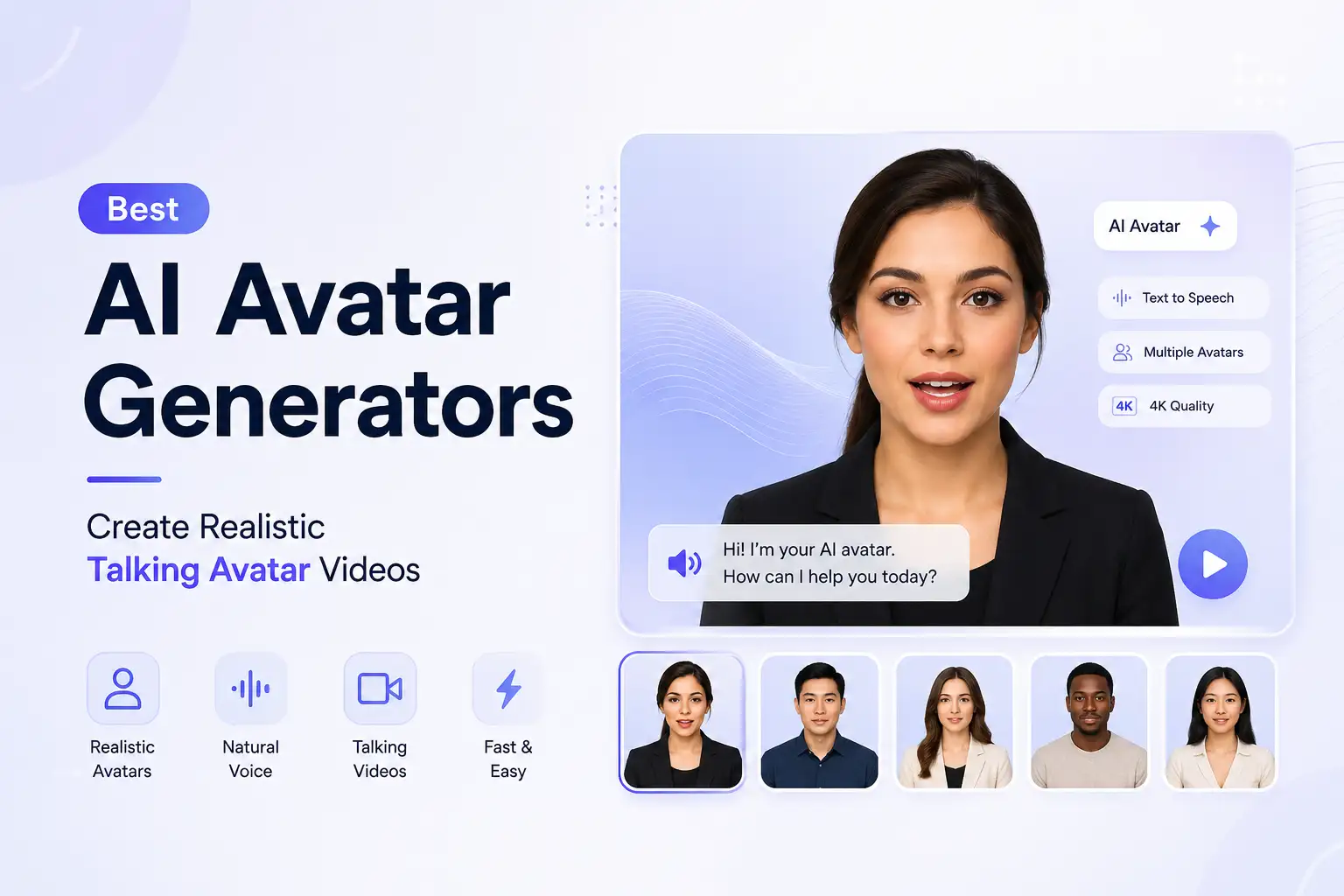
Best AI Avatar Generators: Create Realistic Talking Avatar Videos
AI avatar generators make it possible to create videos with digital presenters without setting up a camera, studio, or traditional recording workflow. You can choose an avatar, provide a script, select a voice, customize the scene, and generate a finished video.
The challenge is choosing the right AI avatar generator. Some platforms focus on business presentations and training, while others are better suited to marketing, social media, custom avatars, or fast content creation.
In this guide, we'll explain what AI avatar generators are, what they can do, how to compare them, how to create an AI avatar video, and what to consider when choosing a platform for your workflow.
What Is an AI Avatar Generator?
An AI avatar generator is a tool that creates a digital person or presenter that can be used in video content.
Instead of recording a person speaking on camera, you provide content such as a script and select an avatar and voice. The platform then generates a video in which the avatar presents the content.
Modern AI avatar generators can combine several components:
- Digital avatars
- Written scripts
- AI-generated voices
- Facial movement
- Lip synchronization
- Backgrounds and scenes
- Video generation
- Custom assets
This makes AI avatar generators useful for everything from training and educational videos to product presentations, marketing content, and social media videos.
What Is an AI Talking Avatar?
An AI talking avatar is a digital avatar that speaks and delivers content in a generated video.
The avatar can be a prebuilt digital presenter or, depending on the platform, a custom avatar created from a person's photo or other source material.
The important distinction is that a talking avatar is designed for video communication, not simply for creating a static profile image.
What Can AI Avatar Generators Do?
AI avatar generators have evolved beyond simply selecting a digital character. Today's platforms can support several parts of the video creation process.
Create Talking Avatar Videos
The most common use case is creating videos in which an AI avatar speaks a script.
This can be useful when you need a presenter but don't want to record a new video every time you publish an update, explain a product, or create training material.
A typical workflow looks like this:
Script → Avatar → Voice → Scene → Generated video
The result can then be reviewed and refined before publishing.
Turn Text Into Avatar Videos
Many AI avatar platforms allow you to start with text.
You can write a script, provide existing copy, or generate a script and then use it as the spoken content for the avatar.
This can make the process particularly useful for:
- Explainer videos
- Product introductions
- Training content
- Educational videos
- Marketing messages
- Internal communications
Instead of recording yourself reading a script, the avatar delivers the content digitally.
Create Custom AI Avatars
Some platforms let you create a custom avatar instead of using a prebuilt presenter.
Custom avatars can be useful when consistency matters. A business may want a recognizable digital presenter, while a creator may want an avatar that represents their personal brand.
The available creation process varies between platforms. Some support photo-based avatars, while others support more advanced custom-avatar workflows.
Turn Photos Into Talking Avatars
Some AI avatar generators can turn a photo into a talking avatar.
The basic concept is straightforward: provide an appropriate image, add a script or voice, and generate a video in which the person in the image appears to speak.
This can be useful when you already have an image you want to turn into video content.
However, photo-based avatar generation and professional video-avatar creation are not always the same thing. If your primary goal is business video production, evaluate the quality of the resulting motion, voice, lip synchronization, and overall presentation rather than focusing only on the source image.
Create Multilingual Avatar Videos
Multilingual support is another important capability for businesses and creators with international audiences.
Depending on the platform, you may be able to create avatar videos in multiple languages using different voices and language options.
This can help businesses adapt training, marketing, educational, and informational content for different markets without recording every version manually.
Best AI Avatar Generators for Different Needs
There isn't one AI avatar generator that is automatically best for everyone.
The right choice depends on what you're trying to create, who will watch it, how much customization you need, and how the avatar fits into your broader content workflow.
Platforms that appear prominently across current AI avatar searches include Synthesia, HeyGen, InVideo, VEED, Captions, ElevenLabs, Canva, and others. Their positioning varies by use case, so compare capabilities rather than choosing based only on the number of avatars or a free-plan label.
Best AI Avatar Generator Overall
For an overall AI avatar workflow, look for a platform that balances:
- Avatar quality
- Voice quality
- Natural movement
- Script handling
- Customization
- Video quality
- Ease of use
- Editing and refinement
- Languages
- Export options
An all-purpose AI avatar generator should make it easy to move from an idea or script to a finished video without requiring a complicated production workflow.
Best AI Avatar Generator for Business
Businesses typically need more than an attractive avatar.
They may need consistent presenters, professional voices, multilingual support, reusable workflows, and videos for different departments.
Business-focused AI avatar use cases include:
- Employee training
- Onboarding
- Sales presentations
- Product demonstrations
- Customer education
- Internal communications
- Marketing campaigns
For these workflows, prioritize reliability, customization, presentation quality, and ease of producing multiple videos.
Best AI Avatar Generator for Training and Education
AI avatars can be useful for training and education because the same type of content often needs to be created repeatedly.
Examples include:
- Employee onboarding
- Compliance training
- Software tutorials
- Course introductions
- Educational explainers
- Internal learning material
When evaluating a platform for training, consider how easily you can update scripts and regenerate videos. A workflow that makes revisions simple can be more valuable than having the largest avatar library.
Best AI Avatar Generator for Marketing
Marketing teams can use AI avatars to create:
- Product explanations
- Promotional videos
- Campaign content
- Personalized messages
- Educational content
- Social media videos
For marketing, flexibility matters. You may need different avatars, voices, backgrounds, aspect ratios, and video lengths depending on the campaign.
Best AI Avatar Generator for Social Media
Social media content often requires a different workflow from corporate training.
You may need short videos, different aspect ratios, fast iteration, captions, engaging presenters, and frequent publishing.
Look for an AI avatar generator that makes it easy to:
- Create short-form videos
- Change avatars
- Adjust voices
- Customize scenes
- Produce multiple variations
- Adapt content for different platforms
The avatar should support the content rather than becoming the entire focus of the video.
Best AI Avatar Generator for Custom Avatars
If your priority is having a personalized digital presenter, pay close attention to custom-avatar capabilities.
A good custom-avatar workflow should make it possible to create a consistent digital representation and then reuse it across different videos.
This can be especially useful for:
- Personal brands
- Business presenters
- Founders
- Educators
- Training teams
- Marketing departments
How to Choose an AI Avatar Generator
Choosing an AI avatar generator based only on its avatar count can be misleading.
The quality of the final video depends on the complete workflow.
Avatar Realism
Look at how natural the avatar appears while speaking.
Important factors include:
- Facial appearance
- Facial movement
- Expressions
- Body movement
- Overall presentation
A realistic-looking still image does not necessarily produce a realistic video.
Voice Quality
Voice quality can significantly affect how professional an avatar video feels.
Consider:
- Natural speech
- Voice variety
- Voice selection
- Pronunciation
- Tone
- Voice customization
The voice should match the audience and the purpose of the video.
A formal training video may require a different voice style from a short social media video.
Lip Sync and Expressions
Lip synchronization is one of the most noticeable elements of an AI talking avatar.
If the voice and mouth movement don't align naturally, the viewer may immediately notice that the video is AI-generated.
Also look at how the avatar handles pauses, emphasis, expressions, and changes in speech.
Avatar Selection
A larger avatar library can be useful, but quantity isn't everything.
Consider whether the available presenters actually fit your needs.
Look for variety in:
- Appearance
- Age ranges
- Presentation styles
- Professional contexts
- Character types
You should be able to choose an avatar that feels appropriate for the audience and content.
Custom Avatar Creation
If you want a consistent digital presenter, check whether the platform supports custom avatar creation.
Also consider how the custom avatar can be used after it is created.
The best workflow is one where you can reuse the avatar across multiple videos instead of recreating the experience each time.
Languages
If you serve international audiences, language support can become an important selection criterion.
Check:
- Supported languages
- Voice availability
- Accents
- Pronunciation
- Translation workflow
Don't assume that a platform supporting a large number of languages will provide the same quality across every language.
Background and Scene Controls
A professional avatar needs an appropriate environment.
Look for the ability to customize:
- Backgrounds
- Scenes
- Visual settings
- Uploaded assets
Some workflows require a simple presenter background, while others may benefit from a branded or contextual environment.
Video Quality
Consider where the final video will be published.
A video intended for a corporate training portal may have different requirements from one designed for social media.
Evaluate:
- Resolution
- Avatar rendering
- Voice quality
- Scene quality
- Overall consistency
Editing and Workflow
The easiest generator isn't necessarily the one with the fewest controls.
What matters is whether the controls make your workflow faster.
Look at how easily you can:
- Create a video
- Review it
- Change the script
- Change the avatar
- Change the voice
- Adjust the scene
- Regenerate the video
- Export the final result
Pricing and Usage Limits
Don't compare platforms based only on the headline subscription price.
Check what each plan actually includes.
Consider:
- Video limits
- Generation credits
- Avatar access
- Voice options
- Languages
- Export restrictions
- Custom-avatar access
- Commercial usage
- Team features
A cheaper plan may become more expensive if it doesn't provide enough usage for your workflow.
How to Create an AI Avatar Video
Creating an AI avatar video can be straightforward when the platform combines the avatar, voice, script, and scene in one workflow.
Choose an Avatar
Start by selecting the presenter.
You can usually choose a prebuilt avatar or, when supported, use a custom avatar.
Choose one that fits the purpose of the video.
A training video, product presentation, and social media video may each call for a different presentation style.
Write or Generate a Script
The script is the foundation of the video.
Keep it clear and conversational. Write for spoken delivery rather than simply copying text intended for an article or document.
Before generating the video, check:
- Length
- Clarity
- Pronunciation
- Tone
- Key messages
- Call to action
A strong avatar cannot compensate for a confusing script.
Select a Voice
Choose a voice that matches the content.
Consider:
- Audience
- Tone
- Language
- Pace
- Professionalism
- Brand style
For recurring content, maintaining a consistent voice can help create a recognizable presentation style.
Customize the Scene
Set the visual environment for the video.
Depending on the platform, this may include:
- Background
- Image
- Video
- Uploaded assets
- Other scene settings
Keep the background relevant to the content and avoid unnecessary visual distractions.
Generate the Video
Once the avatar, script, voice, and scene are configured, generate the video.
The platform processes the inputs and produces the avatar presentation.
Depending on the tool, generation may take different amounts of time and may offer different levels of control.
Review and Refine
Don't publish the first generated version automatically.
Review:
- Voice
- Timing
- Avatar movement
- Lip synchronization
- Script accuracy
- Pronunciation
- Background
- Overall presentation
If something doesn't work, change the relevant input and regenerate the video.
AI Avatar Generators for Business
AI avatars can support businesses that need to produce video communication regularly.
Training and Learning
Training content often needs to be updated as processes, products, and policies change.
AI avatar videos can provide a reusable format for:
- Employee onboarding
- Training lessons
- Process explanations
- Internal education
- Course content
The main benefit is not simply replacing a presenter. It is making the content workflow easier to update and reproduce.
Sales and Presentations
Sales teams can use avatar videos to explain products, services, features, and processes.
For example, a business could create a short product explanation that introduces a feature before a sales conversation.
Avatar videos can also be used for presentation-style content where a digital presenter provides context around the information being shown.
Customer Communication
Businesses can use avatar videos to explain information to customers.
Potential applications include:
- Product education
- How-to content
- Service explanations
- Frequently asked questions
- Onboarding
The key is to keep the content useful and focused rather than using an avatar simply because the technology is available.
Marketing
Marketing teams can use AI avatars for promotional and educational content.
Examples include:
- Product introductions
- Campaign videos
- Feature explanations
- Social content
- Educational marketing
Avatar videos can also become part of a broader content workflow that includes writing, image generation, video generation, and social publishing.
Internal Communications
AI avatars can also support internal communication.
Teams can create videos for:
- Company announcements
- Process updates
- Internal explanations
- New initiatives
- Employee information
For recurring communication, reusable avatars and voices can make it easier to maintain consistency.
AI Avatar vs Traditional Video Production
AI avatar videos and traditional video production are not identical approaches.
Traditional production generally involves a physical presenter, camera, recording environment, voice recording, editing, and potentially multiple retakes.
An AI avatar workflow replaces many of those production steps with a digital presenter and generated video.
| Traditional Video Production | AI Avatar Workflow |
|---|---|
| Camera | Digital avatar |
| Physical presenter | AI presenter |
| Recording | Generated video |
| Retakes | Regeneration and refinement |
| Studio setup | Digital scene or background |
| Voice recording | AI voice |
| Production scheduling | Faster iteration |
This doesn't mean AI avatars are the right choice for every video.
Traditional video may still be preferable when authenticity, real-world environments, physical demonstrations, or a specific person's natural performance are central to the content.
AI avatars are particularly useful when you need to produce structured presenter-led content repeatedly and efficiently.
AI Avatar Generator vs AI Talking Avatar
An AI avatar generator is the broader category.
It can include tools for creating or customizing digital people, presenters, and avatar-based content.
An AI talking avatar is more specific. It refers to an avatar that speaks and delivers content in a video.
For example, you might create an avatar from a photo, but that doesn't necessarily mean you've created a talking avatar.
When evaluating tools for video production, focus on whether the platform can produce the type of talking-avatar content you actually need.
Klyra AI Avatar
Klyra AI includes an AI Avatar application designed for creating avatar-based videos from text.
Rather than treating AI Avatar as an isolated tool, Klyra positions it as one capability within its broader AI Operating System, which brings AI-powered applications and leading AI models together in one platform.
Create AI Avatar Videos From Text
Klyra's AI Avatar workflow lets you provide text and use it to create an avatar video.
This makes it possible to move from a written idea or script to a presenter-led video without building a traditional recording setup.
Choose From Prebuilt Avatars
Klyra provides hundreds of prebuilt image avatars and hundreds of prebuilt video avatars that can be used to generate videos.
This gives you different presenter options without requiring you to create a custom avatar for every project.
Create Your Own Avatar
Klyra also supports personal avatar creation from uploaded profile photos.
This can be useful when you want a more personalized digital presenter rather than selecting an existing avatar.
Choose From 700+ Voiceovers
Klyra's AI Avatar supports more than 700 voiceovers across more than 170 languages.
This gives businesses and creators flexibility when producing content for different audiences and markets.
Customize the Video
Klyra's AI Avatar workflow also supports customization of the generated video.
You can work with:
- Custom image backgrounds
- Custom video backgrounds
- Uploaded assets
- Video settings
The AI Avatar experience is powered by HeyGen, bringing avatar and voice capabilities into Klyra's broader workspace.
AI Avatars Inside the Klyra AI Operating System
The bigger advantage of Klyra is that AI Avatar doesn't have to exist in isolation.
Klyra is designed as an AI Operating System that brings different AI-powered workflows together in one platform.
That means an avatar video can be part of a broader content workflow rather than another separate subscription and disconnected tool.
You can create written content, generate visual assets, create videos, work with voice, and use other AI applications within the same overall environment.
Common AI Avatar Video Mistakes
AI avatar technology can make video production easier, but the output still depends on the choices you make.
Choosing an Avatar Without Considering the Audience
An avatar should fit the content.
A corporate training video may require a different presenter style from a social media video or product promotion.
Choose based on context rather than appearance alone.
Using Poor or Unclear Scripts
The avatar is only delivering the content you provide.
If the script is too long, confusing, repetitive, or difficult to speak naturally, the finished video will suffer.
Write for the ear, not just the screen.
Ignoring Voice Quality
A visually convincing avatar can still feel unnatural if the voice doesn't fit.
Pay attention to tone, pacing, pronunciation, and overall voice quality.
Overlooking Lip Sync and Natural Movement
Always review the relationship between speech and avatar movement.
If the lip synchronization or expressions feel unnatural, consider changing the avatar, voice, script, or generation settings.
Using the Same Avatar for Every Context
Consistency can be valuable, but using the same presenter for every type of content can make your videos feel repetitive.
Consider whether a different avatar would better fit a particular audience or purpose.
Publishing Without Reviewing the Final Video
Always review the finished video before publishing.
Check the script, pronunciation, voice, avatar movement, lip sync, background, and overall message.
A few minutes of review can prevent avoidable quality problems.
Frequently Asked Questions About AI Avatar Generators
What is an AI avatar generator?
An AI avatar generator is a tool that creates a digital person or presenter for use in video content. Depending on the platform, you can select a prebuilt avatar, create a custom avatar, provide a script, choose a voice, and generate a talking video.
What is the best AI avatar generator?
The best AI avatar generator depends on what you need to create. Business training, marketing videos, social content, custom avatars, and educational videos can require different capabilities.
Compare avatar quality, voices, lip sync, customization, languages, video quality, workflow, and usage limits before choosing.
Can AI avatars create talking videos?
Yes. Talking-avatar video generation is one of the main uses of modern AI avatar generators. You typically provide a script, select an avatar and voice, customize the scene, and generate the video.
Can I create an AI avatar from a photo?
Some AI avatar generators support photo-based avatar creation. Depending on the platform, a photo can be used to create a digital avatar that can then deliver a script in a generated video.
Can AI avatars speak different languages?
Many AI avatar platforms support multiple languages and voices. The exact languages, accents, and voice options vary between platforms, so check the capabilities that matter for your audience.
Can I create a custom AI avatar?
Yes, some platforms support custom avatar creation. The process and requirements vary. Some workflows use photos, while others support more advanced methods for creating personalized digital presenters.
Are AI avatar generators free?
Some AI avatar generators offer free plans, free trials, or limited free usage. Paid plans typically provide additional avatars, generation capacity, voices, languages, customization, or other features.
Always check the current limits before choosing a platform for regular production.
What is the difference between an AI avatar and a talking avatar?
An AI avatar is the broader concept of a digital person or presenter. A talking avatar specifically refers to an avatar that speaks and delivers content in a video.
Can businesses use AI avatar videos?
Yes. Common business applications include training, onboarding, sales presentations, customer education, marketing, product explanations, and internal communications.
How do I create an AI avatar video?
A typical workflow is:
- Choose an avatar.
- Write or generate a script.
- Select a voice.
- Customize the scene.
- Generate the video.
- Review and refine the result.
The exact workflow varies between platforms.
Conclusion
AI avatar generators make it possible to create presenter-led videos without relying on a traditional camera-based production workflow.
The best choice depends on what you need to accomplish. If you're creating business training, marketing videos, social content, educational material, or personalized communications, look beyond the size of an avatar library and evaluate the complete workflow.
Pay attention to:
- Avatar realism
- Voice quality
- Lip synchronization
- Avatar selection
- Custom-avatar capabilities
- Language support
- Scene customization
- Video quality
- Editing workflow
- Pricing and usage limits
For teams that want AI avatar creation as part of a larger AI workflow, Klyra brings AI Avatar together with other AI-powered capabilities inside its broader AI Operating System.
With Klyra AI Avatar, you can choose from prebuilt avatars, create a personal avatar from your photos, select from 700+ voiceovers across 170+ languages, customize backgrounds, and generate avatar videos from text.
Create an AI Avatar Video with Klyra