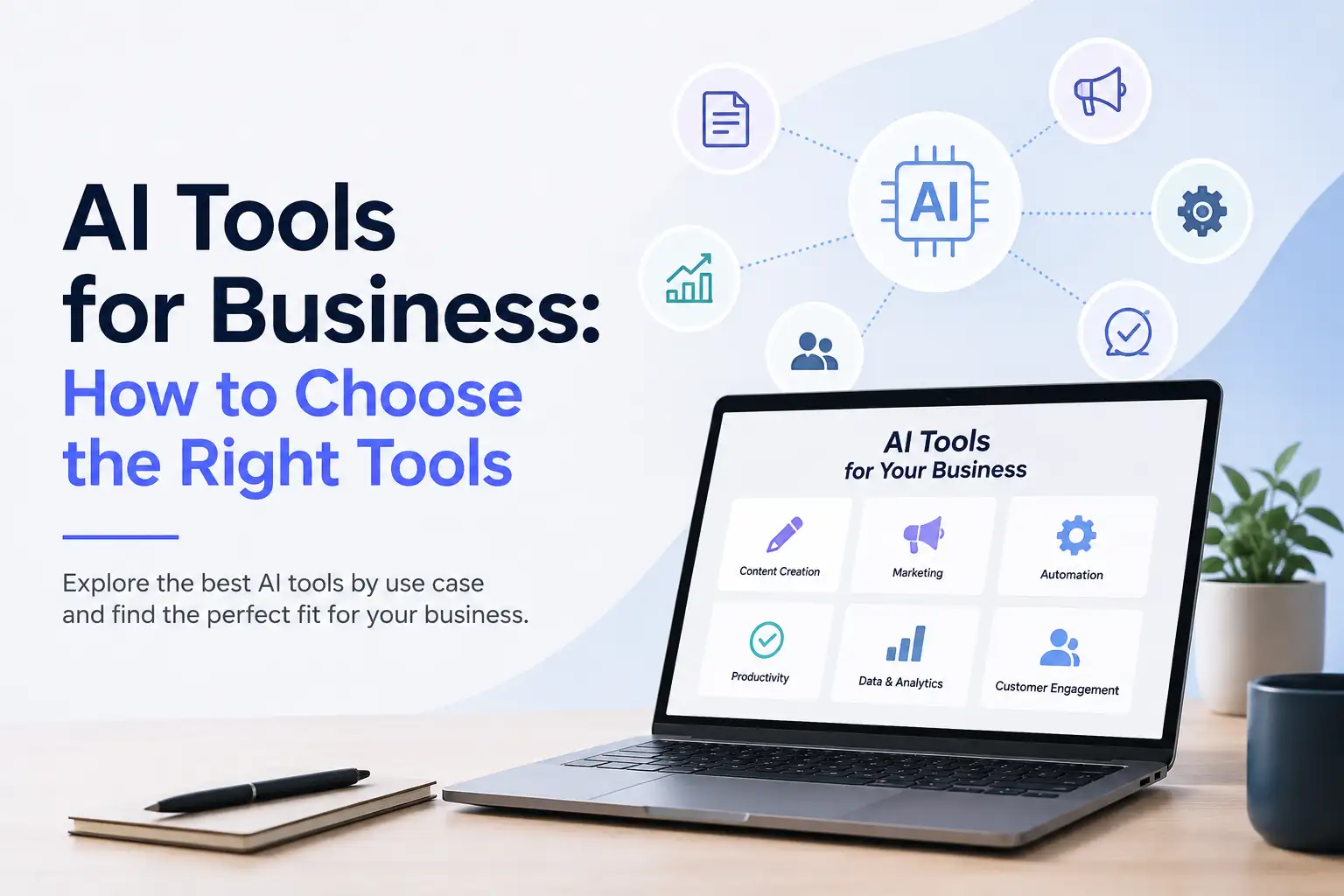
Businesses have more access to artificial intelligence than ever before.
There are AI applications for writing, images, video, presentations, productivity, customer engagement, marketing, automation, and many other areas of work.
That creates a new challenge.
The question is no longer simply:
"Can AI help my business?"
It is:
"Which AI tools does my business actually need, and how do I choose the right ones?"
The answer depends on the work your business needs to accomplish.
The best AI tools for business are not necessarily the ones with the longest feature lists. They are the ones that solve meaningful problems, fit into existing workflows, are easy for teams to use, and produce useful business outcomes.
And as businesses adopt more AI, another question becomes increasingly important:
Should you manage many separate AI tools, or bring multiple AI capabilities together in one platform?
Let's look at how to make that decision.
What Are AI Tools for Business?
AI tools for business are software applications that use artificial intelligence to help businesses perform tasks, improve workflows, automate repetitive work, or increase productivity.
Different AI tools are designed for different types of work.
A business might use AI to:
- Write and improve content
- Create images
- Produce videos
- Build presentations
- Support customer conversations
- Automate repetitive workflows
- Research and summarize information
- Manage social media content
- Improve employee productivity
- Support sales and marketing
The important distinction is that an AI tool should serve a business purpose.
Businesses should not adopt AI simply because a particular application is popular or because a new model has been released.
A better starting point is the problem.
What work takes too much time? What is repetitive? What is difficult to scale? Where could AI improve the outcome?
Once those questions are clear, it becomes much easier to determine which AI capabilities are actually useful.
What Can AI Tools Help a Business Do?
AI can support many different types of business work.
The most useful applications tend to be connected to work that is repetitive, information-heavy, creative, time-consuming, or difficult to scale manually.
Create Content
Businesses constantly need content.
That can include:
- Blog articles
- Website copy
- Product descriptions
- Social media posts
- Marketing copy
- Presentations
- Images
- Videos
- Voice content
AI can help businesses move from an idea to a usable first version more quickly.
For example, a marketing team might start with a campaign idea and use AI to help create written content, visuals, social posts, presentation material, and video assets.
The objective is not simply to create more content.
It is to reduce unnecessary manual work while maintaining quality, relevance, accuracy, and brand consistency.
Klyra AI supports these types of workflows through business-ready AI applications across content, image, video, voice, presentation, and social media use cases.
Create Images and Videos
Visual content has become an important part of marketing, ecommerce, communication, and customer engagement.
Businesses can use AI to help create:
- Marketing visuals
- Product imagery
- Social media creative
- Short-form videos
- Presentation visuals
- Avatar-based videos
- Video variations
For an ecommerce business, for example, AI can help turn product assets into new visual content.
For a marketing team, AI can help transform an idea into images or video without requiring every piece of content to begin with a traditional production workflow.
Klyra's AI Apps include AI Image Studio, AI Photoshoot, AI Fashion Studio, AI Video Generator, AI Avatars, and AI Influencer capabilities.
Automate Repetitive Work
Some of the most valuable AI opportunities are not about generating content at all.
They are about reducing repetitive work.
Businesses may have processes involving:
- Repeated information processing
- Routine administrative work
- Recurring content workflows
- Customer questions
- Document processing
- Workflow coordination
AI can help automate appropriate parts of these processes.
The goal is not automation for its own sake.
The goal is to reduce unnecessary manual effort and allow people to spend more time on work that requires judgment, creativity, relationships, and decision-making.
Klyra's product philosophy specifically emphasizes making AI more unified, intuitive, and valuable while avoiding unnecessary complexity.
Improve Productivity
AI can also support everyday knowledge work.
Employees may use AI to help with:
- Writing
- Research
- Summarization
- Information extraction
- Presentations
- Content transformation
- Brainstorming
- Repetitive knowledge work
The value is often simple:
Get from an idea to a useful result with less unnecessary effort.
Instead of starting a presentation, document, or marketing asset from a blank page, an employee can use AI to create a starting point and then apply human judgment to improve the result.
Communicate With Customers
Customer engagement is another important area for business AI.
Businesses can use AI to support:
- Common customer questions
- Website conversations
- Knowledge-base interactions
- Initial customer interactions
- Customer information
- Conversation routing
- Human-agent handoff
AI does not need to replace human customer service.
In many cases, a better approach is to let AI handle appropriate routine interactions while people handle conversations requiring context, judgment, empathy, or more complex decisions.
Klyra's documented customer-engagement capabilities include AI chatbots, voice chatbots, knowledge bases, human-agent support, analytics, and integrations.
Support Marketing and Sales
Marketing and sales teams can use AI across many parts of their workflows.
Examples include:
- Campaign content
- Sales materials
- Presentations
- Customer communications
- Social media content
- Research
- Follow-up preparation
- Creative production
The objective is not to automate the relationship itself.
Instead, AI can reduce the amount of routine preparation required so professionals can focus more of their time on customers, strategy, relationships, and decisions.
Types of AI Tools for Business
There is no single type of AI tool for business.
Different tools address different business needs.
Understanding the categories makes it easier to decide what your organization actually needs.
AI Writing and Content Tools
AI writing applications can help businesses create and improve written content.
Common use cases include:
- Blog posts
- Website content
- Marketing copy
- Product descriptions
- Emails
- Social content
- Content repurposing
These applications can be particularly useful for businesses that need to publish content regularly.
The important consideration is not how much text an application can generate.
It is whether the output is useful, accurate, relevant, and appropriate for the business.
AI Image and Design Tools
AI image applications can help businesses produce visual content.
Common use cases include:
- Marketing imagery
- Product visuals
- Social media graphics
- Creative concepts
- Presentation visuals
- Brand content
For businesses that produce visual content regularly, these applications can reduce the amount of manual production required.
AI Video Tools
AI video applications can support different stages of video production.
They can help businesses create:
- Marketing videos
- Product videos
- Social clips
- Educational content
- Avatar-based videos
- Video variations
Klyra's AI Video Generator, for example, supports text-to-video and image-to-video workflows while bringing multiple video-generation capabilities into one workspace.
AI Presentation Tools
Presentations are common across marketing, sales, internal communication, training, and business development.
AI presentation applications can help teams turn ideas or information into structured presentation content.
The benefit is particularly useful when employees need to create presentations frequently but do not want to spend unnecessary time starting from a blank document.
AI Productivity Tools
AI productivity applications can support knowledge work.
Common use cases include:
- Research
- Writing
- Summarization
- Information extraction
- Organization
- Brainstorming
- Content transformation
These tools can become particularly valuable when employees spend significant amounts of time processing information.
AI Automation Tools
AI automation applications focus on reducing manual steps within business workflows.
Depending on the workflow, this can involve:
- Moving information
- Processing inputs
- Triggering actions
- Coordinating tasks
- Handling repetitive processes
The best automation opportunities are usually processes that occur frequently and follow reasonably predictable steps.
AI Customer Engagement Tools
These applications help businesses interact with customers using AI.
Examples include:
- AI chat
- Website chatbots
- Voice chatbots
- Knowledge-base interactions
- Customer support assistance
- Human-agent handoff
The most effective implementation depends on the type of customer interaction and the level of human involvement required.
AI Social Media Tools
Businesses that publish regularly across social platforms can use AI to assist with:
- Content ideas
- Post creation
- Creative assets
- Content repurposing
- Social content workflows
The goal is to make consistent publishing easier without removing the human strategy behind the brand.
AI Research and Knowledge Tools
AI can also help businesses work with information.
Potential applications include:
- Research
- Summarization
- Information extraction
- Knowledge retrieval
- Document processing
- Internal information workflows
These capabilities can become particularly useful as businesses accumulate more information and need faster ways to find and process it.
AI Tools for Business by Department
Another way to evaluate AI is by looking at the needs of each business function.
AI Tools for Marketing
Marketing teams may benefit from AI for:
- Content creation
- Social media
- Images
- Video
- Presentations
- Research
- Campaign support
- Content repurposing
The right combination depends on the team's workflow.
A content-focused team may need writing and SEO capabilities, while a creative team may prioritize image and video production.
AI Tools for Sales
Sales teams can use AI to support:
- Sales materials
- Presentations
- Customer communications
- Research
- Follow-up preparation
- Content creation
The objective is to reduce preparation time while keeping human relationships at the center of the sales process.
AI Tools for Customer Support
Customer support teams can use AI for:
- Frequently asked questions
- Knowledge-base access
- Initial customer conversations
- Customer information
- Conversation routing
- Human-agent handoff
The right balance between AI and human support depends on the complexity and importance of the customer interaction.
AI Tools for Operations
Operations teams can use AI to support:
- Repetitive processes
- Information processing
- Administrative workflows
- Document handling
- Workflow coordination
Here, the biggest opportunity may come from connecting several steps rather than automating one isolated task.
AI Tools for Content Teams
Content teams may need several AI capabilities at once.
For example:
Research → Writing → SEO → Images → Presentation → Social → Video
When these activities are spread across different applications, the team may spend significant time moving between systems.
This makes workflow integration an important consideration.
AI Tools for Ecommerce
Ecommerce businesses can use AI across:
- Product descriptions
- Product imagery
- Marketing content
- Social media
- Video
- Customer engagement
AI can be especially useful when businesses need to produce content for a large or frequently changing product catalog.
AI Tools for Small Businesses
Small businesses often have fewer people handling more responsibilities.
That makes time particularly valuable.
AI can help small businesses with areas such as:
- Marketing
- Content creation
- Customer engagement
- Presentations
- Productivity
- Product content
- Repetitive workflows
The goal should not be to adopt as much AI as possible.
It should be to identify the work where AI can create the greatest practical improvement.
How to Choose the Right AI Tools for Your Business
Choosing AI tools should begin with your business problem, not with a list of popular applications.
Here is a practical framework.
1. Start With the Business Problem
First, identify what you actually want to improve.
Ask:
- What takes too much time?
- What work is repetitive?
- Where are employees spending time on low-value tasks?
- Where does content production slow down?
- Where do customers experience delays?
- Which processes become difficult as the business grows?
A clear problem gives you a much better starting point than simply searching for the "best AI tool."
2. Identify the Workflow
Next, look at the complete process.
For example:
Create → Review → Publish → Promote
You may initially think you need an AI writing application because writing is the slowest step.
But once you examine the entire workflow, you may discover that images, social content, video, and publishing also consume significant time.
That changes the question.
Instead of asking:
"Which AI tool can help me write?"
you can ask:
"Which AI approach can improve this entire workflow?"
This is a much more useful way to evaluate AI.
3. Choose Tools Based on Use Case
Different businesses need different capabilities.
You might need:
| Business need | AI capability |
|---|---|
| Create written content | AI writing |
| Improve website content | AI SEO |
| Create visuals | AI image |
| Create product imagery | AI photoshoot |
| Produce video | AI video |
| Create presentations | AI presentation |
| Support customers | AI chatbots |
| Manage social content | AI social media |
| Process information | AI productivity |
| Automate repetitive work | AI automation |
The objective is not to collect every capability.
It is to select the capabilities that support your business goals.
4. Evaluate Quality
An AI tool should produce output that is useful enough for real business work.
Consider:
- Is the output accurate?
- Is the quality consistent?
- Does it fit the brand?
- How much editing is required?
- Can employees trust the output?
- Does human review remain manageable?
A tool that saves time but creates significant cleanup work may not provide the expected benefit.
5. Evaluate Ease of Use
An AI tool is only valuable if people can actually use it.
Consider:
- How easy is it to learn?
- Can a new employee understand it quickly?
- How much technical knowledge is required?
- Are important workflows easy to find?
- Does the interface reduce or increase cognitive load?
Klyra's product principles explicitly prioritize intuitive experiences, hiding unnecessary technical complexity, and reducing cognitive load.
For businesses, usability is not a cosmetic consideration.
It directly affects adoption.
6. Consider Integrations and Workflows
A tool may solve one problem while creating another.
For example, if a team needs to:
- Create content in one application
- Download it
- Upload it somewhere else
- Create an image
- Move that image into another application
- Create a video somewhere else
- Prepare social content in another system
the individual applications may work well, but the overall workflow can still be inefficient.
This is why workflow integration matters.
7. Consider the Total Cost
The price of an AI application is only one part of the calculation.
Consider the total cost of your AI stack:
- Number of subscriptions
- Number of users
- Training time
- Administrative overhead
- Time spent switching between applications
- Repeated setup
- Duplicate capabilities
- Workflow fragmentation
Sometimes a collection of inexpensive applications can become more expensive and complicated than expected when all of these factors are considered.
AI Tools vs. AI Platforms for Business
As businesses adopt more AI, they often end up using multiple applications.
One application may help with writing.
Another may help with images.
Another may handle video.
Another may support customer conversations.
Another may help automate workflows.
There is nothing inherently wrong with using multiple applications.
The question is whether those applications make the business more productive or create unnecessary fragmentation.
What Is an AI Tool?
An AI tool generally focuses on a specific task or category of work.
For example, a business may use one application for writing and another for creating images.
Individual AI tools can be valuable when they solve a particular problem especially well.
They are often a good starting point for businesses with a focused AI requirement.
What Is an AI Platform?
An AI platform brings multiple AI capabilities, applications, or workflows together within a broader environment.
Instead of treating every capability as a completely separate experience, an AI platform can provide a more unified way to access AI-powered work.
This can become useful when a business needs several AI capabilities across different workflows.
For more background, see What Is an AI Platform?
For businesses evaluating the category specifically, see AI Platform for Business.
What Is an AI Operating System?
An AI Operating System takes the idea of a unified AI environment further.
Klyra AI positions itself as The AI Operating System, bringing together the world's leading AI models and business-ready AI applications into one intelligent workspace.
The purpose is not simply to put many AI applications in one place.
It is to make AI-powered work more unified and easier to manage.
Klyra's documented product philosophy states that customers should not feel as though they are buying individual AI tools. Instead, they should experience Klyra as an operating system for AI-powered work.
That distinction becomes increasingly important as businesses adopt more AI.
When Should a Business Use One AI Tool vs. Multiple Tools?
There is no universal number of AI applications that every business should use.
The right approach depends on the business.
When One AI Tool Is Enough
One AI application may be enough when:
- The business has one primary AI requirement.
- The workflow is simple.
- The application solves the problem well.
- There are few dependencies on other AI capabilities.
For example, a business that primarily needs help writing content may not need a large AI stack.
When Multiple AI Tools Make Sense
Multiple applications may make sense when:
- Different departments have different requirements.
- Specialized capabilities are necessary.
- Existing systems require specific integrations.
- One application cannot reasonably handle the complete workflow.
The important thing is to ensure that the additional applications provide enough value to justify their complexity.
When a Unified AI Platform Makes Sense
A unified AI platform can become attractive when a business:
- Needs several AI capabilities
- Uses AI across multiple departments
- Has accumulated many AI subscriptions
- Frequently switches between AI applications
- Has workflows that cross multiple AI capabilities
- Wants a more centralized AI environment
This is one of the problems Klyra AI is designed to address.
Its core positioning is to bring leading AI models and business-ready AI applications together in one platform instead of requiring users to manage multiple AI subscriptions independently.
What Should a Business Look for in AI Tools?
Before choosing an AI solution, evaluate it against the business rather than against a feature checklist alone.
Business Fit
Does it solve a real business problem?
If the answer is unclear, the tool may not be necessary.
Ease of Adoption
Can employees understand and use it without unnecessary complexity?
Output Quality
Does the output meet the quality required for real business work?
Workflow Fit
Does it fit into the way your team already works?
Scalability
Can it support the business as usage increases?
Security and Trust
Can your business use it responsibly with the information and workflows involved?
Cost
Does the value justify the total cost of ownership?
Consolidation
Could multiple overlapping applications be replaced or simplified by a more unified approach?
That last question is becoming increasingly important as businesses build larger AI stacks.
Common Mistakes When Choosing AI Tools
Choosing AI tools based on hype can create more problems than it solves.
Here are some common mistakes to avoid.
Choosing Tools Because They Are Popular
A popular AI application may not be the right solution for your business.
Start with the business problem.
Choosing Tools Before Defining the Workflow
A tool can look impressive in isolation and still be a poor fit for the actual process.
Understand the workflow first.
Then determine where AI belongs.
Managing Too Many Disconnected AI Applications
Adding an application for every new AI capability can eventually create:
- More subscriptions
- More interfaces
- More logins
- More setup
- More training
- More workflow switching
The goal should be useful AI adoption, not a large collection of applications.
Focusing on AI Models Instead of Outcomes
Businesses generally care about what AI helps them accomplish.
They want to:
- Create faster
- Reduce manual work
- Improve productivity
- Communicate better
- Serve customers
- Grow
The underlying technology matters, but the business outcome matters more.
Klyra's brand guidance explicitly directs the company to market outcomes rather than individual AI models.
Automating a Poor Process
Automation does not automatically make a workflow better.
If a process is inefficient, automating it may simply make the same inefficiency happen faster.
Understand and improve the workflow first.
Then automate the appropriate parts.
Expecting AI to Replace Human Judgment Everywhere
AI can be highly useful for repetitive and information-heavy work.
But businesses still need people for:
- Judgment
- Context
- Creativity
- Relationships
- Strategy
- Accountability
The strongest AI workflows usually combine the strengths of AI with human decision-making.
How Many AI Tools Does a Business Actually Need?
There is no ideal number.
A business may need one AI application, several specialized applications, or a broader AI platform.
The right answer depends on:
- Business size
- Team structure
- AI use cases
- Existing systems
- Workflow complexity
- Required capabilities
The objective should be to find the smallest practical set of AI capabilities that meaningfully improves the business.
Too few capabilities can limit what your team can accomplish.
Too many disconnected applications can create unnecessary complexity.
The right balance is the one that helps your team do meaningful work more effectively.
AI Tools for Business: A Simple Evaluation Checklist
Before adopting an AI tool, ask these questions:
1. What business problem does it solve?
Be specific.
2. How often does that problem occur?
Frequent problems may offer greater opportunities for improvement.
3. How much manual work does the current process require?
Understand the baseline before measuring improvement.
4. What part of the workflow can AI improve?
Look beyond one isolated task.
5. Is the output good enough for real business use?
Quality matters as much as speed.
6. Will employees actually use it?
Adoption is part of the value.
7. Does it fit with the rest of the workflow?
Consider what happens before and after the AI task.
8. What does it add to the overall AI stack?
Consider subscriptions, administration, training, and complexity.
9. Could another approach simplify the workflow?
Sometimes the best solution is not another standalone application.
10. How will you measure success?
Define the outcome before adopting the technology.
AI Tools for Business FAQs
What are AI tools for business?
AI tools for business are software applications that use artificial intelligence to help businesses perform tasks, improve workflows, automate repetitive work, or increase productivity. They can support areas such as content creation, marketing, customer engagement, productivity, automation, and creative production.
What are the best AI tools for business?
The best AI tools depend on the business problem you are trying to solve. A writing application may be useful for a content team, while an ecommerce business may prioritize product imagery and customer engagement. Businesses should evaluate AI tools based on use case, quality, workflow fit, ease of use, scalability, and overall value.
For a dedicated comparison of specific applications, see our upcoming guide to Best AI Tools for Business.
What types of AI tools do businesses use?
Businesses use AI applications for writing, images, video, presentations, productivity, automation, customer engagement, social media, research, and other workflows.
How can businesses use AI tools?
Businesses can use AI to create content, automate repetitive work, support marketing and sales, improve productivity, create visual content, communicate with customers, and support business workflows.
How do I choose an AI tool for my business?
Start with a specific business problem. Identify the workflow, determine which AI capability could improve it, evaluate quality and ease of use, consider integrations and total cost, and define how you will measure the result.
How many AI tools does a business need?
There is no universal number. A business may need one application, several specialized applications, or a unified AI platform. The goal is to use the smallest practical set of capabilities that creates meaningful business value without unnecessary complexity.
What is the difference between an AI tool and an AI platform?
An AI tool generally focuses on a specific task or category of work. An AI platform brings multiple AI capabilities, applications, or workflows together in a broader environment.
Are AI tools useful for small businesses?
Yes. Small businesses can use AI to support marketing, content creation, customer engagement, productivity, presentations, product content, and repetitive workflows. The best starting point is usually a specific problem that consumes meaningful time or resources.
Can businesses replace multiple AI tools with one platform?
In some cases, yes. A unified AI platform can bring multiple capabilities together and reduce the need to manage separate applications. Whether consolidation makes sense depends on the business's workflows, required capabilities, and existing technology stack.
The Future of AI Tools for Business
The number of AI applications available to businesses will continue to grow.
That creates opportunity, but it also creates a new challenge.
Businesses need to decide not only which AI capabilities they need, but also how those capabilities should fit together.
A company may need AI for:
- Content
- Marketing
- Images
- Video
- Presentations
- Productivity
- Customer engagement
- Automation
Managing each capability through a completely separate application can eventually make AI more complicated rather than simpler.
That is why the future of business AI is not simply about having access to more applications.
It is about making AI more connected, easier to use, and more useful to the people doing the work.
Where Klyra AI Fits
Klyra AI approaches this problem from a different direction.
Rather than positioning itself as another individual AI application, Klyra is The AI Operating System.
It brings leading AI models and business-ready AI applications together in one intelligent workspace, designed to help businesses, creators, professionals, and teams:
Create. Automate. Communicate. Grow.
Klyra's product philosophy is built around simplifying AI rather than adding another layer of complexity. Its documented positioning is to replace multiple AI subscriptions with one intelligent platform.
That means businesses can think about AI in terms of the work they need to accomplish rather than constantly asking which separate application they need next.
Instead of:
Writing tool → Image tool → Video tool → Presentation tool → Customer engagement tool → More subscriptions
the goal is a more unified AI environment where those capabilities can exist together.
This is the broader idea behind an AI Operating System.
Final Takeaway
The best AI tools for business are not necessarily the newest, most popular, or most feature-rich applications.
The right choice starts with the business.
Identify the problem.
Understand the workflow.
Choose the AI capability that can improve it.
Evaluate quality, usability, integration, scalability, and total cost.
Then measure the result.
And as your business adopts more AI, consider whether adding another standalone application actually makes your workflow better or simply adds another system to manage.
For some businesses, specialized applications will remain the right choice.
For others, a unified AI platform can provide a simpler way to bring multiple capabilities together.
The goal is not to use more AI.
The goal is to make meaningful work better.
Bring Your AI-Powered Work Together
If your business is managing an increasing number of AI applications, Klyra AI provides a unified environment for AI-powered work.
One Platform. Every AI Capability.
Create, automate, communicate, and grow from one intelligent workspace.
Build Your AI Workspace