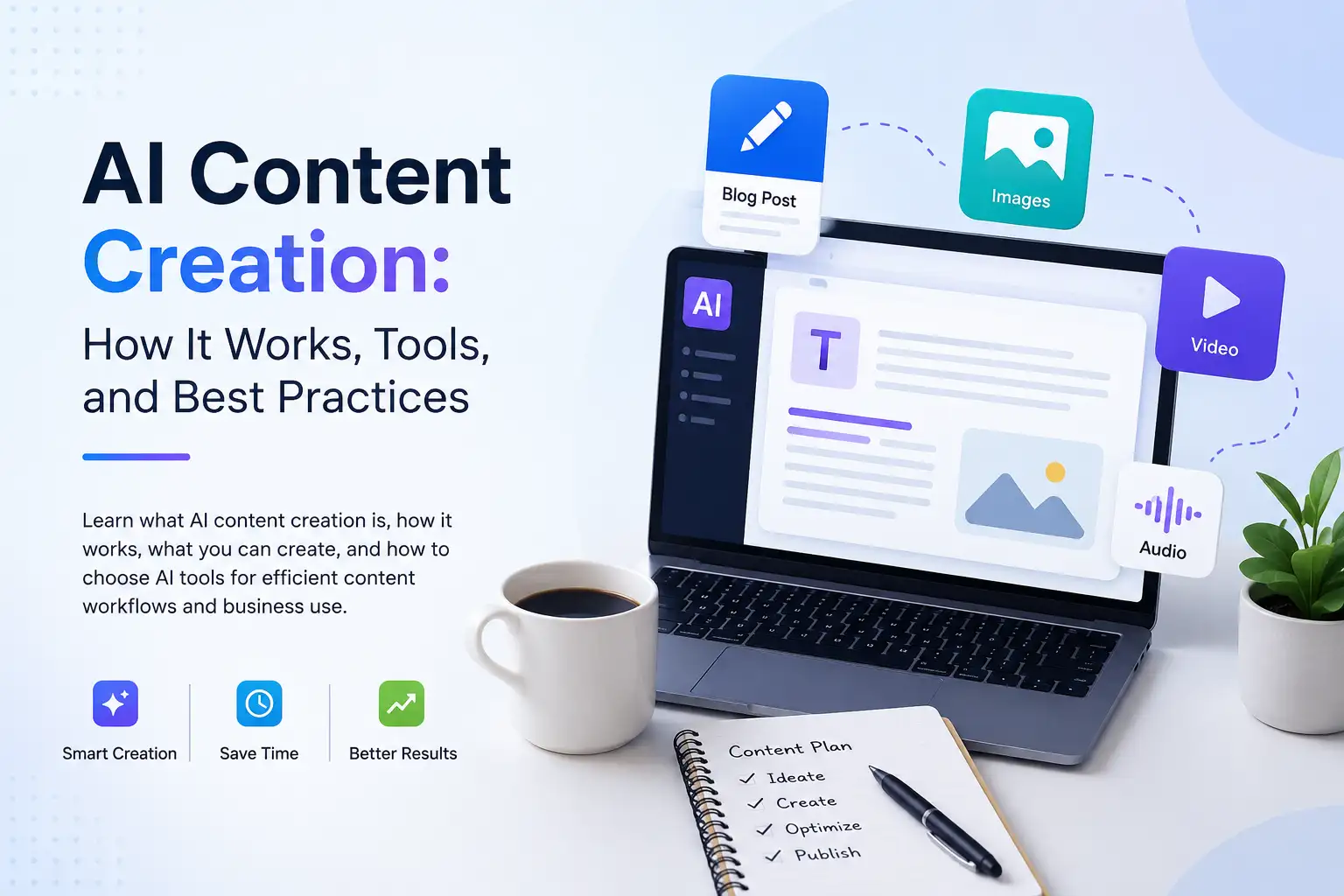
AI Content Creation: The Complete Guide to Creating With AI
AI content creation is the use of artificial intelligence to create, transform, optimize, and repurpose content across formats such as text, images, video, presentations, audio, and social media.
What makes AI content creation different from traditional content production is not simply that AI can write a draft. AI can support more of the content workflow, from developing an initial idea to adapting finished content for different channels.
For businesses, creators, marketers, professionals, and teams, that can mean producing more content while spending less time on repetitive work.
But effective AI content creation is not about generating content and publishing it without review. The strongest workflows combine AI's speed and scale with human judgment, strategy, expertise, and quality control.
This guide explains what AI content creation is, how it works, what you can create with AI, how businesses use it, how to evaluate AI content creation tools, and how to build a practical AI content workflow.
What Is AI Content Creation?
AI content creation is the use of artificial intelligence to create, transform, optimize, and repurpose content across different formats and channels.
Instead of treating AI as something that only writes text, AI content creation covers a much broader range of activities.
Creating Content
AI can help produce a first version of a content asset from an idea, prompt, brief, or source material.
Depending on the application, this can include:
- Blog posts
- Articles
- Website copy
- Social media posts
- Images
- Videos
- Presentations
- Voiceovers
- Audio
- Product descriptions
- Marketing materials
Transforming Content
AI can also transform existing content into another format.
For example:
- Turn an article into social media posts
- Turn a script into a video
- Turn product information into marketing copy
- Turn a long document into a presentation
- Turn spoken audio into text
This makes AI particularly useful for content repurposing.
Optimizing Content
AI can help improve an existing asset by analyzing or refining elements such as:
- Structure
- Clarity
- Tone
- Readability
- Search optimization
- Messaging
- Formatting
The goal is not simply to produce more content, but to make the content more useful for its intended audience and channel.
Repurposing Content
One of the most practical applications of AI content creation is turning one core piece of content into multiple assets.
A single article, for example, could become:
- Social media posts
- Short-form video scripts
- Email content
- Presentation material
- Visual assets
Instead of starting from scratch for every channel, AI can help extend the value of content that already exists.
How Does AI Content Creation Work?
An effective AI content creation workflow usually follows a simple process.
1. Define the Goal
Start with the outcome, not the AI application.
Ask:
- What are we trying to create?
- Who is it for?
- Where will it be published?
- What should the audience understand or do afterward?
A clear goal gives the AI better direction.
2. Provide Context
AI output becomes more useful when the input contains enough context.
Depending on the task, that context might include:
- Target audience
- Brand information
- Source material
- Product details
- Content requirements
- Desired tone
- Distribution channel
- Desired outcome
The more relevant context the workflow provides, the less work is required to correct an unsuitable first draft.
3. Generate the First Version
AI can then create a first version of the requested content.
That could be:
- Written content
- An image
- A video
- A presentation
- Voice content
- Social media content
The first output should usually be treated as a starting point rather than the finished asset.
4. Review and Refine
Human review remains an important part of AI content creation.
Review the output for:
- Accuracy
- Relevance
- Brand voice
- Originality
- Clarity
- Quality
- Audience fit
AI can accelerate production, but people remain responsible for deciding whether the result is actually useful.
5. Optimize for the Channel
The same idea may need to be presented differently depending on where it will appear.
A website article, social media post, presentation, email, and video all have different requirements.
AI can help adapt the content while preserving the underlying message.
6. Repurpose and Distribute
Once the primary asset is complete, look for additional ways to use it.
For example:
Blog article → social posts → email → presentation → video script → short-form video
The bigger opportunity is not creating each asset separately. It is building a workflow where one strong idea can become multiple useful content assets.
What Can You Create With AI?
AI content creation now extends far beyond written content. Different AI applications can support different stages and formats of the creative process.
AI Writing
AI writing applications can help create and refine:
- Blog posts
- Articles
- Website copy
- Emails
- Marketing copy
- Product descriptions
- Advertising copy
- Content ideas
Writing is one part of AI content creation, but it is not the entire category.
As AI writing becomes its own specialist area, dedicated AI writing workflows can go deeper into research, drafting, editing, SEO, and copywriting.
AI Image Creation
AI can also support visual content creation.
Depending on the application, businesses and creators can use AI for:
- Marketing visuals
- Product imagery
- Social media graphics
- Creative concepts
- Image variations
- Image editing
This can reduce the friction involved in producing visual assets for campaigns and digital channels.
For product-focused businesses, AI can also support product photography workflows. Klyra's AI Photoshoot is designed around generating studio-quality product visuals, with prompt-driven, template-based, and background-replacement workflows.
AI Video Creation
AI video creation can support several stages of video production.
Examples include:
- Marketing videos
- Explainer videos
- Short-form videos
- Video scripts
- Text-to-video
- Image-to-video
- Avatar-based videos
Klyra's AI Video Generator supports text-to-video and image-to-video workflows, while its AI Avatar and AI Influencer applications support additional video creation and short-form content workflows.
Instead of treating video as a completely separate production process, businesses can incorporate AI into the broader content workflow.
AI Presentation Creation
Presentations are another area where AI can reduce production effort.
AI presentation applications can help create:
- Business presentations
- Sales decks
- Pitch materials
- Educational presentations
- Reports
- Internal presentations
The goal is to move from an idea or brief toward a structured presentation more efficiently.
AI Voice and Audio
AI can also support audio content, including:
- Voiceovers
- Text-to-speech
- Speech-to-text
- Voice cloning
- Music
- Audio transformation
These capabilities can support videos, presentations, marketing campaigns, podcasts, training materials, and other forms of digital content.
Klyra's AI Apps include dedicated capabilities for voiceover, speech-to-text, voice cloning, voice isolation, and AI music.
AI Social Media Content
Social media requires a constant flow of content, which makes it another natural application for AI.
AI can help with:
- Social media posts
- Captions
- Campaign concepts
- Short-form content
- Visual assets
- Content repurposing
Instead of creating every social asset independently, teams can use AI to adapt existing ideas and content for different platforms.
AI Content Creation vs. AI Writing
AI writing and AI content creation are related, but they are not the same thing.
| AI Writing | AI Content Creation |
|---|---|
| Primarily focused on text | Covers multiple content formats |
| Articles and copy | Text, images, video, presentations, audio and more |
| Writing-focused workflows | Broader content workflows |
| A specific AI use case | An umbrella category |
AI writing is one part of AI content creation.
This distinction matters because a business may need to create an article, turn that article into social posts, create supporting visuals, produce a presentation, and develop a video from the same underlying idea.
A writing-focused application may solve the first task. A broader AI content workflow can address the entire sequence.
What Are AI Content Creation Tools?
AI content creation tools are applications that use AI to help produce, transform, optimize, or repurpose content.
Different applications focus on different areas.
AI Writing Tools
Designed primarily for creating and refining written content.
AI Image Tools
Designed for generating, editing, or transforming visual content.
AI Video Tools
Designed for creating or transforming video content.
AI Presentation Tools
Designed to help turn ideas, information, or briefs into presentations.
AI Voice and Audio Tools
Designed for voice generation, speech processing, audio creation, and related workflows.
AI SEO and Optimization Tools
Designed to support search-focused content workflows and optimization.
AI Social Media Tools
Designed to support social content creation, adaptation, and publishing workflows.
The SERP results for AI content creation tools show a mixture of comprehensive guides, tool roundups, individual AI applications, and discussions about which applications teams and agencies use in their workflows.
This creates an important distinction: having access to AI content tools is not necessarily the same as having an effective AI content workflow.
What Is an AI Content Generator?
An AI content generator is an application that uses artificial intelligence to produce content from prompts, instructions, source material, or other inputs.
Depending on the application, it may generate:
- Text
- Blog content
- Social media posts
- Marketing copy
- Images
- Video
- Other digital content
The term can therefore refer to different types of AI applications.
An AI content generator is a specific type of AI content creation tool. AI content creation itself is broader. It includes not only generating content, but also planning, editing, optimizing, transforming, and repurposing it.
The SERP results for "AI content generator" include tools focused on text, marketing content, social media, images, and video, reinforcing that the term can represent different content-generation use cases.
What to Look for in AI Content Creation Tools
Choosing an AI content creation tool should start with the workflow you need to support, not simply the number of features listed on a product page.
Content Formats Supported
Consider whether the application supports the formats your business actually needs.
If your workflow involves articles, images, video, presentations, and social media, relying on a solution that only handles one format may create additional fragmentation.
Quality and Control
Look for enough control to review, edit, refine, and shape the final output.
AI should help accelerate production without removing control from the person responsible for the content.
Context and Brand Handling
Useful AI content workflows need context.
Consider whether you can provide relevant information about:
- Your business
- Products
- Audience
- Brand
- Content requirements
- Existing material
The better the context, the more useful the output can become.
Repurposing Capabilities
Content rarely lives in one format.
A useful AI content workflow should make it easier to transform an existing idea or asset into additional content where appropriate.
Workflow Integration
Consider what happens before and after generation.
A tool may produce an excellent first draft, but if the workflow requires constant copying, pasting, downloading, uploading, and switching between applications, the overall process can still be inefficient.
Ease of Use and Scalability
The right solution should be usable by the people responsible for content today while remaining practical as content requirements grow.
For a small team, that may mean simplicity.
For a larger organization, it may mean repeatable workflows and a broader set of AI capabilities.
AI Content Creation Tools vs. an AI Content Creation Platform
An AI content generator solves an individual creation task.
A specialized AI application can support a broader workflow within a particular format.
A unified AI platform takes another step by bringing multiple AI capabilities together into one workspace.
Using Multiple Specialized AI Tools
A multi-tool workflow can mean working across several separate applications.
That may involve:
- Multiple subscriptions
- Different interfaces
- Repeatedly moving information between applications
- Re-entering context
- Switching between platforms
- Managing outputs in different places
Specialized applications can be useful, especially when a particular workflow requires deep functionality.
But as the number of AI use cases grows, managing those applications can become increasingly fragmented.
Using a Unified AI Platform
A unified approach brings multiple AI capabilities together into one workspace.
The potential advantages include:
- One place to access different AI capabilities
- Less switching between applications
- More connected workflows
- Centralized access to content creation capabilities
- A simpler experience for teams
This is the broader idea behind Klyra.
Klyra is positioned as the AI Operating System, bringing together leading AI models and business-ready AI applications into one intelligent workspace where businesses, creators, professionals, and teams can create, automate, communicate, and grow.
The distinction is important. Klyra is not positioned as a collection of disconnected AI tools. Its core positioning is an operating system that brings AI capabilities together in one place.
AI Content Creation for Business
AI content creation can support many different business functions, from marketing and sales to ecommerce and agency work.
The opportunity is not simply to generate more content. It is to create a more repeatable content workflow.
Marketing Teams
Marketing teams can use AI to support:
- Campaign content
- Social media
- Email
- Visual assets
- Video
- Presentations
- Content repurposing
A campaign may start with a central message and then expand into multiple assets for different channels.
AI can help teams move between those formats without rebuilding every asset from scratch.
Ecommerce Businesses
Ecommerce businesses have a particularly broad range of content requirements.
AI can support:
- Product descriptions
- Product imagery
- Product videos
- Social content
- Advertising assets
- Campaign variations
Product photography is one example. AI can help businesses create product-focused visuals without treating every image as a completely separate production project.
Agencies
Agencies often need to produce content at scale across multiple clients.
AI can support workflows involving:
- Client content
- Campaign production
- Content repurposing
- Social media
- Visual content
- Presentations
- Video
The goal is not to remove the creative expertise of the agency. It is to reduce repetitive production work so teams can spend more time on strategy and quality.
Sales Teams
Sales teams also create content.
Examples include:
- Sales presentations
- Product materials
- Customer-facing content
- Campaign assets
- Personalized communication
AI can help teams create and adapt these materials more efficiently while keeping the messaging aligned with the business.
Small Businesses
For smaller businesses, content production can be particularly demanding because the same people may be responsible for marketing, sales, social media, website content, and customer communication.
AI content creation can help bring more of those tasks into a repeatable workflow.
Instead of creating separate production processes for every format, a small team can use AI to support multiple content needs.
Why Workflow Matters for Business
Consider a product launch.
The business may need:
- A landing page
- Product descriptions
- Product images
- Social media posts
- Email campaigns
- A presentation
- Video content
- Advertising assets
These are different content formats, but they can all originate from the same product information and campaign strategy.
The real value of AI content creation comes from connecting those activities into a workflow rather than treating each asset as an isolated task.
The SERP results for AI content creation for business similarly emphasize content generation, optimization, repurposing, marketing use cases, and scaling workflows.
How to Build an AI Content Creation Workflow
The most useful AI content workflows are repeatable.
A practical workflow can follow eight steps.
Step 1: Define the Content Goal
Start by identifying what the content needs to accomplish.
For example:
- Educate an audience
- Generate awareness
- Support a campaign
- Explain a product
- Drive traffic
- Support sales
The goal determines what should be created.
Step 2: Choose the Format and Channel
Decide what the audience actually needs.
That could be:
- Article
- Image
- Video
- Presentation
- Social post
- Email
- Audio
Do not create content in a particular format simply because an AI application makes it easy.
Start with the audience and outcome.
Step 3: Gather Source Material
Give the AI relevant information before asking it to create.
This might include:
- Existing content
- Product information
- Brand guidelines
- Research
- Customer information
- Campaign details
- Supporting documents
Good source material can improve the usefulness of the output.
Step 4: Generate the First Version
Use AI to produce an initial version.
At this stage, speed matters more than perfection.
The objective is to create something that can be reviewed and improved.
Step 5: Apply Human Judgment
This is one of the most important steps.
Review the content for:
- Accuracy
- Relevance
- Brand alignment
- Originality
- Audience fit
- Quality
AI should accelerate the workflow, not remove responsibility for the final result.
Step 6: Optimize the Content
Once the core content is sound, adapt it for the channel.
For example:
- Optimize an article for search
- Adapt a message for social media
- Structure information for a presentation
- Edit a script for video
- Adjust visuals for a campaign
Step 7: Repurpose the Finished Asset
Look for additional content opportunities.
A strong piece of content can become several related assets.
For example:
Long-form article → social posts → email → presentation → video script → short-form video
This creates a more efficient content system than producing every asset independently.
Step 8: Publish and Measure
After publishing, evaluate the result.
Depending on the content, that could mean measuring:
- Traffic
- Engagement
- Leads
- Conversions
- Watch time
- Clicks
- Content performance
The workflow should improve over time based on what actually works.
Benefits of AI Content Creation
AI content creation can provide several practical benefits when implemented thoughtfully.
Faster Content Production
AI can reduce the time required to move from an idea to a first draft or asset.
More Content Capacity
Teams can support more content needs without increasing every manual production step.
Easier Content Repurposing
Existing content can be adapted for additional formats and channels.
More Efficient Creative Workflows
AI can take on repetitive parts of the production process, allowing people to focus on strategy and refinement.
Easier Multi-Format Production
A single content strategy can extend into text, images, video, presentations, voice, and social media content.
Greater Workflow Scalability
Repeatable AI workflows can help businesses handle growing content requirements without treating every asset as a completely new project.
The key is to focus on workflow improvement rather than simply increasing the amount of AI-generated output.
Limitations of AI Content Creation
AI content creation is powerful, but it is not automatic quality control.
Accuracy Still Requires Review
AI can produce information that needs to be checked.
Important factual claims should be reviewed before publication.
AI Output Can Be Generic
Without sufficient context, AI-generated content can sound repetitive or lack a distinct point of view.
Strong inputs and human editing remain important.
Brand Voice Needs Human Refinement
A business's voice is more than a list of adjectives.
Maintaining a consistent voice requires judgment about language, positioning, audience, and context.
AI Needs Useful Context
AI performs better when it has relevant information about the task.
A vague prompt often leads to a generic result.
Strategy Cannot Be Fully Automated
AI can help execute a strategy, but deciding what a business should communicate, who it should reach, and why that message matters still requires human thinking.
Important Content Needs Quality Control
The more important the content, the more important the review process becomes.
AI can accelerate production. It does not eliminate accountability.
How to Choose AI Content Creation Software
Choosing AI content creation software should start with the workflow rather than the feature list.
Content Formats Supported
First, identify the formats your business actually needs.
If your workflow involves articles, images, video, presentations, and social media, choosing a solution that only handles one format may create additional fragmentation.
Ease of Use
A capable system is less useful if the team struggles to use it.
Look for an experience that makes the desired outcome clear without unnecessary complexity.
Workflow Connectivity
Consider how easily you can move between related content tasks.
Can information move from one stage to the next without unnecessary duplication?
Quality and Control
Look for workflows that allow users to review, edit, refine, and control the final output.
AI should support human decision-making rather than hide it.
Scalability
Consider whether the solution can support:
- Individual users
- Creators
- Professionals
- Teams
- Growing businesses
The right solution should fit the current workflow while leaving room for it to grow.
AI Model Flexibility
AI capabilities continue to evolve.
A long-term content workflow should be able to benefit from improvements in AI rather than being locked into a narrow approach.
Total Cost and Capacity
Subscription price is only one part of the equation.
Consider the broader cost of managing multiple applications, switching between workflows, and maintaining separate systems.
The better question is:
How much useful work can the overall system help your team accomplish?
How Klyra Approaches AI Content Creation
Klyra approaches AI content creation as part of a broader AI Operating System.
Instead of treating every AI capability as a separate destination, Klyra brings business-ready AI applications together into one intelligent workspace. Its Brand Playbook defines the platform around five core ideas: one platform, every AI capability, intelligent simplicity, built for business, and future readiness.
One AI Workspace
The workspace is designed to give businesses, creators, professionals, and teams one place to work with AI.
That matters because content creation rarely happens in isolation.
A team may need to:
- Research an idea
- Write content
- Create visuals
- Produce a presentation
- Generate video
- Create voice content
- Adapt content for social media
A unified workspace can make that broader workflow easier to manage.
Multiple AI Apps for Different Content Needs
Klyra's AI Apps cover different content creation needs, including:
- AI Writer
- AI Blogger
- AI SEO
- AI Presentation
- AI Image Studio
- AI Photoshoot
- AI Fashion Studio
- AI Video Generator
- AI Avatar
- AI Influencer
- AI Music Studio
- AI Voiceover
- Speech to Text
- Voice Isolator
- Voice Cloning
- AI Social Media
These applications are mapped across Klyra's content, image, video, voice, and customer-engagement categories in the Pillar 3 product and keyword architecture.
The important distinction is that Klyra does not position these as a random collection of disconnected AI tools. The Brand Playbook defines the category as the AI Operating System and emphasizes one platform, broad AI capability, intelligent simplicity, business readiness, and future readiness.
Create, Automate, Communicate and Grow
Content creation is one part of a larger AI-powered workflow.
Klyra's positioning is built around helping businesses, creators, professionals, and teams:
Create. Automate. Communicate. Grow.
The platform brings leading AI models and business-ready AI applications into one unified workspace to support those outcomes.
Build Your AI WorkspaceAI Content Creation Best Practices
The best AI content workflows are built around the quality of the outcome, not the amount of content generated.
- Start with the audience. Know who the content is for.
- Define the desired outcome. Know what the content needs to accomplish.
- Give AI enough context. Relevant inputs lead to more useful outputs.
- Use AI to accelerate, not blindly automate. Keep people involved where judgment matters.
- Review factual claims. Accuracy remains your responsibility.
- Maintain brand voice. AI output should fit the business, not sound generic.
- Add human expertise. Experience and perspective make content more useful.
- Repurpose strategically. Extend strong ideas across relevant channels.
- Build repeatable workflows. Turn successful processes into systems.
- Measure performance. Improve the workflow based on actual results.
The underlying principle is simple:
AI should make content creation more effective, not simply more abundant.
Frequently Asked Questions About AI Content Creation
What is AI content creation?
AI content creation is the use of artificial intelligence to create, transform, optimize, and repurpose content across formats such as text, images, video, presentations, audio, and social media.
How does AI content creation work?
A typical workflow starts with a goal and relevant context, uses AI to generate an initial asset, applies human review and refinement, optimizes the result for its channel, and then publishes or repurposes the content.
What can AI content creation tools create?
AI can help create written content, images, videos, presentations, voice and audio content, social media assets, and other digital content. Different AI applications specialize in different formats.
Is AI content creation the same as AI writing?
No. AI writing is one part of AI content creation. AI content creation covers a broader range of formats and workflows, including text, images, video, presentations, audio, and social media.
What are AI content creation tools?
AI content creation tools are applications that use artificial intelligence to help create, transform, optimize, or repurpose content. Some specialize in writing, images, video, presentations, voice, SEO, or social media.
What is an AI content generator?
An AI content generator is an application that uses artificial intelligence to produce content from prompts, instructions, source material, or other inputs. Depending on the application, it can generate text, social posts, marketing content, images, video, or other digital assets.
Can businesses use AI for content creation?
Yes. Businesses can use AI content creation for marketing, ecommerce, sales, social media, presentations, product content, video, and other workflows. The most effective approach combines AI assistance with human review and business strategy.
Is AI-generated content good for SEO?
AI-generated content is not automatically good or bad for SEO simply because AI was used. What matters is whether the content is useful, accurate, relevant to the search intent, well-structured, and genuinely valuable to the audience. Human review and editorial judgment remain important.
Can AI create images, videos, and presentations?
Yes. AI applications can support the creation of images, videos, presentations, and other media in addition to written content. The specific capabilities depend on the application and workflow.
How do I choose AI content creation software?
Start with the content formats and workflows your business needs. Then evaluate ease of use, workflow connectivity, quality and control, scalability, AI flexibility, and the overall cost of managing the system.
What is the difference between AI content tools and an AI platform?
An AI content tool typically focuses on a specific content task or format. An AI platform can bring multiple AI capabilities together into a broader workspace. Klyra positions itself as an AI Operating System that brings leading AI models and business-ready AI applications into one intelligent workspace.
Conclusion
AI content creation is much broader than AI writing.
It can support the creation of text, images, video, presentations, voice, audio, and social media content. It can also help transform, optimize, and repurpose existing content across different channels.
For businesses, the biggest opportunity is not simply generating more content. It is building a repeatable workflow that connects ideas, creation, review, optimization, repurposing, and distribution.
The most effective approach keeps people in control of strategy, judgment, accuracy, and quality while using AI to reduce repetitive work and expand what teams can accomplish.
As AI capabilities continue to grow, managing individual applications for every task can become increasingly fragmented. Klyra takes a different approach by bringing leading AI models and business-ready AI applications into one intelligent workspace.
One platform. Every AI capability.
Build Your AI Workspace