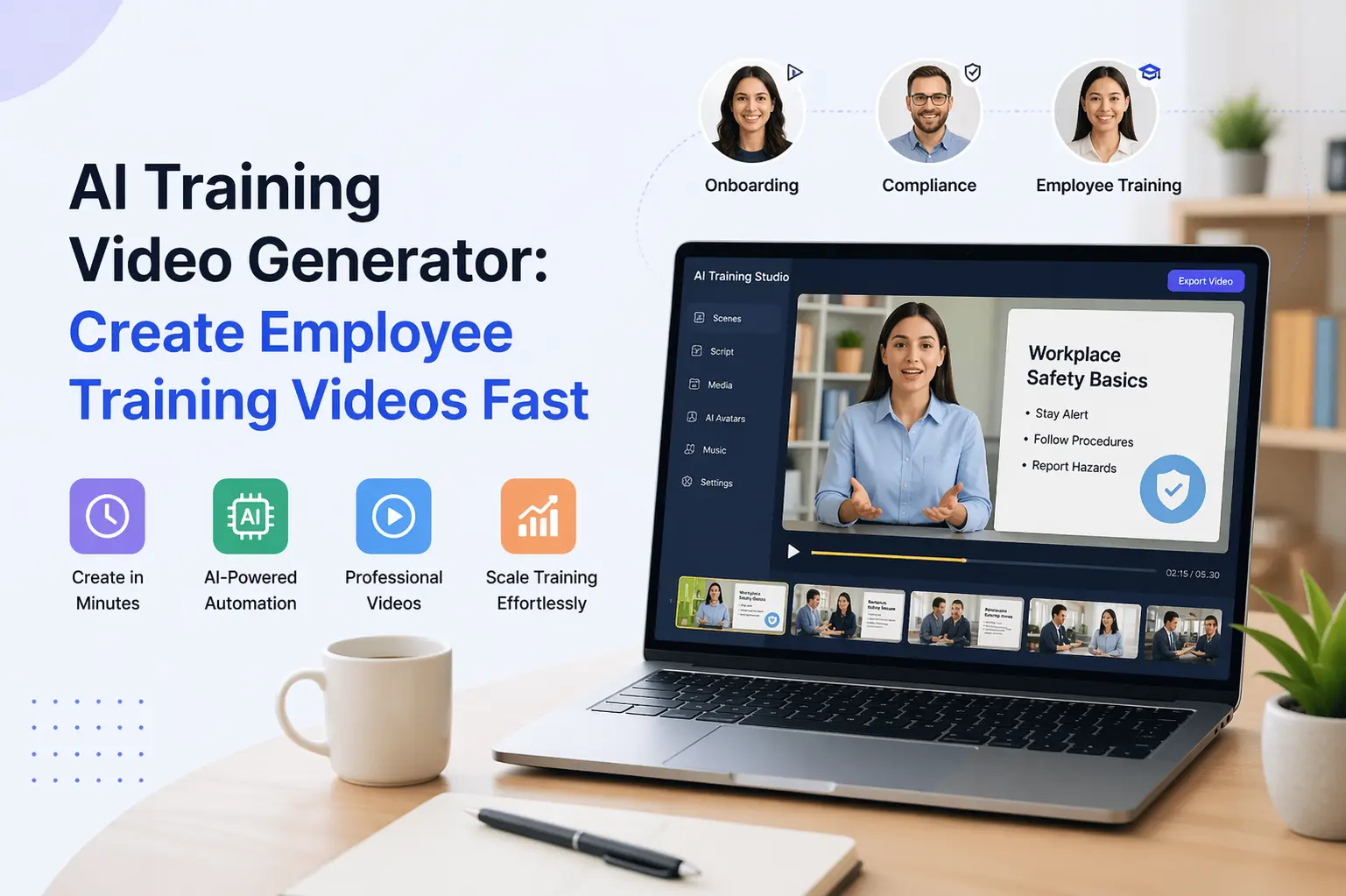
AI Training Video Generator: How to Create Employee Training Videos With AI
Creating employee training videos traditionally involves several steps: writing scripts, recording presenters, arranging production, editing footage, adding narration, and preparing the final videos for distribution.
That process can work well for high-value productions, but it becomes difficult to maintain when training content needs to be created or updated frequently.
HR teams may need new onboarding videos. Compliance teams may need updated policy training. Product teams may need tutorials after every major release. Global organizations may need the same training content adapted for multiple languages and regions.
An AI training video generator can simplify much of this process by turning scripts, documents, or existing training material into structured video content.
Instead of treating every training video as a separate production project, businesses can create a more repeatable workflow:
Training material → Script → AI video → Review → Publish → Update
This guide explains what AI training video generators are, how businesses use them, what features to look for, and how to create employee training videos with AI.
What Is an AI Training Video Generator?
An AI training video generator is software that uses artificial intelligence to transform written training material, scripts, images, or other inputs into video content.
Depending on the platform, it may combine several capabilities:
- Script-based video creation
- Text-to-video generation
- AI avatars
- AI voiceovers
- Visual generation
- Captions
- Branding
- Multilingual narration
- Video editing
- Export and publishing
The goal is not simply to generate a video.
The goal is to make the training-content production process easier to repeat and maintain.
For example, an HR team could take an onboarding script and turn it into a training video with an AI presenter and voiceover.
A product team could turn product documentation into a visual training module.
A compliance team could update a script when a policy changes and regenerate the corresponding video.
How AI Training Video Generators Work
The exact workflow depends on the platform, but most AI training video systems follow a similar process.
1. Provide the Training Content
Start with the information you want employees or customers to learn.
This could be:
- A script
- Training notes
- A document
- Product documentation
- A presentation
- An outline
- Existing educational material
2. Structure the Content
The material is organized into sections or scenes.
For training, this usually means:
Introduction → Explanation → Example → Key takeaway → Next step
3. Generate the Video
The platform creates the visual structure around the content.
Depending on the tool, this may involve:
- AI presenters
- Visual scenes
- Slides
- Images
- Animations
- Text overlays
4. Add Voiceover
AI voice generation can turn the script into spoken narration.
5. Customize
The team can adjust:
- Branding
- Visuals
- Voice
- Tone
- Layout
- Captions
- Scene structure
6. Review and Publish
The final video should be reviewed for accuracy before being distributed through the appropriate training or communication channel.
Why Businesses Use AI for Training Videos
The strongest value proposition is not simply that AI can make videos faster.
It is that AI can make training content easier to create, update, localize, and maintain.
Faster Production
A traditional training video may involve:
Script → Scheduling → Recording → Editing → Review → Re-recording
An AI-assisted workflow can reduce many of those production steps.
This is particularly useful when a company needs a large number of relatively focused training modules rather than a small number of highly produced videos.
Easier Updates
Training material changes.
Policies change.
Products change.
Processes change.
A video recorded months ago may no longer reflect the current process.
With an AI-based workflow, the underlying script can be updated and the video regenerated instead of restarting the entire production process.
That makes AI particularly useful for training content with a short information shelf life.
More Consistent Training
Different managers or trainers may explain the same process differently.
A standardized video format can help organizations maintain consistent messaging across departments and locations.
Teams can establish reusable:
- Templates
- Branding
- Presentation formats
- Narration styles
- Content structures
This is especially useful when training needs to scale across a growing organization.
Easier Localization
Global organizations may need training content in different languages.
AI voice and video tools can support multilingual production, depending on the capabilities of the platform.
The important consideration is not simply whether a tool supports multiple languages.
Check:
- Language coverage
- Voice quality
- Pronunciation
- Localization controls
- Caption support
- Brand consistency
A training video that is technically translated but difficult to understand is not a successful localization.
AI Training Video Use Cases
AI training video generators can support several different business workflows.
Employee Onboarding
New employees need to understand:
- Company policies
- Tools
- Processes
- Team structures
- Security procedures
- Workplace expectations
Instead of repeating the same explanation for every new employee, HR teams can create reusable onboarding modules.
For example:
Welcome
→ Company overview
→ Tools and systems
→ Security policies
→ Role-specific procedures
→ Next steps
This creates a consistent starting point for every new hire.
Compliance Training
Compliance content often needs to be updated as policies or regulations change.
AI can make the production process more adaptable.
A typical workflow might be:
Policy update
↓
Update training script
↓
Regenerate video
↓
Review
↓
Publish updated module
The important point is that AI can reduce the production friction associated with updating the content.
It does not remove the need for compliance review or subject-matter approval.
Product Training
Product teams frequently need training content for:
- Employees
- Sales teams
- Partners
- Customers
- Support teams
AI can help transform product documentation into more accessible training formats.
For example:
Product documentation
→ Feature explanation
→ Demonstration
→ Example
→ Key takeaway
→ Knowledge check
This can make technical information easier to consume.
Sales Training
Sales teams can use training videos for:
- Product positioning
- Pitch training
- Objection handling
- Competitive messaging
- Demo preparation
- Sales process training
Instead of scheduling repeated live sessions, organizations can build a library of focused modules that representatives can revisit when needed.
Customer Education
Training videos do not have to be limited to employees.
Businesses can also use AI-generated videos to teach customers how to:
- Use a product
- Configure a feature
- Complete a workflow
- Troubleshoot a common issue
- Understand a service
This can become part of a broader customer education strategy.
Internal Knowledge Sharing
Organizations often have important knowledge trapped inside:
- Documentation
- SOPs
- Product guides
- Presentations
- Internal processes
Some of this material can be converted into short training videos.
This gives employees another way to consume information without replacing the underlying documentation.
The best approach is often:
Documentation for reference + video for explanation
rather than replacing one with the other.
How to Create Training Videos With AI
Creating an effective AI training video requires more than entering a prompt.
A practical workflow looks like this.
Step 1: Define the Training Objective
Start with one question:
What should the learner know or be able to do after watching this video?
Avoid trying to teach an entire process in one video.
Instead of:
"Train employees on our entire CRM."
Create:
"Show new sales employees how to create a new customer record."
A narrow objective produces a clearer training video.
Step 2: Write the Script
The script should contain:
- The objective
- The context
- The explanation
- The steps
- An example
- The key takeaway
Keep the language appropriate for the learner's knowledge level.
Step 3: Choose the Video Format
Different training subjects work better with different formats.
AI Avatar
Best for:
- Presentations
- Policy explanations
- Onboarding
- Instructor-style training
Screen or Visual Demonstration
Best for:
- Software tutorials
- Product walkthroughs
- Process demonstrations
Slides + Narration
Best for:
- Corporate training
- Compliance
- Internal communication
- Educational modules
Mixed Format
Useful when training requires both an instructor and supporting visuals.
Step 4: Choose the Voice
Voice selection affects how the training feels.
A formal compliance module may need a different delivery style from an informal product tutorial.
Consider:
- Tone
- Pace
- Accent
- Language
- Pronunciation
- Audience expectations
The goal is clarity, not theatrical performance.
Step 5: Add Visual Support
Visuals should reinforce the training message.
Use:
- Diagrams
- Screenshots
- Product interfaces
- Process flows
- Key phrases
- Examples
- Supporting images
Avoid adding visuals simply because the platform can generate them.
Every visual should help the learner understand the material.
Step 6: Add Branding
For company training, consistency matters.
Consider standardizing:
- Logo placement
- Colors
- Fonts
- Intro
- Outro
- Presenter style
- Caption style
This allows a collection of AI-generated training videos to feel like one coherent training library.
Step 7: Review Before Publishing
AI-generated content should always be reviewed.
Check:
- Facts
- Names
- Product details
- Procedures
- Pronunciation
- Visual accuracy
- Compliance language
- Branding
For regulated or sensitive training, subject-matter experts should approve the final material.
AI Training Video Generator vs Traditional Video Production
Both approaches have a place.
| Factor | AI Training Video | Traditional Production |
|---|---|---|
| Initial production | Fast to iterate | More production planning |
| Presenter | Can use AI avatar | Requires recorded presenter |
| Updates | Can regenerate changed content | May require new recording |
| Localization | Can be easier to adapt | Usually requires additional production |
| Consistency | Templates can standardize output | Depends on production process |
| High-end production | More limited for some use cases | Strong |
| Best fit | Scalable training libraries | High-production-value projects |
AI is particularly attractive when training content needs to be produced frequently or updated regularly.
Traditional production can still make sense for high-profile corporate films, complex demonstrations, or situations where a real person and physical environment are important.
The decision does not have to be all-or-nothing.
What to Look for in an AI Training Video Generator
If you're evaluating platforms, focus on the capabilities that affect the actual training workflow.
1. Script-to-Video
Can the platform transform structured training content into video?
2. AI Avatars
Can you use a presenter without filming someone for every module?
3. AI Voiceover
Does the platform provide voices appropriate for professional training?
4. Multilingual Support
Can the same training content be adapted for different languages?
5. Easy Editing
Can you update the script and modify the video without rebuilding everything?
6. Branding
Can you maintain a consistent corporate visual identity?
7. Captions
Are captions available for accessibility and easier comprehension?
8. Export Options
Can you export videos in formats appropriate for your LMS, website, internal platform, or other distribution channels?
9. Workflow Integration
Can the tool fit into your existing content and training workflow rather than becoming another isolated application?
How HR Teams Can Use AI Training Video Generators
HR is one of the clearest use cases for AI training videos.
A repeatable HR workflow could include:
Recruiting and Preboarding
Create introductory videos explaining:
- Company culture
- What to expect
- First-day preparation
- Basic policies
Onboarding
Create modules for:
- Tools
- Processes
- Security
- Workplace policies
- Department introductions
Compliance
Create focused modules around required policies and procedures.
Continuing Education
Publish short modules whenever employees need to learn a new process or system.
The advantage is the ability to build a reusable training library rather than repeatedly delivering the same information live.
How to Convert Product Documentation Into Training Videos
One particularly useful workflow from the GSC data is:
AI tool to convert product documentation into training videos
The process can be:
Product documentation
↓
Identify learning objective
↓
Convert documentation into a script
↓
Break into scenes
↓
Add visuals or product screenshots
↓
Add narration
↓
Review
↓
Publish
This is especially useful for SaaS products with frequently changing features.
Instead of expecting users or employees to read every documentation page, selected workflows can also be explained through short videos.
How to Create Multilingual Employee Training Videos
For organizations with distributed teams, localization can become a major production challenge.
A practical approach is:
Step 1
Create one approved source script.
Step 2
Review the source content.
Step 3
Adapt it for the target language.
Step 4
Generate the localized narration.
Step 5
Review pronunciation and terminology.
Step 6
Check captions and on-screen text.
Step 7
Publish the localized version.
Do not assume that direct translation is enough.
Training terminology should remain consistent across regions, especially for:
- Product names
- Internal terminology
- Compliance terms
- Technical concepts
- Job titles
Best Practices for Effective AI Training Videos
Keep Each Video Focused
One video should generally solve one learning objective.
Use Clear Language
Avoid unnecessary jargon.
Match the Audience
A new employee needs different explanations from an experienced specialist.
Use Visual Cues
Highlight the information the learner needs to remember.
Include Captions
Captions improve accessibility and can make training easier to follow.
Keep Branding Consistent
Use repeatable templates across the training library.
Review AI Output
AI generation does not remove the need for human review.
Update Training When the Source Changes
A training video should not remain unchanged when the underlying process or policy has changed.
Common Mistakes to Avoid
Making Videos Too Long
Long videos can become difficult to navigate.
Break large subjects into smaller modules where appropriate.
Starting With the Tool Instead of the Learning Objective
Do not create a video simply because an AI generator makes it easy.
Start with:
What does the learner need to know?
Overusing Avatars
An avatar is useful when it improves delivery.
It should not appear simply because the technology is available.
Ignoring Existing Documentation
Training videos should reinforce authoritative source material rather than create disconnected information.
Failing to Review AI Output
AI-generated training content can contain errors or misleading information.
Human review remains important.
Forgetting Version Control
When training content changes, organizations should know which version is currently active.
Klyra AI for Training Video Creation
Klyra's AI application ecosystem includes capabilities that can support AI-assisted video production, including its AI Avatar and AI Voiceover capabilities.
The current Article 8 workflow already uses Klyra's AI Avatar Generator for avatar-based training videos.
Klyra's broader AI application architecture also includes AI Video Generation, AI Avatar, and AI Voiceover as related capabilities within the content-creation ecosystem.
That makes the strongest Klyra positioning here less about:
"AI can make a video."
and more about:
"AI can help businesses create and maintain repeatable training-video workflows."
A typical workflow could be:
Training material
↓
Script
↓
AI Avatar / Video
↓
AI Voiceover
↓
Review
↓
Publish
↓
Update when needed
Create AI Avatar Videos with Klyra
Frequently Asked Questions
What is an AI training video generator?
An AI training video generator uses artificial intelligence to transform scripts, documents, images, or other training material into video content. Depending on the platform, it can also provide avatars, voiceovers, captions, visuals, and editing capabilities.
Can AI create employee training videos?
Yes. AI can help create training videos for onboarding, compliance, product training, sales training, customer education, and internal knowledge sharing.
How do you create a training video using AI?
Start with a clear learning objective, write or adapt the training script, choose a video format, generate the visuals and narration, review the output, and publish it through the appropriate training channel.
Can AI training videos use avatars?
Yes. AI avatar technology can provide a digital presenter for training content. This can be useful when organizations want a consistent presenter without recording a person for every video.
Can AI training videos be multilingual?
Many AI video platforms support multilingual voice generation or localization. Capabilities vary by platform, so check the languages, voices, pronunciation controls, and localization workflow before choosing a tool.
Can AI turn product documentation into training videos?
Yes, AI can help transform product documentation into structured training scripts and video modules. Human review is still important to ensure the resulting training accurately reflects the product.
Are AI training videos suitable for HR?
Yes. HR teams can use them for onboarding, policies, compliance, employee education, internal processes, and other repeatable training needs.
Are AI training videos better than traditional training videos?
Neither approach is universally better. AI is particularly useful when training content needs to be created, localized, or updated frequently. Traditional production can remain valuable for high-production-value content and situations where live presenters or physical environments are important.
What features should I look for in an AI training video generator?
Look for script-to-video capabilities, avatars, voiceover, multilingual support, branding, captions, editing, export options, and a workflow that makes updating existing training content easy.