Blogs / AI Headshot Generator: Create Professional Headshots in Minutes (2026 Guide)
AI Headshot Generator: Create Professional Headshots in Minutes (2026 Guide)
Klyra AI / May 1, 2026
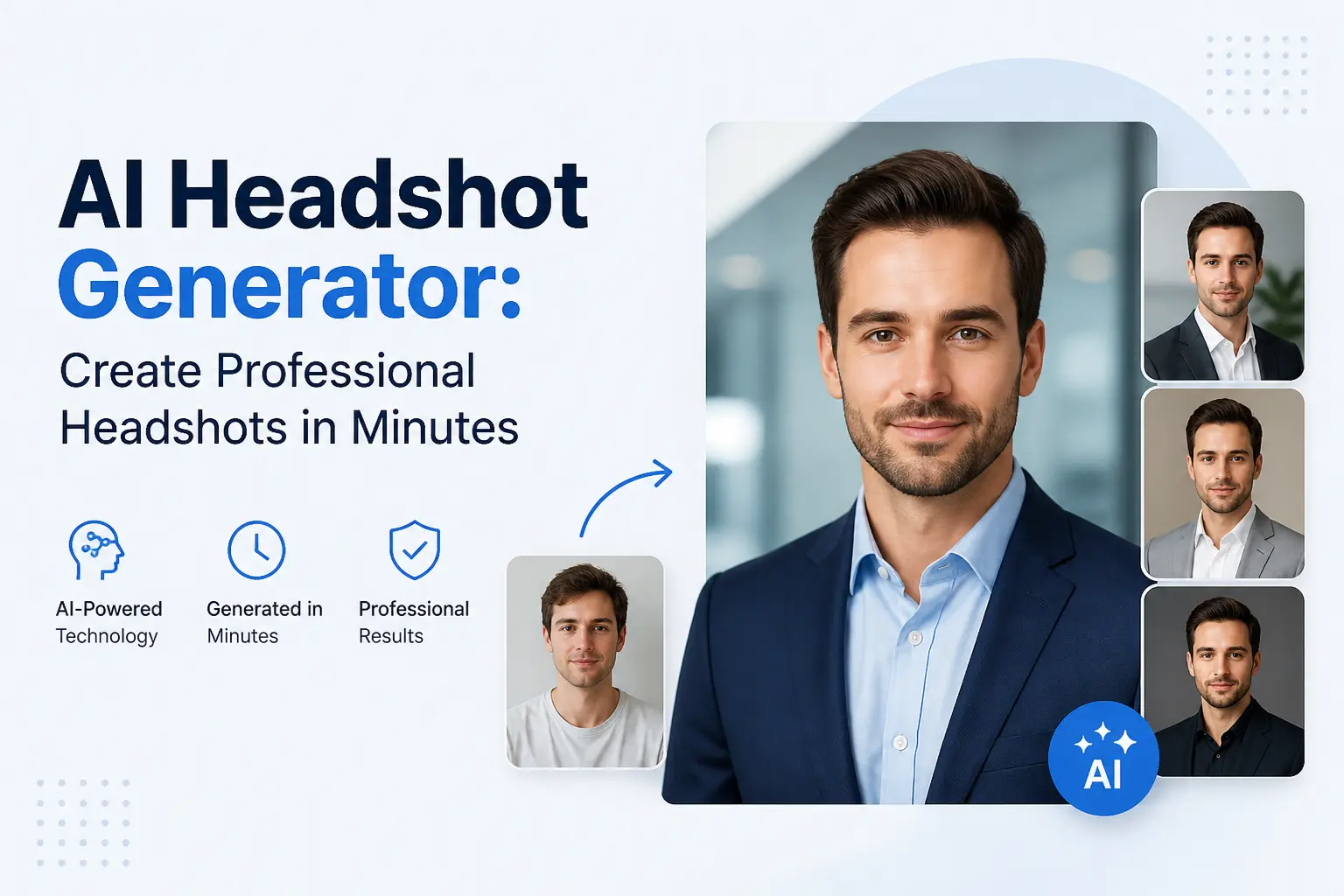
AI Headshot Generator: Create Professional Headshots in Minutes
A professional headshot is no longer something you need a studio, photographer, or expensive setup for.
With an AI headshot generator, you can create high-quality, studio-style portraits in just a few minutes using nothing more than a simple photo or text prompt.
Whether you need a polished LinkedIn profile picture, a portfolio image, or team headshots for your business, AI makes the process faster, more affordable, and significantly more flexible. Instead of waiting days for edits or reshoots, you can generate multiple variations instantly and choose the one that fits your personal or professional brand.
Create your professional AI headshot in under 2 minutes
Generate Your Headshot Now
Modern AI tools combine advanced image generation with intelligent editing capabilities to produce realistic lighting, clean backgrounds, and natural facial expressions. Platforms like
Klyra AI Image Generator and
Klyra AI Photo Studio make it possible to go from a basic input to a polished, professional headshot without any design skills or technical expertise.
In this guide, you will learn exactly how AI headshot generators work, how to create high-quality results step by step, the best styles to use, and which tools deliver the most realistic outputs.
- → What an AI headshot generator is and how it works
- → How to create professional headshots in minutes
- → The best AI headshot styles for different use cases
- → Top tools compared for quality and ease of use
If you're looking to upgrade your professional image without spending hundreds on a photoshoot, this is the fastest and most efficient way to do it.
What Is an AI Headshot Generator?
An AI headshot generator is a tool that uses artificial intelligence to create professional-quality portrait images from a simple input, such as a photo or a text prompt. Instead of relying on traditional photography, these tools generate realistic headshots with studio lighting, clean backgrounds, and natural facial expressions in just a few seconds.
The goal is simple: take an ordinary image or idea and transform it into a polished, professional headshot suitable for platforms like LinkedIn, resumes, company profiles, or personal branding.
How Does an AI Headshot Generator Work?
AI headshot generators are powered by advanced image models trained on millions of visual patterns. These systems understand facial structure, lighting, textures, and composition to recreate images that look like they were taken in a professional studio.
- Input: Upload a selfie or describe the image you want
- Processing: AI analyzes facial features, lighting, and composition
- Enhancement: Backgrounds, clothing, and lighting are improved automatically
- Output: A high-quality, realistic headshot is generated instantly
Tools like Klyra AI Image Generator allow users to generate images directly from text prompts, while
Klyra AI Photo Studio focuses on editing, refining, and enhancing existing photos into professional-grade visuals.
What Can You Use AI Headshots For?
AI-generated headshots are widely used across professional and creative scenarios. Because they are fast to produce and easy to customize, they work for individuals, teams, and businesses alike.
- 🔹 LinkedIn profiles: Create a clean, professional first impression
- 🔹 Resumes and job applications: Stand out with polished visuals
- 🔹 Personal branding: Use consistent headshots across platforms
- 🔹 Company team pages: Generate uniform team photos at scale
- 🔹 Content and marketing: Use headshots in blogs, courses, and social media
Why AI Headshot Generators Are Becoming Popular
Traditional photoshoots can be expensive, time-consuming, and difficult to coordinate. AI removes these barriers by offering a faster and more flexible alternative.
- ✔ No need for a photographer or studio setup
- ✔ Instant results instead of long turnaround times
- ✔ Multiple styles and variations in one click
- ✔ Affordable compared to traditional photography
This combination of speed, cost-efficiency, and quality is why more professionals are switching to AI-powered solutions for their headshots.
Why Use AI for Professional Headshots?
Traditional headshots have always required time, money, and coordination. Booking a photographer, setting up lighting, choosing outfits, and waiting for edits can take days or even weeks.
AI headshot generators remove all of that friction by delivering professional-quality results in minutes.
For professionals, creators, and businesses, this shift is not just about convenience. It is about speed, flexibility, and the ability to create better results without the usual constraints of a photoshoot.
AI Headshots vs Traditional Photography
| Feature | Traditional Photography | AI Headshot Generator |
|---|---|---|
| Cost | High (studio, photographer, editing) | Low to affordable |
| Time | Days to weeks | Minutes |
| Flexibility | Limited to one session | Unlimited variations |
| Editing | Manual and time-consuming | Instant and automated |
| Accessibility | Requires location and scheduling | Available anytime, anywhere |
1. Save Time Without Compromising Quality
One of the biggest advantages of AI headshot generators is speed. What used to take days can now be done in minutes. You can generate multiple headshots instantly, compare results, and choose the best one without waiting for edits or reshoots.
Tools like Klyra AI Photo Studio allow you to refine lighting, background, and composition in real time, making it easy to achieve a polished, studio-quality result quickly.
2. Reduce Costs Significantly
Professional photoshoots can be expensive, especially when you factor in studio rental, photographer fees, and post-processing. AI headshot generators provide a cost-effective alternative without sacrificing quality.
Instead of paying for a single session, you can generate and customize multiple headshots at a fraction of the cost, making it ideal for individuals, startups, and teams.
3. Create Unlimited Variations
With traditional photography, you are limited to the shots taken during a session. AI removes that limitation completely. You can experiment with different styles, outfits, lighting setups, and backgrounds until you find the perfect look.
Using tools like Klyra AI Image Generator, you can even generate entirely new headshots from text prompts, giving you complete creative control over the final output.
4. No Technical Skills Required
AI headshot generators are designed to be simple and intuitive. You do not need photography skills, editing experience, or expensive equipment. The entire process is automated, allowing anyone to create professional visuals with minimal effort.
5. Perfect for Individuals and Teams
Whether you are updating your LinkedIn profile or creating consistent team headshots for a company website, AI makes it easy to maintain a uniform and professional look across all images.
Businesses can generate matching headshots for entire teams without organizing large photoshoots, saving both time and resources while maintaining brand consistency.
This combination of speed, affordability, and creative flexibility is why AI headshot generators are quickly becoming the preferred choice for modern professionals.
How to Create AI Headshots (Step-by-Step)
Creating a professional headshot no longer requires a studio, expensive equipment, or editing skills.
With modern AI tools, you can go from a simple photo or idea to a polished, high-quality headshot in just a few minutes.
Follow this step-by-step process to generate realistic, professional AI headshots quickly and easily.
Try it yourself — create your AI headshot in under 2 minutes
Start Generating NowStep 1: Upload a Photo or Start with a Prompt
Begin by uploading a clear photo of yourself or entering a text prompt that describes the type of headshot you want.
For best results, use an image with good lighting and a neutral expression.
- ✔ Use a high-resolution image
- ✔ Ensure your face is clearly visible
- ✔ Avoid heavy shadows or filters
If you prefer full creative control, you can generate a headshot from scratch using
Klyra AI Image Generator.
Step 2: Choose Your Headshot Style
Select the style that matches your intended use. AI tools allow you to experiment with multiple looks instantly.
- 🔸 Corporate: Clean background, formal attire, ideal for LinkedIn
- 🔸 Creative: Stylized lighting and unique compositions
- 🔸 Casual: Relaxed, approachable look for personal branding
- 🔸 Executive: Premium, high-end professional appearance
Step 3: Adjust Lighting, Background, and Details
Fine-tune your image by customizing the lighting, background, and overall tone. This step ensures your headshot looks natural and aligned with your personal or brand identity.
Using Klyra AI Photo Studio, you can:
- → Replace or clean up backgrounds
- → Enhance lighting for a studio-quality look
- → Adjust facial details while keeping results realistic
- → Upscale image quality for sharp, high-resolution output
Step 4: Generate and Compare Variations
One of the biggest advantages of AI is the ability to generate multiple variations instantly.
Instead of settling for one image, you can explore different styles, angles, and expressions.
- ✔ Create multiple versions in seconds
- ✔ Compare different looks side by side
- ✔ Select the one that best fits your goals
Step 5: Download and Use Anywhere
Once you are satisfied with your headshot, download the final image in high resolution.
You can use it immediately across platforms such as LinkedIn, resumes, websites, and social media.
Ready to create your professional headshot?
Generate Your AI Headshot
Pro Tips for Best Results
- 🔹 Use natural lighting in your original photo
- 🔹 Keep your background simple for better AI processing
- 🔹 Try multiple styles before choosing your final image
- 🔹 Avoid overly edited or filtered source images
By following these steps, you can consistently create high-quality, professional AI headshots without the need for traditional photography.
Best AI Headshot Styles (With Examples)
One of the biggest advantages of using an AI headshot generator is the ability to create multiple styles instantly.
Instead of being limited to a single photoshoot setup, you can experiment with different looks based on your goals, industry, and personal brand.
Choosing the right style is important because your headshot directly influences how people perceive you online. Below are the most effective AI headshot styles and when to use them.
1. Corporate Headshots (Best for LinkedIn & Professional Profiles)
Corporate headshots are the most widely used style for professionals. They are clean, simple, and focused on building trust.
- ✔ Neutral or blurred background
- ✔ Formal or business attire
- ✔ Balanced lighting with minimal shadows
- ✔ Confident and approachable expression
This style is ideal for LinkedIn profiles, resumes, company websites, and professional directories.
2. Creative Headshots (Best for Personal Branding)
Creative headshots allow you to stand out by using unique lighting, colors, and compositions.
This style is popular among creators, designers, and entrepreneurs building a personal brand.
- ✔ Dynamic lighting and color tones
- ✔ Stylized or artistic backgrounds
- ✔ Expressive poses and facial expressions
- ✔ More personality-driven visuals
You can generate highly customized creative portraits using
Klyra AI Image Generator by adjusting prompts, styles, and visual details.
3. Casual Headshots (Best for Startups & Social Profiles)
Casual headshots create a more relaxed and approachable image. They work well for modern industries and informal platforms.
- ✔ Natural lighting
- ✔ Simple or real-world backgrounds
- ✔ Casual clothing
- ✔ Friendly, relaxed expressions
This style is commonly used for startup teams, social media profiles, and personal websites.
4. Executive Headshots (Best for Leadership & High-End Branding)
Executive headshots are designed to convey authority, professionalism, and premium positioning.
They are often used by founders, executives, and senior professionals.
- ✔ Studio-quality lighting
- ✔ Dark or gradient backgrounds
- ✔ Formal attire (suits, blazers)
- ✔ Strong, confident expressions
Using Klyra AI Photo Studio, you can enhance lighting and refine details to achieve a high-end, polished look.
5. Team Headshots (Best for Company Pages)
AI makes it easy to create consistent headshots across entire teams without organizing large photoshoots.
- ✔ Uniform background and lighting
- ✔ Consistent framing and composition
- ✔ Aligned visual style across all team members
This is especially useful for companies that want a cohesive brand image on their website or internal platforms.
How to Choose the Right Headshot Style
The best style depends on your goals and where the headshot will be used. A simple way to decide is:
- → Use corporate for professional platforms like LinkedIn
- → Use creative for personal branding and content
- → Use casual for approachable, modern profiles
- → Use executive for leadership and authority positioning
Since AI allows unlimited variations, you can generate multiple styles and choose the one that best represents your personal or professional identity.
Best AI Headshot Generators (Compared)
There are many AI headshot generators available today, but they differ significantly in quality, flexibility, and ease of use.
Choosing the right tool depends on whether you want fast results, advanced customization, or an all-in-one workflow.
Below is a comparison of some of the most popular AI headshot generators to help you find the best option for your needs.
Top AI Headshot Generators
| Tool | Best For | Key Features | Ease of Use |
|---|---|---|---|
| Klyra AI | All-in-one headshot creation | Text-to-image, photo editing, multiple styles, fast generation | Very easy |
| Midjourney | Creative and artistic portraits | High-quality outputs, prompt-based generation | Moderate (requires prompt knowledge) |
| DALL·E | General-purpose image generation | Text-to-image, editing capabilities | Easy |
| StudioShot | Corporate headshots | Trained models for professional looks | Easy |
| Fotor AI | Quick edits and enhancements | Basic AI editing tools | Very easy |
Why Klyra AI Stands Out
While many tools focus on a single part of the workflow, Klyra AI Image Generator and
Klyra AI Photo Studio combine generation and editing in one seamless platform.
- ✔ Create headshots from text prompts or existing photos
- ✔ Edit and enhance images without switching tools
- ✔ Generate multiple styles instantly
- ✔ Maintain consistent quality across outputs
This integrated workflow makes it significantly faster to go from idea to final image compared to using separate tools for generation and editing.
Which AI Headshot Generator Should You Choose?
The best tool depends on your specific needs:
- → If you want fast, professional headshots with minimal effort, an all-in-one platform like Klyra is the most efficient choice
- → If you prefer highly artistic or experimental styles, tools like Midjourney may offer more flexibility
- → If you need simple editing and quick enhancements, lightweight tools can be sufficient
For most users, the ability to generate, refine, and export headshots in one place makes an integrated solution the most practical and time-saving option.
Create your professional AI headshot now
Try Klyra AI
AI Headshots for LinkedIn: Create a Professional First Impression
Your LinkedIn profile photo is one of the first things people notice when they view your profile.
A strong, professional headshot can increase profile views, connection requests, and overall credibility.
AI headshot generators make it easy to create a polished LinkedIn photo without needing a professional photoshoot.
With the right style, lighting, and expression, you can create a headshot that looks clean, confident, and trustworthy in just a few minutes.
What Makes a Good LinkedIn Headshot?
A high-performing LinkedIn headshot is not just about looking good, it is about creating the right impression.
The goal is to appear professional, approachable, and aligned with your industry.
- 🔹 Clear focus on your face: Your face should take up most of the frame
- 🔹 Neutral or soft background: Avoid distractions
- 🔹 Good lighting: Even lighting with minimal shadows
- 🔹 Professional attire: Dress according to your industry
- 🔹 Natural expression: A slight smile works best
How to Create a LinkedIn Headshot Using AI
You can generate a LinkedIn-ready headshot in just a few simple steps using AI tools.
- Upload a clear photo or start with a prompt
- Select a corporate or professional style
- Choose a clean background (white, grey, or soft blur)
- Adjust lighting to highlight facial features
- Generate multiple variations and pick the best one
Tools like Klyra AI Photo Studio help refine your image by improving lighting, cleaning backgrounds, and enhancing details, while
Klyra AI Image Generator allows you to create entirely new headshots from scratch.
Create your LinkedIn-ready headshot in minutes
Generate Your HeadshotBest Backgrounds for LinkedIn Headshots
- ✔ White or neutral tones: Clean and professional
- ✔ Soft blurred office: Adds context without distraction
- ✔ Light gradients: Modern and visually appealing
Common Mistakes to Avoid
- → Using low-quality or blurry images
- → Overly edited or unrealistic results
- → Distracting backgrounds
- → Unprofessional clothing or expressions
A well-crafted LinkedIn headshot can significantly improve how others perceive your profile.
With AI, you can quickly test different styles and choose the one that best represents your professional identity.
Free vs Paid AI Headshot Generators: What’s the Difference?
Many AI headshot generators offer free options, making it easy to try the technology without any upfront cost.
However, there are important differences between free and paid tools that can significantly impact the quality of your final headshot.
Understanding these differences will help you decide which option is best based on your needs and expectations.
What You Get with Free AI Headshot Generators
Free tools are a great starting point, especially if you want to experiment or create casual headshots.
They typically provide basic functionality with limited customization.
- → Limited image generation credits
- → Basic styles and presets
- → Lower image resolution
- → Restricted editing capabilities
- → Watermarks or branding in some cases
While free tools are useful for testing, they may not always deliver the level of quality required for professional use.
What You Get with Paid AI Headshot Generators
Paid tools are designed for users who need high-quality, reliable, and customizable results.
They offer more control over the final output and are better suited for professional use cases.
- ✔ High-resolution, studio-quality images
- ✔ Advanced customization (lighting, background, styles)
- ✔ Faster generation and priority processing
- ✔ No watermarks
- ✔ Access to full editing workflows
Platforms like Klyra AI Image Generator and
Klyra AI Photo Studio combine both generation and editing, making it easier to produce consistent, professional results in one place.
Free vs Paid: Side-by-Side Comparison
| Feature | Free Tools | Paid Tools |
|---|---|---|
| Image Quality | Basic | High-resolution, professional |
| Customization | Limited | Advanced control |
| Speed | Standard | Faster processing |
| Output Options | Limited formats | Flexible formats and sizes |
| Professional Use | Not always suitable | Ideal for professional use |
Which Option Should You Choose?
If you are just exploring or need a quick casual image, free tools can be enough.
But if you are creating a headshot for LinkedIn, business use, or personal branding, investing in a higher-quality tool will give you better and more reliable results.
The key difference is not just features, it is the consistency and professionalism of the final output.
Try a professional AI headshot generator
Create Your Headshot
For most users, starting with a free option and then upgrading for better results is the most practical approach.
Common Mistakes to Avoid When Creating AI Headshots
AI headshot generators are powerful, but the quality of your results depends heavily on how you use them.
Small mistakes in input or settings can lead to unnatural or low-quality outputs.
Avoiding the following common mistakes will help you generate more realistic, professional headshots consistently.
1. Using Low-Quality or Blurry Images
If you upload a poor-quality image, the AI has less information to work with. This often results in distorted features or unrealistic outputs.
- Use high-resolution images whenever possible
- Ensure your face is clearly visible
- Avoid heavily compressed or pixelated photos
2. Poor Lighting in the Original Photo
Lighting plays a major role in how AI interprets your face. Harsh shadows or uneven lighting can lead to unnatural results.
- Use natural or evenly distributed light
- Avoid strong shadows across your face
- Make sure your face is well-lit and clear
3. Overly Complex or Vague Prompts
When generating headshots from text, unclear prompts can confuse the AI and produce inconsistent results.
- Be specific about style, background, and lighting
- Avoid overly complicated descriptions
- Start simple and refine gradually
Tools like Klyra AI Image Generator make it easy to iterate quickly, allowing you to refine prompts and improve results step by step.
4. Over-Editing the Final Image
While it is tempting to enhance every detail, too much editing can make your headshot look artificial or unrealistic.
- Avoid excessive smoothing or sharpening
- Keep facial features natural
- Focus on subtle improvements rather than drastic changes
With Klyra AI Photo Studio, you can make controlled adjustments that maintain realism while improving quality.
5. Choosing the Wrong Style for Your Use Case
Not all headshot styles are suitable for every situation. Using a creative or casual style for a professional platform like LinkedIn can reduce credibility.
- Use corporate styles for professional platforms
- Use creative styles for personal branding
- Match your headshot to your industry and audience
6. Ignoring Background and Composition
A distracting background can take attention away from your face. Clean and simple compositions work best for most use cases.
- Use neutral or softly blurred backgrounds
- Avoid cluttered or busy scenes
- Keep the focus on your face
7. Not Generating Multiple Variations
One of the biggest advantages of AI is the ability to create multiple versions instantly. Limiting yourself to a single output reduces your chances of finding the best result.
- Generate several variations
- Compare styles and expressions
- Select the most natural and professional option
Create better AI headshots with the right tools
Try It Now
By avoiding these common mistakes, you can consistently generate high-quality AI headshots that look natural, professional, and ready for real-world use.
Frequently Asked Questions About AI Headshot Generators
Here are answers to some of the most common questions people have about using AI headshot generators.
Are AI headshots realistic?
Yes, modern AI headshot generators can produce highly realistic images with natural lighting, accurate facial features, and professional composition.
The quality depends on the tool you use and the input provided, but advanced platforms can create results that closely resemble studio photography.
Can I use AI headshots for professional purposes?
In most cases, yes. AI-generated headshots are widely used for LinkedIn profiles, resumes, company websites, and personal branding.
As long as the image looks natural and represents you accurately, it is suitable for professional use.
Are AI headshot generators free?
Many AI headshot generators offer free versions with limited features.
However, paid tools typically provide higher image quality, more customization options, and better overall results.
How long does it take to create an AI headshot?
Most AI headshot generators can produce results in seconds to a few minutes.
The entire process, including adjustments and variations, usually takes less than 5 minutes.
Do I need photography or editing skills?
No, AI headshot generators are designed to be user-friendly.
The process is automated, so you can create professional-quality images without any prior experience.
Can I generate headshots from text prompts?
Yes, some tools allow you to create headshots entirely from text descriptions.
For example, Klyra AI Image Generator enables users to generate images based on prompts, offering complete creative control.
What is the best AI headshot generator?
The best tool depends on your needs.
If you want a combination of image generation and editing in one workflow, platforms like
Klyra AI Image Generator and
Klyra AI Photo Studio provide a complete solution.
Can I create multiple headshot styles?
Yes, AI makes it easy to generate multiple variations in different styles, such as corporate, casual, creative, or executive.
This allows you to choose the version that best fits your purpose.
Are AI headshots safe to use?
Most reputable platforms follow secure data practices and allow you to control how your images are used.
It is always recommended to use trusted tools and review their privacy policies before uploading images.
Ready to create your AI headshot?
Generate Your Headshot Now
Create Your Professional AI Headshot in Minutes
You no longer need a studio, expensive equipment, or hours of editing to create a professional headshot.
With AI, you can generate high-quality, realistic headshots in just a few minutes and customize them to match your personal or professional brand.
Whether you are updating your LinkedIn profile, building a personal brand, or creating team headshots, AI gives you the speed, flexibility, and quality that traditional photography cannot match.
Start Creating Your AI Headshot Now
Generate studio-quality headshots, explore multiple styles, and download your final image in minutes.
Generate Your Headshot
Enhance & Edit Your Photo
Why Choose Klyra AI?
- ✔ Create headshots from text prompts or existing photos
- ✔ Edit, refine, and enhance images in one workflow
- ✔ Generate multiple styles instantly
- ✔ No technical skills required
- ✔ Fast, consistent, and high-quality results
Instead of switching between multiple tools, you can generate and refine your headshots in one place using
Klyra AI Image Generator and
Klyra AI Photo Studio.
If you are ready to upgrade your professional image, this is the fastest and most efficient way to do it.
Create your AI headshot in under 2 minutes
Get Started Now