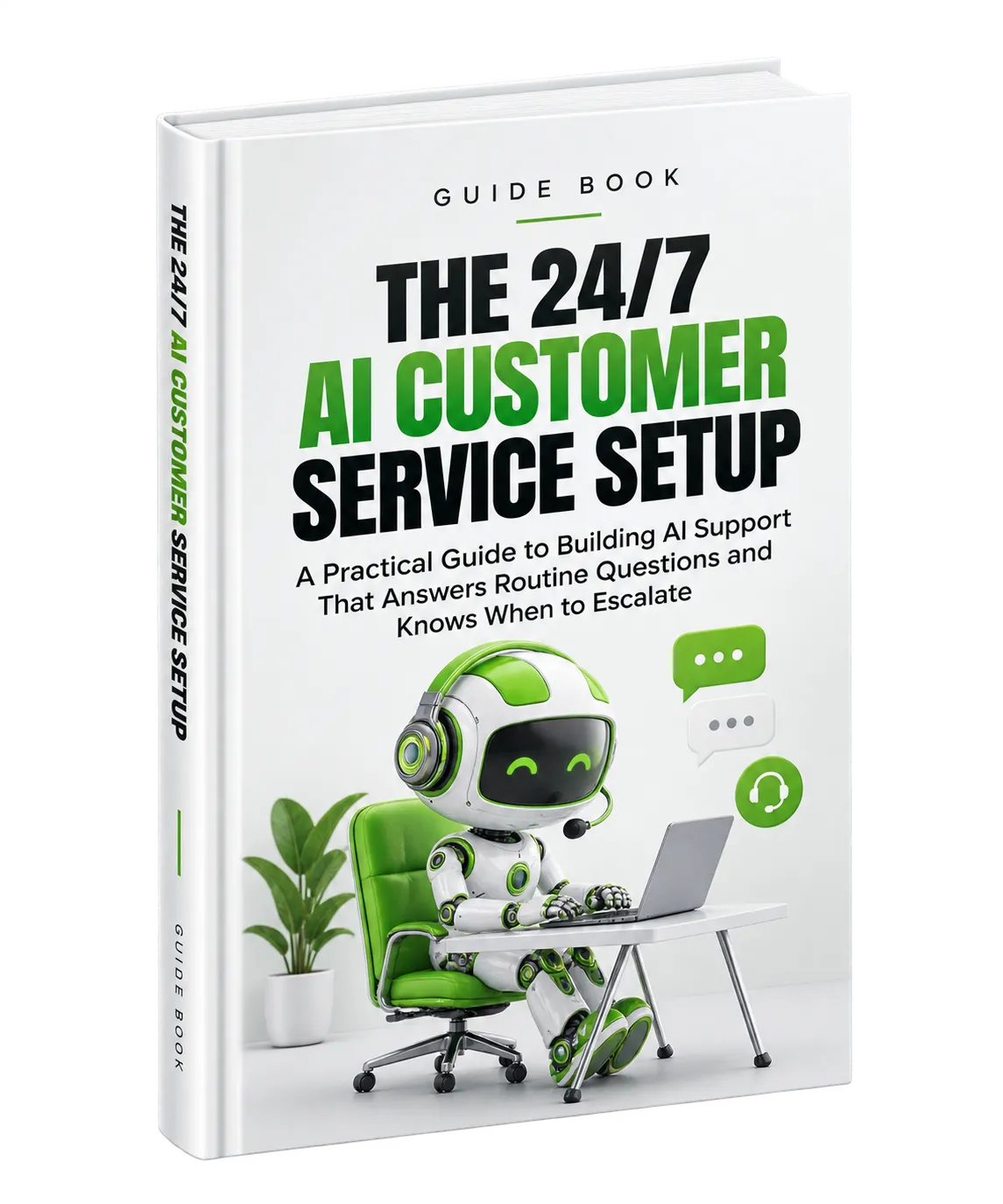
Build a Customer Service System That Works Around the Clock
Customers often want answers immediately, regardless of the time or day. For a small business owner or a small team, being available around the clock can be difficult to maintain while still having time to run the business.
AI-powered customer service can help by responding to routine customer inquiries at any hour, providing consistent information, and directing more complicated situations to human support. The goal is not to make AI responsible for every customer interaction. Instead, the guide focuses on creating a system where AI handles what it is suited for while people remain available for situations requiring judgment, empathy, or exception-making.
The setup process begins by understanding where your current customer service process is creating the most work and where an AI system could provide meaningful support.
1. Identify Your Customer Service Pain Points
Conduct a Customer Inquiry Audit
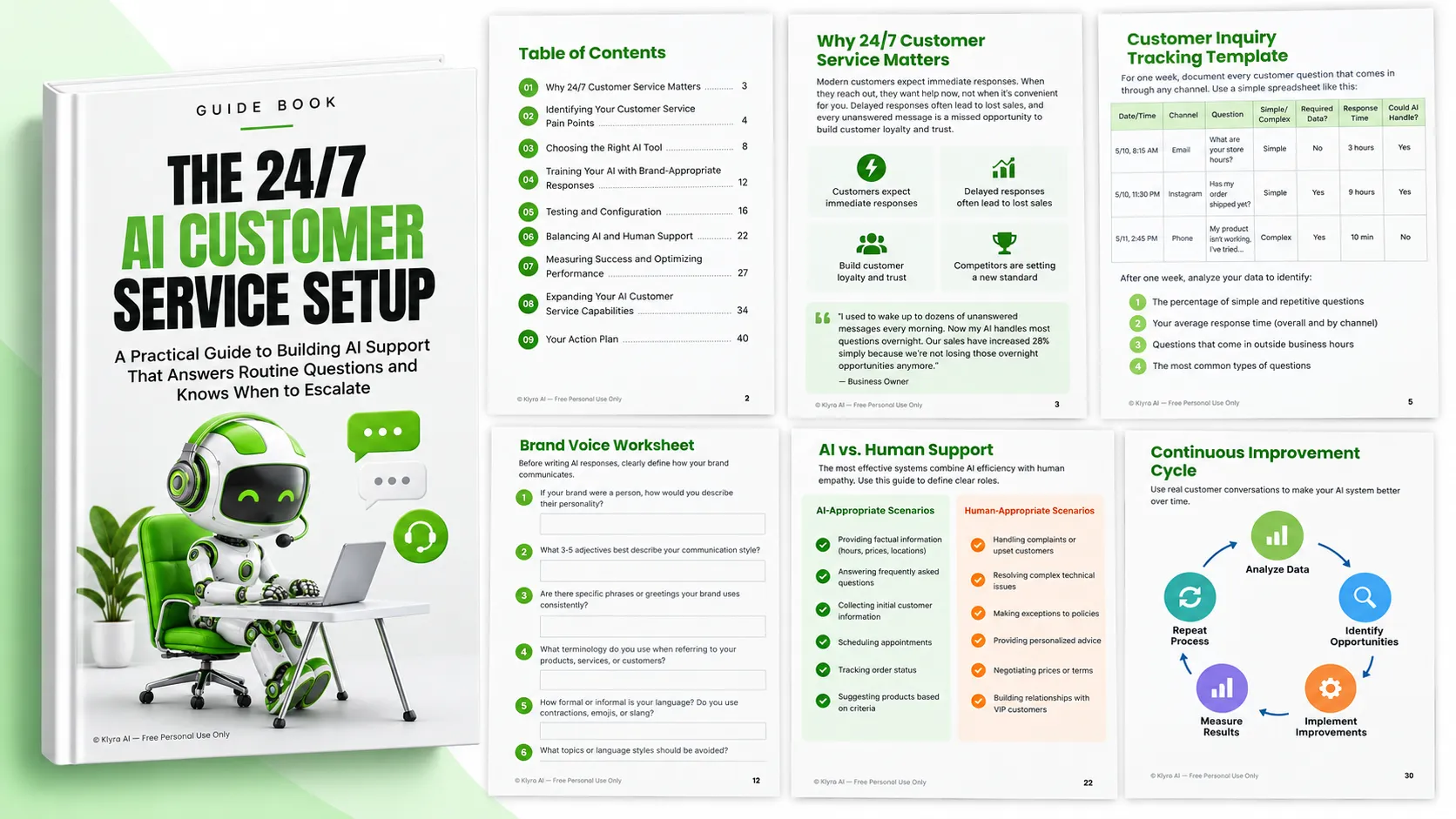
Before choosing an AI customer service tool, document what is actually happening in your current support process. The guide recommends tracking every customer question received through channels such as email, phone, social media, and website forms for one week.
For each inquiry, record:
- The question asked
- When the question was received
- When it was answered
- The channel used
- Whether the question was simple or complex
- Whether customer-specific information was required
After the week-long audit, examine the information to identify repetitive questions, average response times, inquiries arriving outside business hours, and the most common question types.
The guide notes that many businesses find that a substantial portion of inquiries are routine and potentially suitable for AI handling, while a smaller portion requires human judgment or complex problem-solving.
Calculate the Cost of Your Current Approach
Understanding the current cost of customer service makes it easier to evaluate the potential value of an AI system. The guide suggests considering three areas:
- Time cost: The hours spent answering customer questions multiplied by the value of that time.
- Opportunity cost: Potential sales lost because customers do not receive timely responses.
- Stress cost: The mental burden created by constant customer service demands.
The guide provides an example where a business owner spends 15 hours each week on customer service and values their time at $50 per hour. That represents $750 per week, or $39,000 annually, in customer service time. If AI handled 70% of those inquiries, the example shows how 10.5 hours could potentially be reclaimed each week.
Prioritize High-Impact Questions
Your first AI automation priorities should come from the questions that occur frequently, take significant time to answer, arrive outside business hours, or have an important effect on customer satisfaction or sales.
Common examples identified in the guide include:
- Business hours and location
- Pricing information
- Product availability
- Order status
- Return and refund policies
- Shipping timeframes
- Payment methods
- Basic troubleshooting
2. Select the Right AI Customer Service Tool
Define Your Requirements
Use the results of your customer inquiry audit to separate essential requirements from features that would simply be useful to have.
Potential must-have requirements include the ability to answer common questions around the clock, integrate with your website, provide a mobile-friendly experience, and hand conversations to human support when necessary.
Potential nice-to-have capabilities include customer database integration, multilingual support, simple transaction processing, analytics, and reporting.
Match the Tool to Your Business Size and Budget
The guide presents different types of solutions for different business situations. Solopreneurs and micro-businesses may consider simple chatbot builders, AI assistants with free tiers, or basic website chat widgets. Small businesses with growing teams may consider dedicated AI customer service platforms and solutions with CRM integration. Established businesses scaling their operations may consider enterprise-grade AI customer service, custom AI solutions, and advanced analytics or personalization.
The important point is to evaluate the solution against your actual requirements and budget rather than choosing a system based only on its feature list.
Consider Integration Requirements
An AI customer service system needs access to the information required to answer customer questions effectively. Depending on the business, relevant integrations may include:
- Website platforms
- E-commerce systems
- CRM systems or customer databases
- Appointment scheduling software
- Payment processing systems
When evaluating a tool, determine whether it integrates directly with your important systems or can connect through services such as Zapier. Also consider whether customers will have to repeat information they have already provided and whether the AI can access the data required for customer-specific questions.
Test Before Committing
Free trials or free plans provide an opportunity to evaluate a system before making a financial commitment. During testing, evaluate setup and configuration, response quality, the customer experience, customization options, and reporting capabilities.
The guide's e-commerce example illustrates why testing matters. Different platforms can have very different balances between simplicity, technical requirements, access to order information, and pre-built functionality.
3. Train Your AI to Represent Your Business
Document Your Brand Voice
An effective AI customer service system should communicate in a way that feels appropriate for the business. Before creating responses, document how the brand communicates.
The guide's brand voice worksheet asks questions such as:
- How would you describe the personality of your brand?
- Which three to five adjectives describe your communication style?
- Which phrases or greetings does your brand use consistently?
- What terminology do you use for products, services, and customers?
- How formal or informal should the language be?
- Which topics or language styles should be avoided?
This gives the AI a clearer foundation for producing responses that are consistent with the business.
Create Responses for High-Priority Questions
Start with the common questions identified during the customer inquiry audit. Responses should be concise but complete, written in the appropriate brand voice, linked to more detailed information when useful, and based on current and accurate information.
Creating variations for similar questions can also help prevent responses from sounding identical every time.
Create Response Trees for Complex Scenarios
Some customer questions cannot be answered with a single response. They follow predictable paths depending on the information provided by the customer.
Order status is one example. An AI system may first request an order number or the email address associated with the order. If an order number is provided, the system can proceed with the available order information. If only an email address is available and multiple orders exist, the customer may need to identify the relevant order. If the customer cannot provide sufficient information, the conversation should move to human support so the customer's identity can be verified.
Response trees provide a structured way to handle these different paths while recognizing when the AI should stop and involve a person.
Build a Business-Specific Knowledge Base
Beyond general questions, the AI needs information about the business itself. The guide recommends documenting information such as:
- Product descriptions and specifications
- Service offerings
- Pricing structures and payment options
- Warranty information
- Return policies
- Locations and service areas
- Shipping destinations and options
- Promotions
- Appointment and booking processes
- Cancellation policies
A useful exercise is to identify the top 20 specific things the AI needs to know and create a concise explanation for each one.
4. Test and Configure the AI System
Start with a Closed Beta
Before exposing the AI to all customers, test it with a limited group of approximately five to ten loyal customers or team members. Ask testers to interact with the system using different types of questions and evaluate response accuracy, tone, helpfulness, and gaps in the AI's knowledge.
This process can reveal unexpected questions and variations in customer phrasing that were not included in the original preparation.
Decide When and How the AI Responds
Important configuration decisions include when the AI should engage, whether it should operate continuously or only outside human business hours, how it should introduce itself, when it should hand conversations to people, and whether it should follow up after an abandoned conversation.
The guide also emphasizes transparency. Customers should understand that they are interacting with an AI assistant.
Create Clear Human Support Pathways
No AI customer service system can handle every situation. Customers should have an obvious way to request human assistance, and your team should receive alerts when the AI cannot resolve an issue.
Human escalation criteria identified in the guide include:
- The customer explicitly asks for a human
- The AI fails to provide a satisfactory answer after multiple attempts
- The conversation involves a complaint or customer frustration
- The question concerns a sensitive topic such as payments or personal data
- The request requires judgment or an exception to a policy
Protect Customer Data
Customer conversations can contain sensitive information, so data security and privacy need to be considered during implementation.
The guide recommends reviewing the AI platform's security certifications, understanding where conversation data is stored, configuring appropriate data retention policies, considering applicable regulations such as GDPR and CCPA, and providing clear privacy disclosures to customers.
5. Balance AI and Human Support
The guide's central approach is to combine AI efficiency with human empathy and judgment. Clear responsibilities make this relationship easier to manage.
AI-Appropriate Interactions
- Providing factual information such as hours, prices, and locations
- Answering frequently asked questions
- Collecting initial customer information
- Scheduling appointments
- Tracking order status
- Suggesting products based on customer criteria
Human-Appropriate Interactions
- Handling complaints or upset customers
- Resolving complex technical issues
- Making exceptions to policies
- Providing personalized advice
- Negotiating prices or terms
- Building relationships with VIP customers
Make Handoffs Seamless
When a conversation moves from AI to human support, customers should not have to start over. The guide recommends transferring the full conversation history, creating handoff introduction templates, establishing priority levels, and notifying the appropriate team members about waiting conversations.
A strong handoff allows the human agent to review what has already happened and acknowledge the customer's previous interaction before continuing the conversation.
6. Continuously Improve the System
AI customer service should be treated as an ongoing process rather than a one-time setup. Regular reviews reveal gaps, outdated information, and conversations where the experience can be improved.
Weekly Improvement Process
- Review 10 to 15 escalated conversations
- Identify three to five new questions for the knowledge base
- Update outdated information such as prices, hours, and policies
Monthly Improvement Process
- Analyze overall performance metrics
- Review conversation flows with high escalation rates
- Test responses to the top 20 common questions
- Update response templates based on successful human interactions
Human team members should also be trained on when to review AI conversations, how to update the knowledge base, how to reference previous AI interactions, and how quickly AI escalations should receive a response.
7. Measure Performance and Calculate ROI
Establish Baseline Metrics
Before implementation, document your current performance so that changes can be measured later. The guide recommends tracking average response time, first-contact resolution, customer satisfaction, weekly customer service hours, after-hours inquiries, and inquiry-to-sale conversion rate.
Track AI-Specific Metrics
Once the system is running, monitor metrics such as:
- Resolution rate: The percentage of conversations resolved without human intervention.
- Escalation rate: The percentage of conversations transferred to human support.
- Average conversation length: The number of exchanges before resolution.
- Customer satisfaction: Feedback specifically related to AI interactions.
- Topic distribution: The questions the AI handles most frequently.
- Response accuracy: Whether the information provided is correct.
- After-hours engagement: The number of conversations handled outside business hours.
Calculate Time Savings ROI
The guide provides a simple calculation for evaluating time savings:
- Multiply hours saved each week by the value of your time and by 52 weeks to calculate annual time value.
- Divide annual time value by the annual cost of the AI tool to calculate the ROI multiple.
The guide's example uses 10 hours saved per week, a time value of $50 per hour, and an AI tool costing $200 per month. This produces an annual time value of $26,000 against an annual AI cost of $2,400, resulting in a 10.8x return in the example.
Revenue impact can also be evaluated by comparing additional revenue associated with faster responses and after-hours support, conversion rates before and after implementation, and customer retention improvements.
Optimize Based on Performance Data
Use performance data to identify knowledge gaps, simplify conversation flows, improve unclear responses, increase useful personalization, and test different prompts or ways of requesting information.
The guide presents this as a continuous optimization cycle: analyze data, identify opportunities, implement improvements, measure results, and repeat the process.
8. Expand Your AI Customer Service Capabilities
Once the basic customer service system is working effectively, additional capabilities can be introduced.
Add Proactive Support
- Abandoned cart recovery
- Post-purchase follow-up
- Usage tips
- Reorder reminders
- Maintenance reminders
The guide provides a skincare purchase sequence as an example, beginning with order confirmation and delivery information, followed by usage tips, a check-in, a reorder reminder, and a later review or support request.
Support Sales Conversations
AI customer service can also support sales through product recommendations, personalized promotions, appointment scheduling, qualification questions, and responses to common purchase objections.
The guide cautions that these sales functions should remain helpful rather than pushy. Recommendations should genuinely address customer problems rather than simply attempting to increase transaction value.
Expand Across Channels
Once website-based AI support is working well, businesses can consider additional channels such as SMS, social media messaging, email automation, phone systems, and mobile apps.
The recommended expansion approach is to master one channel before adding another, maintain consistent responses, track customer channel preferences, and prioritize the channels with the highest volume.
Implement Multilingual Support
For businesses serving customers who speak different languages, the guide recommends identifying the most common customer languages, translating core responses, testing them with native speakers, and configuring language detection where supported.
A Practical Four-Week Implementation Plan
This Week
- Complete the customer inquiry audit.
- Document the most common customer questions.
- Research two to three AI customer service platforms that fit the budget.
Next Week
- Select an AI platform and begin a trial.
- Write responses to the top 20 customer questions.
- Document the brand voice guidelines.
Week Three
- Set up the AI with the prepared responses.
- Configure human handoff processes.
- Run internal tests with team members.
Week Four
- Launch the AI in beta mode with selected customers.
- Gather feedback and refine responses.
- Set up the measurement system.
Ongoing
- Review AI conversations weekly.
- Add responses based on recurring questions.
- Track performance metrics monthly.
- Expand capabilities quarterly.
The Goal: AI Efficiency With Human Judgment
The guide's approach is not to replace human customer service with AI. It is to create a better division of responsibilities.
AI can provide fast and consistent answers to routine questions, operate outside normal business hours, and handle recurring customer interactions. Human support remains important when a situation requires empathy, judgment, creativity, personalized advice, or an exception to a normal process.
When implemented this way, AI customer service can contribute to consistency, scalability, customer insights, competitive advantage, and fewer interruptions for the business owner and team.
The most effective implementation starts with the basics: understand your existing customer service workload, identify the questions AI can realistically handle, prepare accurate business information, define clear escalation rules, test before launch, measure results, and continuously improve the system based on real customer interactions.
Use the complete guide as the working resource for taking those steps from initial customer inquiry audit through ongoing optimization and expansion.