Turn Email Marketing Data Into Actionable Decisions
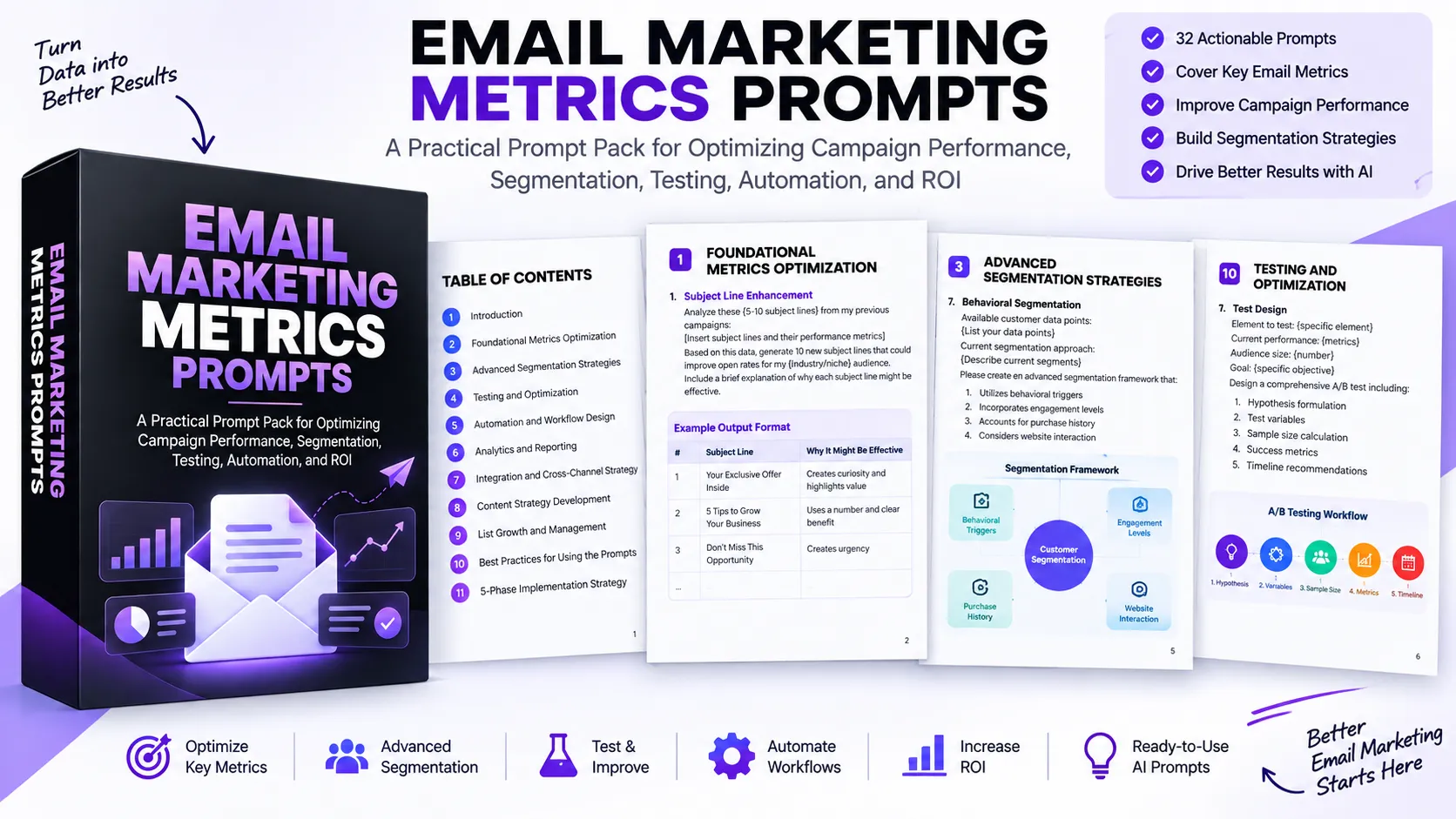
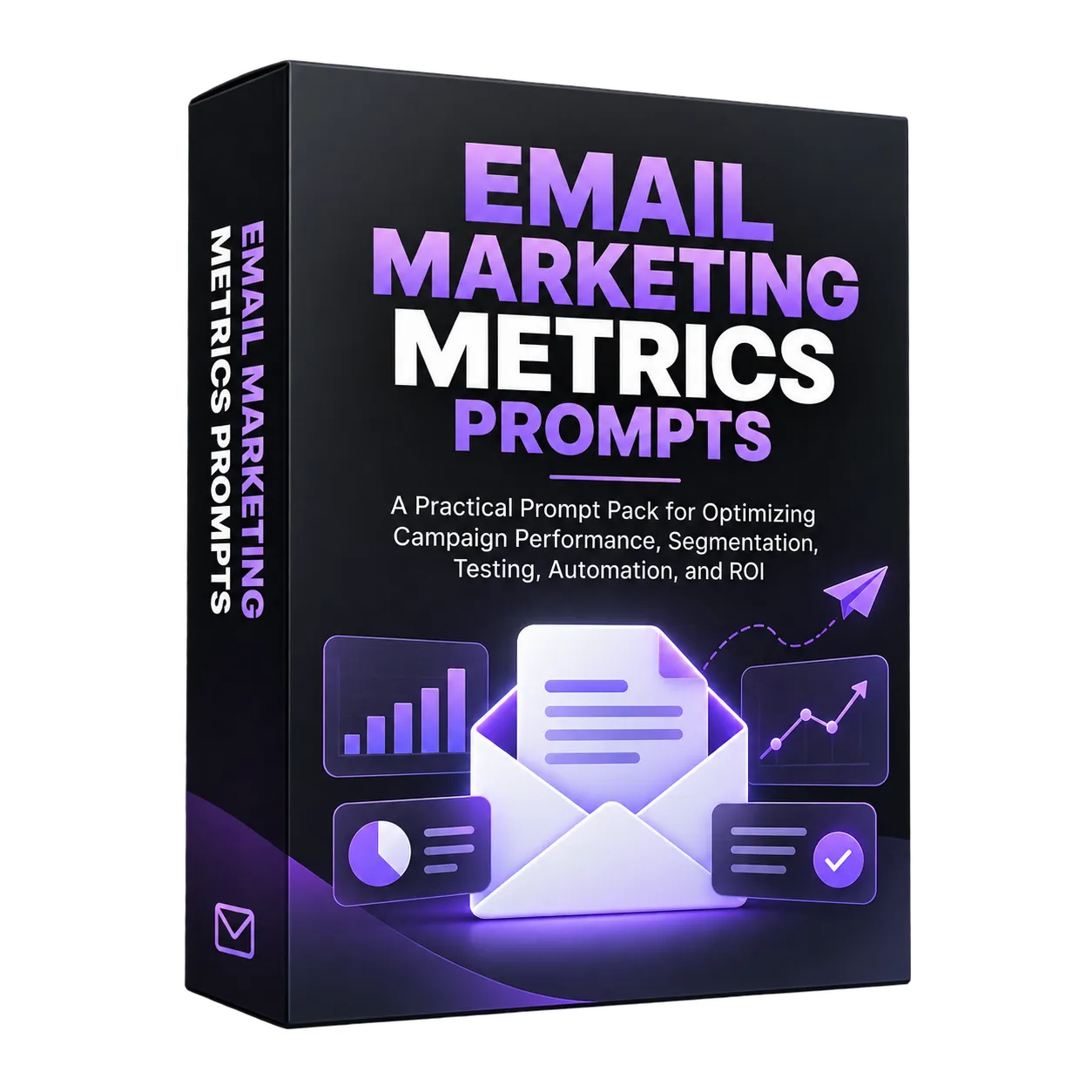
Email marketing produces a wide range of metrics and customer signals, but knowing what to do with that information can be challenging. Email Marketing Metrics Prompts is designed to help turn those inputs into structured analysis, strategies, tests, workflows, and optimization ideas using AI assistants.
The prompt pack contains 32 prompts organized around practical email marketing activities. Each prompt provides placeholders for information such as campaign performance, audience characteristics, customer behavior, business goals, available tools, and existing processes. This allows the prompts to be adapted to different campaigns and marketing situations.
The recommended approach is straightforward: provide relevant context, use the prompt with an AI assistant, evaluate the resulting suggestions, implement appropriate recommendations, and monitor the resulting performance.
Start With Foundational Email Metrics
The first group of prompts focuses on the core metrics and factors that influence email performance. These prompts can be used to examine existing campaigns and identify areas where improvements may be possible.
Improve Subject Lines and Email Content
The Subject Line Enhancement prompt analyzes previous subject lines alongside their performance metrics and asks AI to generate new variations for a defined audience. Each proposed subject line is accompanied by an explanation of why it might be effective.
The Email Content Analysis prompt takes a complete email, its target audience, and current open, click-through, and conversion metrics. It then examines areas including content structure, call-to-action placement, personalization opportunities, and emotional triggers.
Address Bounce and Unsubscribe Rates
The Bounce Rate Reduction prompt uses information such as current bounce rate, list size, industry, and existing list-cleaning practices to develop an action plan. The requested areas include list hygiene, sign-up form optimization, authentication improvements, and monitoring strategies.
The Unsubscribe Rate Optimization prompt examines unsubscribe rate alongside recent content changes, sending frequency, and audience segments to identify recommendations for reducing unsubscribes while maintaining engagement.
Build Engagement and ROI Strategies
The Engagement Score Calculation prompt helps create a weighted scoring system using available subscriber metrics, an existing scoring method if one exists, and observed behavior patterns. The output is intended to include a formula and thresholds for different engagement levels.
The ROI Enhancement Strategy prompt analyzes campaign cost, revenue generated, list size, industry, and revenue sources to identify specific ways to improve email marketing ROI while maintaining subscriber engagement.
Use Segmentation to Make Communication More Relevant
The resource moves beyond basic campaign metrics into advanced segmentation strategies. The prompts help structure customer information around behavior, lifecycle stage, engagement, purchase history, and website interaction.
Behavioral Segmentation
The Behavioral Segmentation prompt takes available customer data and the current segmentation approach and develops a framework using behavioral triggers, engagement levels, purchase history, and website interaction.
Lifecycle Stage Mapping
The Lifecycle Stage Mapping prompt creates a lifecycle-based segmentation strategy using existing customer stages and available data. It asks for stage definitions, transition triggers, segment-specific content strategies, and engagement metrics for each stage.
Predictive Segmentation
When historical customer data and key conversion actions are available, the Predictive Segmentation prompt is designed to identify high-value potential customers, spot churn risks, recognize upsell opportunities, and suggest timing for targeted communications.
Test, Analyze, and Optimize Campaigns
Effective optimization requires more than generating new ideas. The prompt pack includes a dedicated testing and optimization section covering test design, A/B testing, results analysis, and landing page optimization.
Design Structured A/B Tests
The Test Design prompt takes the element being tested, current performance, audience size, and objective and creates a structured A/B test. The requested framework covers hypothesis formulation, test variables, sample size calculation, success metrics, and timeline recommendations.
The A/B Testing Plan prompt expands this approach into a broader testing strategy based on the elements being tested, current performance, testing goals, and available resources. It also asks for statistical significance requirements and a timeline.
Evaluate Test Results
The Results Analysis prompt uses the performance of two test versions, sample size, and test duration to assess statistical significance and practical significance. It also asks for implementation recommendations and possible follow-up tests.
Improve the Email-to-Landing-Page Funnel
The Landing Page Optimization prompt examines email click-through rate, landing page conversion rate, bounce rate, landing page URL, and campaign goal to identify potential friction points and optimization opportunities.
Build Automated Email Workflows
Automation and workflow design form another major part of the resource. These prompts help translate business goals, audience information, triggers, and available tools into structured automated communication.
Design Workflow Sequences
The Workflow Design prompt asks for an automated email workflow containing trigger points, message sequences, conditional logic, and performance metrics. The Automation Workflow Design prompt extends this concept to multiple trigger events and requests timing and content recommendations.
Create Personalization and Welcome Experiences
The Personalization Strategy prompt uses available customer data and an existing personalization approach to develop dynamic content rules, personalization variables, fallback options, and a testing approach.
The Welcome Series Creation prompt creates a structured welcome sequence using business details, product or service information, key value propositions, and desired outcomes. The resulting sequence is designed around timing, content themes, and trigger points.
Re-engage Inactive Subscribers
The Re-engagement Campaign prompt is designed for inactive subscribers. It uses the organization's definition of inactivity, the number of inactive subscribers, previous re-engagement attempts, and available incentives to create a multi-step sequence with content suggestions and success metrics.
Strengthen Analytics and Reporting
The analytics and reporting section focuses on turning campaign data into structured performance analysis and decision-making systems.
Analyze Campaign Performance
The Campaign Performance Analysis prompt uses open rate, click-through rate, conversion rate, industry, campaign type, and target audience information to evaluate campaign performance and suggest improvements for the next campaign.
Create Dashboards and Attribution Models
The Custom Dashboard Creation prompt helps define a comprehensive email marketing dashboard based on required metrics, reporting frequency, stakeholder requirements, and current tracking tools. It asks for recommendations covering layout, key metrics, and visualization methods.
The Attribution Analysis prompt uses available marketing channels, the current attribution method, conversion path data, and business goals to recommend an attribution model and implementation steps.
Analyze Competitors and ROI
The Competitive Analysis prompt compares an organization's email marketing metrics with competitors and available industry benchmarks to identify competitive advantages and areas for improvement.
The ROI Analysis prompt takes campaign cost elements and revenue data and evaluates ROI through direct revenue attribution, indirect benefits, resource allocation, and optimization opportunities.
Connect Email With the Wider Marketing Strategy
Email does not operate in isolation. The resource includes prompts for coordinating email marketing with other channels and managing the data that connects those activities.
Coordinate Marketing Channels
The Channel Coordination prompt uses active marketing channels and current integration points to develop a cross-channel strategy. It focuses on aligning messaging, leveraging channel strengths, optimizing timing, and measuring cross-channel impact.
The Marketing Integration Plan prompt develops an implementation strategy based on current channels, integration goals, available tools, and existing challenges.
Plan Data Synchronization
The Data Synchronization prompt considers available data sources and current synchronization processes. It asks for a plan covering integration points, update frequency, error handling, and privacy compliance.
Plan Content and Grow a Healthy Email List
The prompt pack also covers content planning, personalization, lead generation, pre-launch sequences, list growth, and list health.
Develop a Content Strategy
The Content Calendar prompt creates a three-month email content calendar using target audience segments and key messaging themes. It includes topic suggestions, segment targeting, testing opportunities, and success metrics.
The Content Personalization Matrix prompt maps available content types against customer segments, engagement levels, lifecycle stages, and purchase behavior.
Create Lead Magnets and Email Sequences
The Lead Magnet Development prompt helps structure a lead magnet around a product, target audience, and value proposition. It requests concept recommendations, a content outline, delivery method suggestions, and a promotion strategy.
The Email Sequence Planning prompt is designed for pre-launch campaigns. It uses the product, target audience, and launch timeline to develop an email sequence structure, subject line variations, content themes, and a call-to-action strategy.
Improve List Growth and Health
The Growth Strategy prompt considers current list size, growth rate, acquisition sources, and target audience to develop a list growth strategy covering acquisition tactics, quality control measures, growth projections, and budget allocation.
The List Health Assessment prompt uses engagement rate, bounce rate, and complaint rate to create an optimization plan covering cleaning protocols, re-engagement campaigns, sunset policies, and monitoring systems.
Best Practices for Using the Prompts
The resource recommends several practices for getting more useful results from the prompt pack.
- Provide detailed context: Include relevant metrics, information, goals, constraints, and regularly updated data.
- Iterate and refine: Treat AI responses as starting points, test suggestions, modify them based on results, and document successful approaches.
- Maintain consistency: Use prompts regularly, track changes and improvements, and build on strategies that work.
- Focus on integration: Combine multiple prompts when appropriate, align them with the overall marketing strategy, and consider cross-channel effects.
The resource also recommends documenting AI-generated suggestions, testing recommendations before full implementation, monitoring results, maintaining compliance with email marketing regulations, and regularly reviewing and updating prompts based on results.
A Five-Phase Implementation Strategy
The final section brings the prompt pack together into a repeatable implementation process.
- Assessment: Use analytics prompts to understand current performance, identify improvement areas, and establish baseline metrics and goals.
- Planning: Use strategy prompts to develop plans, testing frameworks, and automation workflows.
- Execution: Apply content optimization prompts, deploy segmentation strategies, and launch automated campaigns.
- Monitoring: Regularly use analytics prompts, track performance metrics, and identify optimization opportunities.
- Optimization: Analyze test results, refine strategies based on data, and implement improvements.
This approach gives the prompt pack a practical role beyond one-off AI interactions. Prompts can become part of an ongoing process for assessing email performance, planning campaigns, executing strategies, monitoring results, and refining future activity.
Download the complete Email Marketing Metrics Prompts resource to access the full collection of 32 prompts and use them as working templates for your email marketing analysis, planning, testing, automation, reporting, and optimization activities.