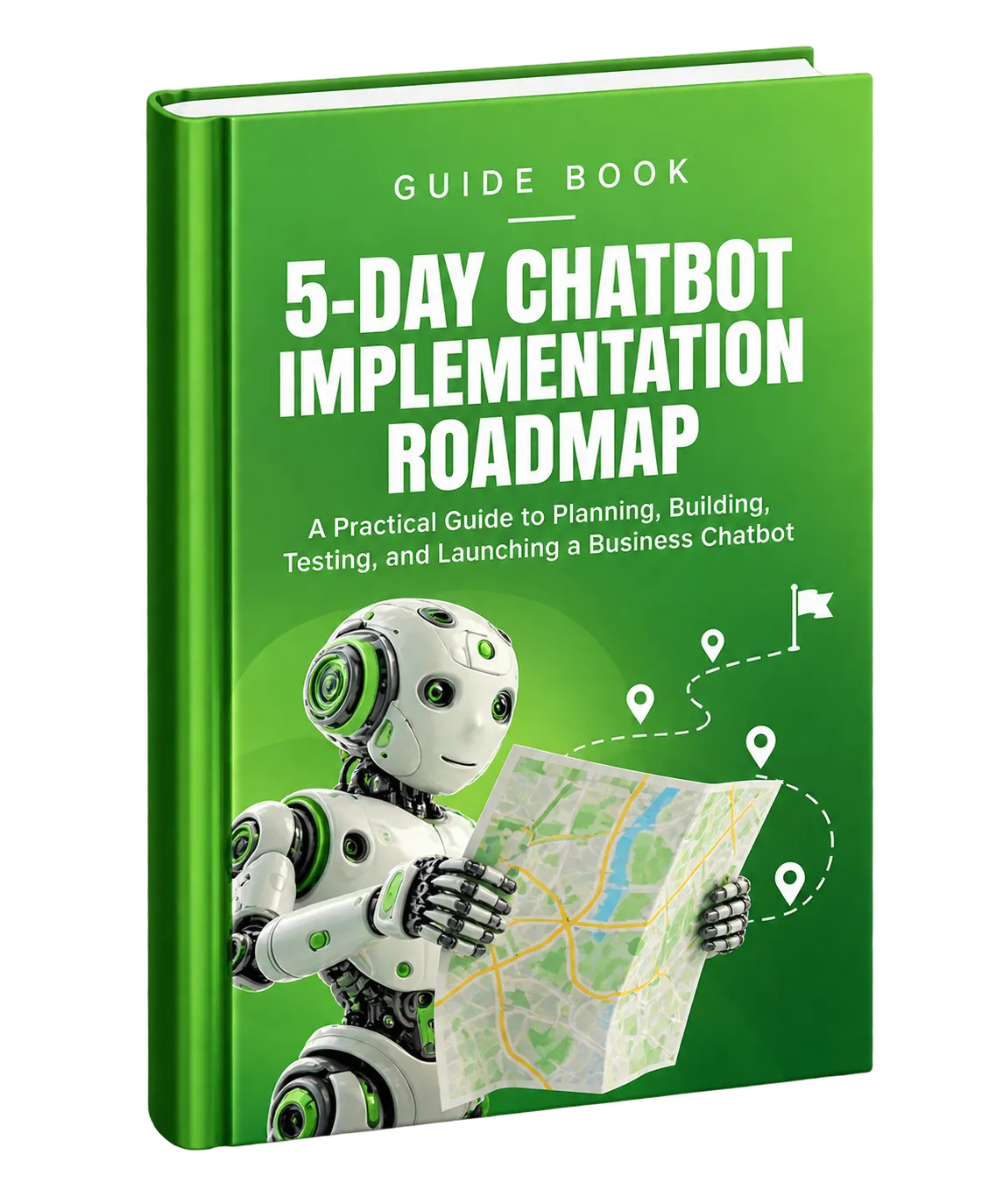
5-Day Chatbot Implementation Roadmap
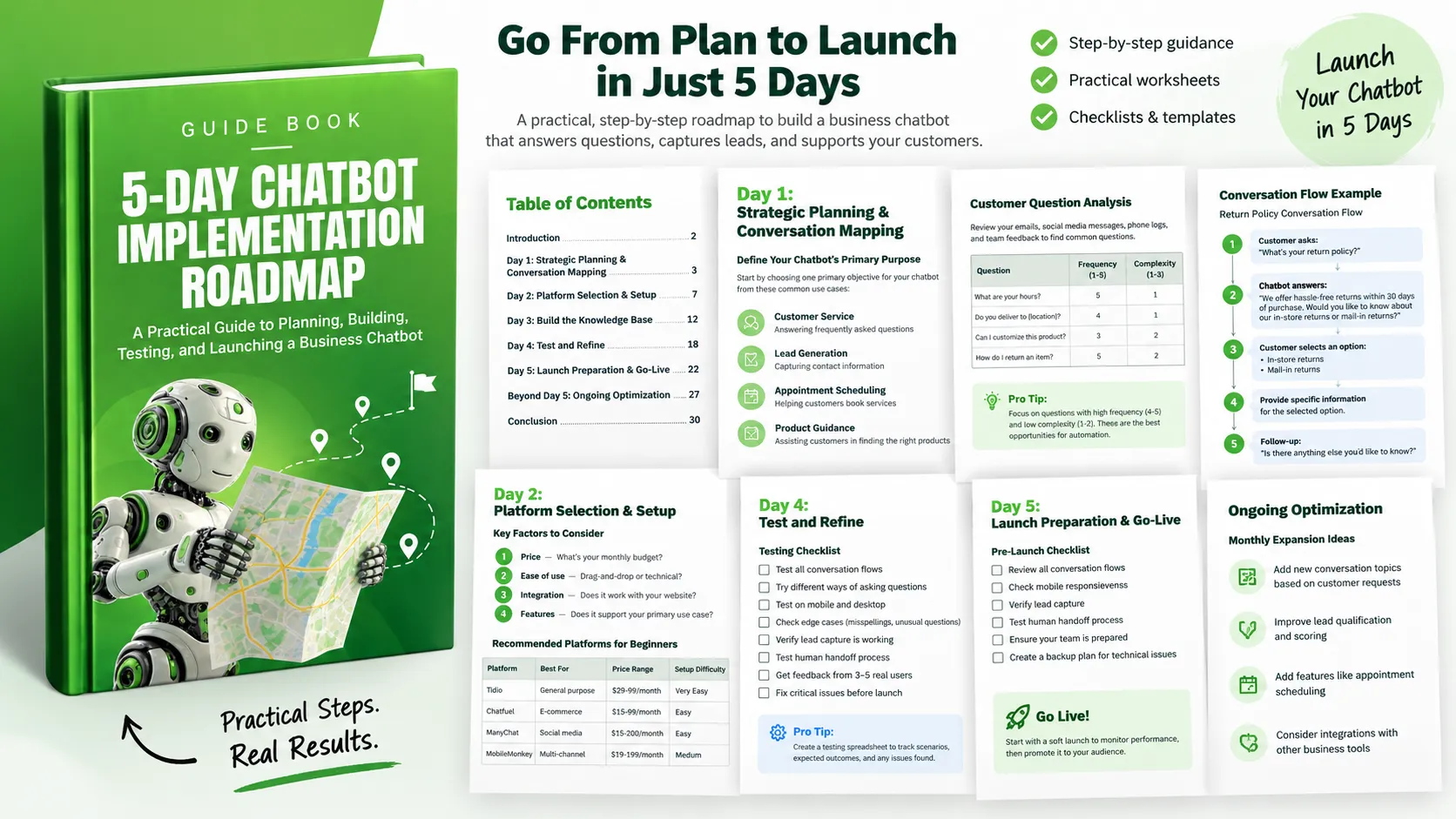
Setting up a website chatbot can seem like a large technical project, particularly when you are starting from scratch. The 5-Day Chatbot Implementation Roadmap turns that process into a structured sequence of daily activities.
The roadmap is designed around a simple progression: decide what the chatbot should accomplish, identify the conversations worth automating, choose and configure a platform, build the core interactions, test them thoroughly, launch, and then improve the chatbot using real customer interactions.
The goal is not to build a chatbot that tries to answer every possible question immediately. Instead, the guide recommends starting with a focused purpose and the questions that are most suitable for automation. This creates a practical foundation that can be expanded after launch.
Day 1: Define the Purpose and Map Customer Conversations
The first day is about strategy rather than technology. Before selecting a chatbot platform or writing responses, define the primary job the chatbot needs to perform.
The guide identifies four common purposes:
- Customer service: Answer frequently asked questions about business hours, policies, or products.
- Lead generation: Capture contact information from website visitors.
- Appointment scheduling: Help customers book services or consultations.
- Product guidance: Help customers find suitable products.
The important principle is to choose one primary objective rather than trying to solve multiple problems at once. A specific objective makes it easier to decide which conversations belong in the initial chatbot.
Identify the Questions Customers Ask Most Often
Once the purpose is defined, examine how customers currently interact with the business. The guide recommends reviewing customer emails, social media messages and comments, phone logs or voicemails, and questions that team members repeatedly answer.
Organize the questions according to frequency and complexity. Questions with high frequency and relatively low complexity are identified as strong opportunities for chatbot automation.
The resource provides an example using questions about business hours, delivery locations, product customization, and return policies. This process helps turn actual customer interactions into a practical chatbot content plan.
Map the Conversation Flows
For each important question, consider what the customer may need after receiving the initial answer. A useful conversation flow can include the customer's question, the chatbot's answer, follow-up choices, additional information, and a final opportunity to continue the conversation.
The guide recommends creating at least five conversation flows for common customer questions and keeping the language conversational, helpful, and aligned with the business's brand voice.
Day 2: Select the Platform and Set Up the Chatbot
After deciding what the chatbot needs to accomplish, the next step is choosing a platform that matches the business's needs and level of technical comfort.
The roadmap recommends considering four factors:
- Price: Determine what fits within the available monthly budget.
- Ease of use: Consider whether a drag-and-drop interface or a more technical platform is appropriate.
- Integration: Confirm that the platform works with the website platform being used.
- Features: Make sure the platform supports the chatbot's primary use case.
The original guide includes examples of chatbot platforms aimed at beginners, including Tidio, Chatfuel, ManyChat, and MobileMonkey, along with their stated use cases, price ranges, and setup difficulty.
Rather than selecting a platform based only on features, the guide recommends visiting two or three platforms, trying available free trials, watching introductory tutorials, and testing their interfaces. The objective is to select a platform that feels intuitive while matching the budget and feature requirements.
Connect the Chatbot to the Website
After creating the account, configure the chatbot with the business information, visual identity, welcome message, widget position, colors, greeting delay, and business-hour settings as appropriate.
Website integration commonly involves using a plugin or adding a provided code snippet or widget code. The exact process depends on the selected platform and website system.
If the chatbot does not appear correctly, the guide suggests checking the browser cache, determining whether an ad blocker is interfering, and confirming that the integration code has been added to the pages where the chatbot should appear.
Build the First Conversation
Do not attempt to build every conversation at once. Start with one of the simplest flows identified during Day 1.
Create the trigger question or keywords, write a friendly response, provide the direct answer, and add useful follow-up options. The guide's example uses a business-hours question followed by options such as getting directions, making an appointment, or asking another question.
Day 3: Build the Knowledge Base and Core Conversations
Day 3 turns the conversation maps into functioning chatbot interactions. The recommended implementation order begins with the information customers are most likely to need.
- Business basics such as hours, location, and contact information.
- Product or service information.
- Pricing and payment questions.
- Policies such as returns and cancellations.
- Booking or scheduling processes.
For each conversation, create trigger questions and keyword variations, build the main response, provide buttons or quick replies where useful, and connect related conversations when appropriate.
Keep Responses Clear and Useful
The guide recommends keeping individual responses brief, generally aiming for one to three sentences. Responses should use natural language, include actionable next steps, and maintain the appropriate brand voice.
A simple response structure provided in the resource is:
[Greeting] + [Direct Answer] + [Additional Context] + [Next Steps]
This structure gives the chatbot a consistent way to provide useful information without leaving the visitor wondering what to do next.
Build Lead Capture Into the Conversation
If lead generation is part of the chatbot's purpose, create a dedicated conversation for collecting visitor information.
The guide recommends collecting information such as name, email or phone number, and the visitor's specific interest or need. One or two qualification questions can then help prioritize the lead, such as questions about budget, timeline, or specific requirements.
An important recommendation is to avoid asking for every piece of information in one message. Instead, break the collection process into separate conversational steps so that the interaction feels less like completing a form.
Create Fallbacks and Human Escalation Paths
A chatbot will not be able to answer every question. The roadmap therefore treats fallback responses and human escalation as essential parts of the implementation.
A general fallback can invite the visitor to rephrase the question or choose from common topics. Topic-specific fallbacks can help when the chatbot partially understands the subject but does not have enough information to answer the specific question.
The chatbot should also provide a clear path to human assistance when appropriate. The guide identifies complaints, urgent language, refund or compensation requests, complex technical issues, and high-value sales inquiries as situations that should trigger human escalation.
Day 4: Test and Refine Before Launch
Testing is a major part of the roadmap. Before making the chatbot available to customers, every important conversation path should be tested to confirm that it behaves as expected.
Create a Testing Process
The guide recommends creating a testing spreadsheet containing the test scenario, expected outcome, actual outcome, issues identified, and status.
Test each conversation using different forms of customer language, including exact trigger phrases, variations of trigger phrases, misspellings, and different ways of asking the same question.
It is also important to test edge cases. Consider what happens when a visitor gives a one-word response, asks multiple questions at once, or changes the subject in the middle of a conversation.
Test With Other People
Internal testing cannot reveal every usability issue. The roadmap recommends recruiting three to five testers who are not familiar with the chatbot and giving them several tasks to complete.
Observe how they phrase questions and navigate conversations. Then ask whether the chatbot was easy to understand, whether the responses were helpful and clear, whether they became stuck, how natural the conversation felt, and what improvements they would recommend.
Prioritize the Problems You Find
Not every improvement needs to happen immediately. The resource divides testing issues into three groups.
- Critical fixes: Broken flows, missing responses to common questions, incorrect or confusing information, and problems with lead capture should be resolved before launch.
- Important improvements: Additional trigger phrases, clearer responses, improved fallback messages, and additional follow-up options should be addressed when possible.
- Future enhancements: New conversation topics, more sophisticated features, business-system integrations, and advanced personalization can be documented for later.
Day 5: Prepare, Launch, and Monitor
The final implementation day focuses on launch readiness and establishing a process for monitoring the chatbot after it becomes available to customers.
Complete the Pre-Launch Checklist
Before going live, review every conversation flow, test the chatbot on different devices, verify lead capture, test the human handoff process, make sure the team understands how to handle escalated conversations, and create a backup method for customers to reach the business if the chatbot experiences technical problems.
The guide also recommends deciding whether to begin with a soft launch or a full launch. A soft launch makes the chatbot available without prominently announcing it, providing an opportunity to observe real interactions before wider promotion.
Establish Monitoring Responsibilities
Launching the chatbot does not remove the need for human oversight. The resource provides an example monitoring schedule that becomes less frequent as the chatbot moves beyond its initial launch period.
Define who will review conversations, how often they will be reviewed, how quickly humans should respond to escalated conversations, how visitor feedback will be collected, and which success metrics will be tracked.
Track Meaningful Performance Indicators
The roadmap identifies several performance indicators that can help evaluate the chatbot:
- Conversation completion rate: The percentage of conversations that reach a successful conclusion.
- Response time: How quickly automated responses are delivered.
- Customer satisfaction: A rating of conversation helpfulness when supported by the platform.
- Lead generation: The number of contact details collected.
- Human escalation rate: The percentage of conversations that require human intervention.
- Common queries: The questions visitors ask most frequently.
The guide also provides example targets for several of these measures, while noting that lead-generation targets should be based on website traffic and that common queries are primarily useful for ongoing optimization.
Go Live Carefully
The launch sequence includes one final test by someone outside the business, disabling test mode, confirming that the chatbot is visible, sending a test message, and informing the team that the chatbot is active.
During the first day, the roadmap recommends checking new conversations regularly, looking for recurring questions or problems, making immediate adjustments to problematic responses, documenting unexpected questions, and remaining ready to provide human assistance.
Beyond Day 5: Keep Improving the Chatbot
The five-day implementation is the beginning of the chatbot's development rather than the end. Real customer conversations reveal new questions, misunderstandings, abandoned conversations, and opportunities for improvement.
Weekly Optimization
The guide recommends setting aside approximately 30 minutes each week to review conversation logs and identify unanswered questions, misunderstood requests, and abandoned conversations.
Use those findings to update the knowledge base with new trigger phrases, responses to previously unanswered questions, and clearer explanations. Review key metrics as well and look for trends in conversation completion, lead capture, and human escalation.
Monthly Expansion
On a monthly basis, the roadmap recommends adding new conversation topics based on customer requests, seasonal business changes, and new products or services.
Lead qualification can also be improved by refining qualification questions, enhancing lead scoring, and optimizing the handoff to the sales team.
As the chatbot matures, the guide suggests considering additional capabilities such as appointment scheduling, product recommendations, and integrations with other business tools.
A Practical Five-Day Action Plan
- Day 1: Define the chatbot's primary purpose and map the most important customer conversations.
- Day 2: Select a suitable platform, create the account, integrate the chatbot with the website, and implement the first conversation.
- Day 3: Build core conversation flows, create lead capture where needed, and establish fallback and human escalation paths.
- Day 4: Test conversations thoroughly, gather feedback from other users, and resolve critical issues.
- Day 5: Complete launch preparation, establish monitoring and analytics, launch the chatbot, and begin the first-week improvement process.
- Week 2: Review early performance and make initial optimization adjustments.
- Month 1: Analyze the accumulated data and plan the first major enhancement.
Start With a Focused Chatbot and Improve From There
A useful chatbot does not need to attempt everything on its first day. The roadmap's approach is to start with a clear purpose, prioritize common and relatively simple customer questions, build practical conversation paths, test them carefully, and use real interactions to guide future improvements.
Following this process can help a business create a chatbot that handles repetitive questions, captures relevant leads, and provides visitors with immediate assistance. More importantly, the ongoing optimization process creates a structured way to learn from customer conversations and continually improve the chatbot.
The first step is straightforward: define what the chatbot is meant to accomplish and identify the conversations that support that goal. From there, the five-day roadmap provides a structured path from planning to launch.